
Who We Are at NEXT LED Signs
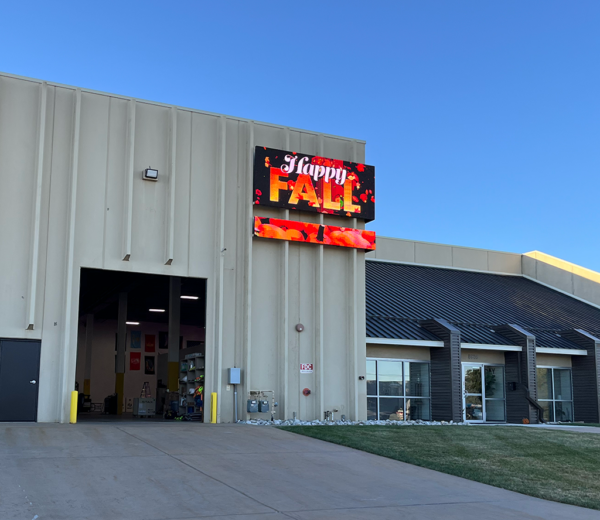
Next LED Signs is a U.S.-based manufacturer of LED digital signs built for visibility, performance, and long-term reliability. We help businesses, schools, cities, and organizations connect with their audiences using high-quality indoor and outdoor LED signage. Whether you need a full-color outdoor billboard or a sharp, high-resolution display for indoor spaces, we provide solutions designed to make your message stand out. https://youtu.be/5OESuSNVbhU?si=wwxttnBLRetfIJYQ What Does Next LED Signs Do? We provide LED digital signs that deliver bold, clear messaging in high-traffic areas—day or night, rain or shine. Our signs are designed to attract attention, communicate effectively, and help your organization reach more people with less effort. More than a product, we offer full support—consultation, design, installation, training, and 24/7 technical service. Why Choose Next LED Signs? We’re not just sign builders—we’re problem solvers focused on real business results. Here’s what makes us different: Built for Your Goals Every business is unique. We help you choose the right LED sign based on your location, traffic patterns, message goals, and budget. Durable, Reliable, and Bright Our signs use advanced LED technology to ensure excellent brightness, low energy consumption, and long product life. They are weather-tested and proven in the field across all 50 states. Full-Service Support We offer ongoing service beyond installation—including content guidance, software training, remote diagnostics, and fast technical help when you need it. Innovation That Works for You From real-time scheduling to interactive displays, our systems are built for performance and flexibility. Whether you want to display menus, countdowns, events, or urgent alerts—we’ve got the tools. What’s Our Promise? When you work with Next LED Signs, you can expect: A sign that’s easy to use, update, and manage. Exceptional image quality and dependable uptime. Honest guidance with no high-pressure sales. Installation on your timeline—with no delays. A real partner committed to your success. What Industries Do We Serve? We work with a wide range of clients, including: Retailers who want to increase foot traffic and daily sales. Schools and universities that need flexible, secure messaging. Banks and credit unions that rely on visibility and professionalism. Cities and civic groups that require real-time community communication. Restaurants looking to promote daily specials and seasonal offers. Event venues and casinos that need bold visuals for promotions. FAQs About Next LED Signs What types of LED signs do you offer?We offer outdoor digital signs, indoor digital displays, video walls, and programmable signage for virtually any application. Do your signs come with software?Yes. Every LED sign includes user-friendly content management software, with options for cloud-based scheduling, real-time updates, and multi-location control. How long do your signs last?Our LED signs are rated for 100,000 hours of use, with solid-state engineering that reduces maintenance needs and extends product lifespan. Can you help with permits and installation?Absolutely. We assist with local permitting and handle professional installation through trusted partners across the country. Let’s Talk About Your Project If you’re planning to upgrade your signage or need help choosing the right digital display, we’re here to help. Contact us for a free consultation and rendering—no obligation, just answers. Next LED Signs – Built to Perform. Backed by People Who Care.
Brightening Loyalty: How LED Signs Drive Car Wash Success
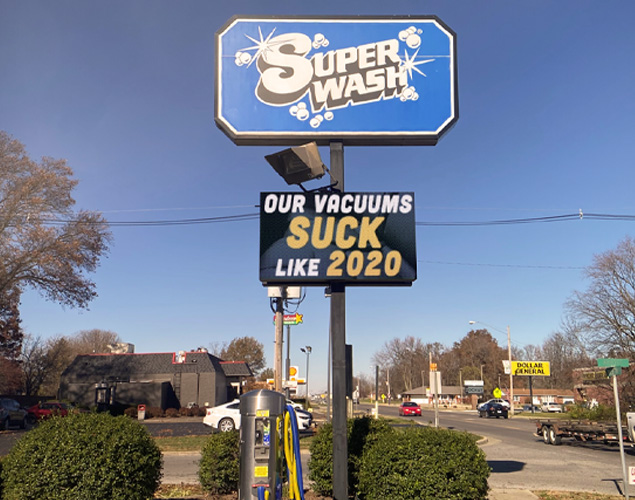
Building customer loyalty in the car wash business isn’t easy—people can be fickle, and first impressions count. That’s where LED digital signs come in. These bright, adaptable displays help you stand out, promote loyalty, and drive repeat visits. Enhancing Brand Visibility Let’s face it—car wash competition is fierce. There are around 60,000 car wash locations in the U.S.—a $14 billion industry growing roughly 5% each year LED signs grab attention, make your brand pop, and bring new customers through the gate—and keep them coming back. Promoting Loyalty Programs Promoting your loyalty or membership benefits right at the entrance? That’s smart marketing. Displaying discounts, free washes, or monthly programs via LED signs keeps them top-of-mind and boosts enrollment. A well-timed reminder can turn occasional visitors into members. Real-Time Updates and Promotions Got a rainy day discount or a sudden need to spotlight a new service? Add it to your sign in seconds. These quick, weather-sensitive promotions bring in customers who might have otherwise ignored the idea of a wash in the rain. Improving Customer Experience Nobody likes waiting—not at a water park, and certainly not for a car wash. Use LED signs to show wait times, service progress, or short entertainment clips. That small touch can make a big difference—messy content means happier drivers and more repeat business. Cost-Effective Marketing Compared to printed signs, your LED sign is a one-time cost with unlimited creative freedom. Change it as often as you want, without extra costs. That flexibility saves money and keeps your marketing sharp. Implementing LED digital signage in your car wash business can significantly enhance customer loyalty by improving brand visibility, promoting engagement, and providing real-time information. This modern approach to communication not only attracts new customers but also fosters lasting relationships with existing ones, driving growth and success in the competitive car wash industry. FAQs About LED Signs for Car Washes How much can a car wash benefit from loyalty-focused LED signage?Digital loyalty ads can increase recurring visits by 15–25%, with many car washes reporting a 20% boost in loyalty program sign-ups after installing LED signs. Do real-time promotions really bring in more customers?Yes—weather-triggered promotions can increase same-day car wash sales by up to 18%, according to industry benchmarks. How do customers react to wait-time displays?Displaying estimated wait times improves perceived wait by up to 40%, keeping drivers relaxed and willing to wait—and come back. Are LED signs cost effective for small car washes?Absolutely. While average revenue per car wash location is around $1.5 million annually, LED signs cost a fraction of traditional marketing campaigns—yet offer unlimited promotional flexibility without recurring printing fees. Can loyalty messaging really boost long-term retention?Yes—loyalty-focused LED content can increase member retention by 10–15%, turning occasional customers into regulars and boosting lifetime revenue. How Next LED Signs Can Help Contact Next LED Signs today to explore how LED digital signs can enhance audience engagement and strengthen your brand presence.
LED Video Walls in Stage Productions: A New Era of Visual Storytelling
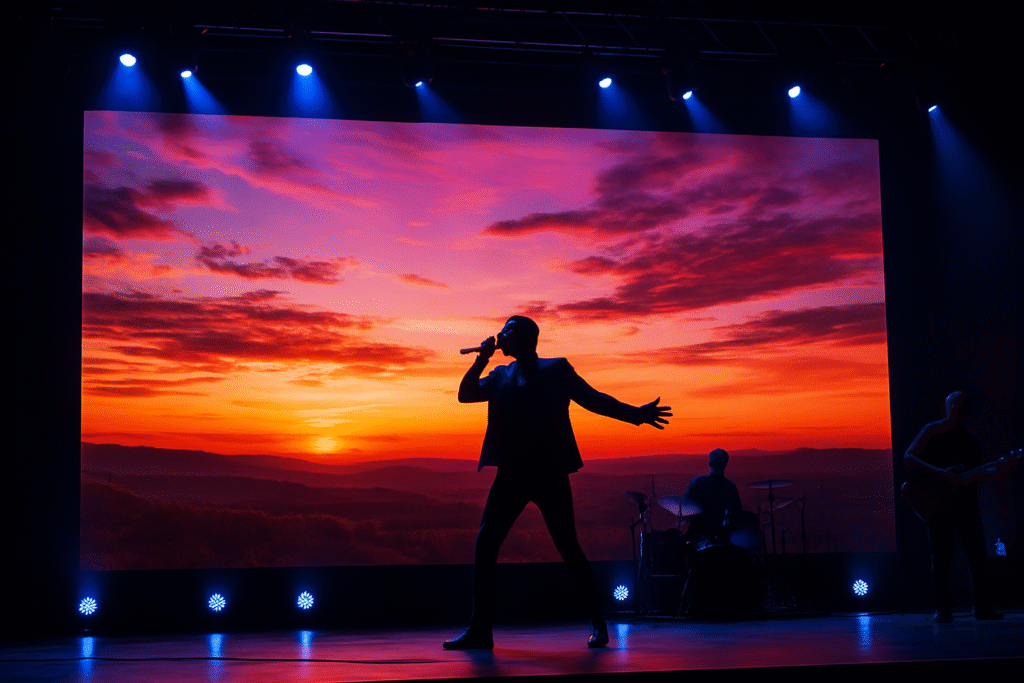
Bring Your Stage to Life with LED Video Walls Whether you’re producing a concert, a theatrical show, or a corporate event, your stage needs to make a statement. LED video walls are transforming what’s possible in live production. These dynamic displays allow you to create immersive visuals that grab attention and elevate your audience’s experience. A Visual Game-Changer for Live Performances Traditional backdrops and printed scenery limit what you can do on stage. With LED video walls, your stage becomes a canvas that can shift in real time. Need a dramatic cityscape one moment and a cosmic galaxy the next? No problem. LED displays change instantly, bringing new energy and flexibility to your show. Adaptable to Any Venue Size From small community theaters to large arenas, LED video walls scale to fit. Modular design means you can build a display that works with your exact stage dimensions—no need to redesign your set to fit the tech. Plus, the slim profiles and high brightness make them ideal for both indoor and outdoor use. Real-Time Control and Content Flexibility With LED walls, you’re in control. Run video, animation, text, and live feeds—all from user-friendly software that lets you update content instantly. This real-time flexibility means you can respond to last-minute changes, integrate social media, or keep the audience informed between acts. Memorable Audience Engagement When the audience is immersed, they’re more engaged—and more likely to talk about your show afterward. Research shows that visual displays increase recall by 83% and can make live experiences feel more interactive and impactful. Whether it’s a pulsing background synced to music or a stunning animated set change, LED walls make your production unforgettable. Enhancing the Audience Experience When used creatively, LED video walls blur the line between stage and screen. At concerts, they amplify emotion by displaying live video of the performers, crowd reactions, or pre-produced visuals synchronized to the beat. In theater, they can simulate environments—city streets, stormy seas, or abstract dreamscapes—transforming a simple stage into a multidimensional space. LED displays have been shown to increase audience retention and recall by over 40%, compared to traditional static visuals, according to a 2023 Nielsen DOOH study. That impact is especially valuable for corporate events or branded experiences where messaging is key. Cost-Effective and Scalable for Any Venue While LED video walls were once reserved for mega-productions, advances in manufacturing and component design have made them accessible to smaller theaters, churches, and regional venues. High-efficiency panels reduce energy use, while longer lifespans and rugged design lower maintenance costs. More than 75% of production companies report positive ROI from integrating LED walls, citing both visual impact and logistical savings over printed backdrops and one-time use sets, according to Event Tech Brief. Why Stage Designers Choose Next LED Signs Next LED Signs delivers high-performance LED video wall systems built for the demands of live entertainment. Our displays feature tight pixel pitches, seamless panels, and robust control systems that integrate smoothly into any production workflow. Whether you’re staging a musical, a corporate keynote, or a faith-based performance, we offer tailored solutions that elevate your visuals and simplify your setup. Let us help you turn your stage into a canvas of motion, light, and emotion—with an LED video wall that performs as brilliantly as your cast. Sign Location Mapping: Mapping out precise placements for each sign across the site. Key considerations: Visibility: Signs should be placed where they are easily seen by pedestrians and drivers, avoiding obstructions like trees or buildings. Accessibility: Locations should comply with ADA (Americans with Disabilities Act) requirements to ensure all visitors can access and read signage. Designated zones: Assign specific areas for particular types of signage to avoid clutter and confusion. FAQs About LED Video Walls for Stage How much impact do LED video walls have on audience engagement?Studies show that audiences retain 83% more information when it’s delivered visually. LED video walls dramatically increase visual impact, making performances more memorable. Can theaters afford LED video wall systems?Yes. Prices have dropped over 35% in the past five years. Many mid-sized theaters recover their investment within 12–18 months through increased ticket sales, sponsorships, and rentals. Are LED video walls hard to control during live shows?Not at all. Most systems use intuitive software with real-time control, so you can switch scenes, videos, or effects without interrupting the performance. Do LED video walls work in brightly lit venues?Yes. High-brightness displays (often 1,000–5,000+ nits) maintain clarity in ambient light. That makes them ideal for concerts, churches, and outdoor stages. What are the maintenance requirements?LED walls are extremely low-maintenance. With solid-state engineering, they have no moving parts and can last up to 100,000 hours with minimal upkeep. How Next LED Signs Can Help Contact Next LED Signs today to explore how LED digital signs can enhance audience engagement and strengthen your brand presence.
Indoor LED Displays Are Reshaping Workplace Communication
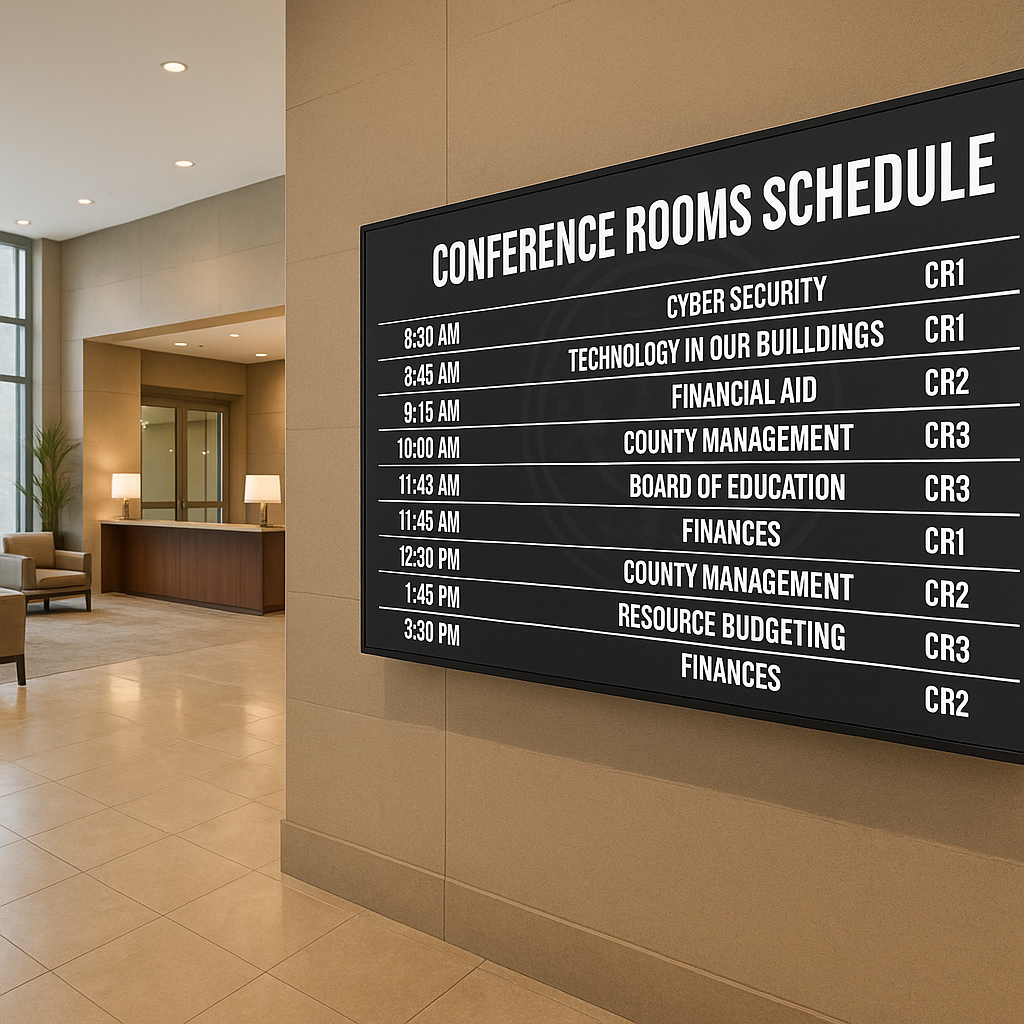
LEDs (Light Emitting Diodes) have skyrocketed in popularity thanks to their energy efficiency, eco-friendliness, affordability, and long lifespan. They’re the backbone of modern digital signage and scoreboards, offering businesses a reliable and impactful way to display information and attract attention.
Among the various types of LEDs, SMD (Surface Mounted Devices) and DIP (Dual Inline Package) LEDs stand out as the most common technologies. While they share the same foundational principles, they bring unique advantages to the table.
Why LED Video Walls Outshine Projection Displays in Large Venues
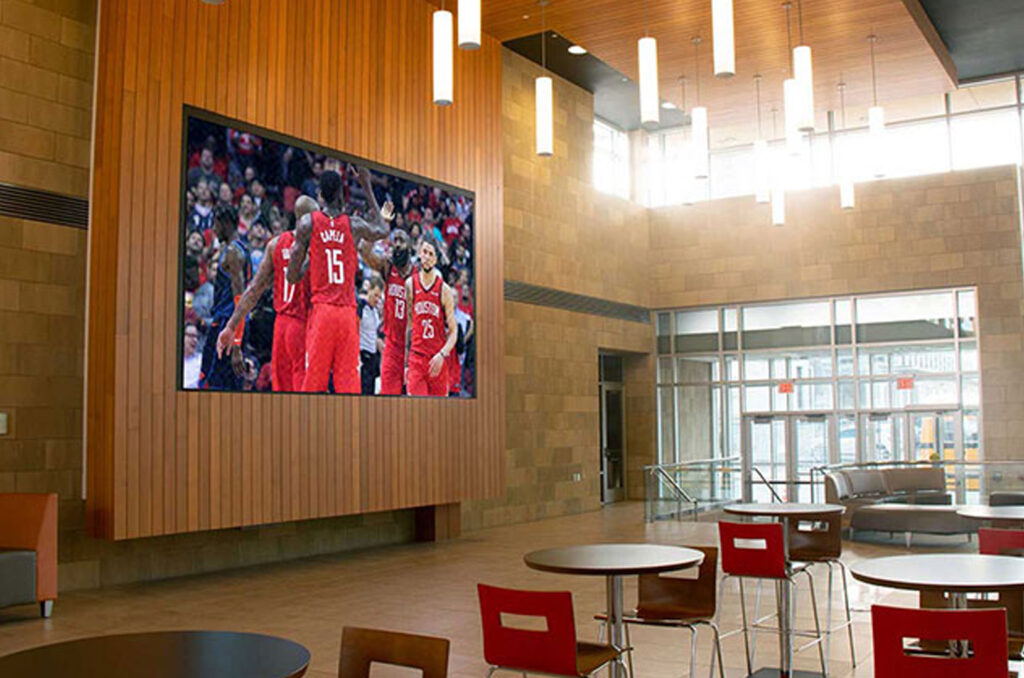
LEDs (Light Emitting Diodes) have skyrocketed in popularity thanks to their energy efficiency, eco-friendliness, affordability, and long lifespan. They’re the backbone of modern digital signage and scoreboards, offering businesses a reliable and impactful way to display information and attract attention.
Among the various types of LEDs, SMD (Surface Mounted Devices) and DIP (Dual Inline Package) LEDs stand out as the most common technologies. While they share the same foundational principles, they bring unique advantages to the table.
How to Choose the Right Indoor LED Display for Your Space
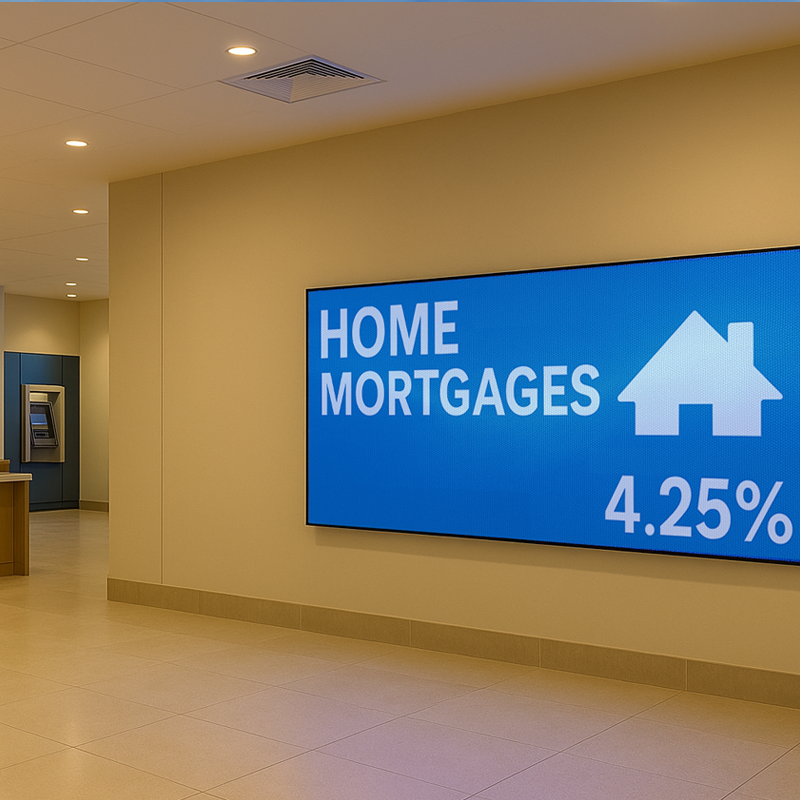
Indoor LED displays are a smart choice for businesses that want to communicate visually with impact. Whether you’re managing a lobby, retail floor, meeting space, or control room, the right LED sign makes it easier to deliver clear, eye-catching messages. But not all LED displays are created equal. To get the most out of your investment, you need to consider factors like viewing distance, pixel pitch, ambient lighting, and content needs. Let’s break it down. Why Indoor LED Displays Make Sense LED technology has quickly outpaced older options like LCD panels or projectors. Here’s why: They’re self-illuminating, so they remain bright and legible in any lighting. They’re modular, which means they scale to nearly any size or shape. They’re durable and energy-efficient, offering years of dependable service. LED signs are designed for attention. That’s why companies are using them in offices, retail stores, airports, hotels, conference centers, and even emergency command rooms. Fact: Indoor LED signs can operate for 100,000+ hours—that’s over 11 years of 24/7 use. Pixel Pitch: What It Is and Why It Matters Pixel pitch is the space between each LED diode, measured in millimeters. The lower the number, the tighter the pitch—and the sharper the image at close range. Here’s a quick reference: 0.9mm–1.5mm: Perfect for viewers within 6–10 feet (e.g., lobbies or meeting rooms) 1.5mm–2.5mm: Great for 10–20 foot distances (e.g., corridors or waiting areas) 2.5mm+: Ideal for distant viewing (e.g., indoor arenas or large halls) Tip: A tighter pitch boosts readability. In fact, when the pitch matches the viewing distance, message clarity improves by up to 70%. Ambient Light and Viewing Angles Lighting plays a big role in display performance. In well-lit spaces or areas with large windows, traditional displays often struggle with glare or washed-out images. That’s where LED shines—literally. LED screens stay bright and vibrant even in direct sunlight. They offer wider viewing angles (up to 180°), so content stays visible off-center. Stat: LED displays provide 10× better visibility in high ambient light compared to projection systems. What Will You Be Displaying? Choosing the right display isn’t just about size or brightness. You also need to think about what you’ll be showing. Detailed videos or high-res graphics? Go for a small pixel pitch with high refresh rates. Scrolling text or status updates? You can go with a higher pitch and simpler configuration. Also, if you plan to rotate different types of content throughout the day (e.g., live data, promotions, welcome messages), you’ll want a display that can handle fast transitions without flicker or lag. Benchmark: LED displays with refresh rates of 3,840 Hz or higher deliver smooth playback, even with fast-moving visuals. Efficiency and Longevity LED signs aren’t just more attractive—they’re also more cost-effective over time. They require less maintenance than LCDs or projectors. They consume 30–50% less energy thanks to modern power-saving features like auto-dimming. And they last longer, with less image degradation over time. Calculating Total Cost of Ownership It’s true—LED displays can cost more upfront. But over the life of the sign, that cost evens out. When you factor in: Reduced power usage Lower maintenance needs Longer operational life …you end up saving money in the long run. Many businesses see full ROI in 2–4 years, especially in high-visibility locations. Frequently Asked Questions About Indoor LED Displays Q: What pixel pitch is best for indoor LED displays at close viewing distances?A: For viewers within 6 to 10 feet, a pitch between 0.9mm and 1.5mm is recommended. According to recent display studies, matching pitch to proximity improves text and graphic clarity by up to 70%. Q: How do LED signs perform in bright indoor environments?A: LED displays are 10× more visible than projection screens in high ambient light. They remain vibrant even in sunlit or glass-heavy spaces, with 180° viewing angles for maximum reach. Q: What’s the difference between pixel pitch and resolution in LED displays?A: Pixel pitch is the spacing between diodes and affects how sharp the image appears at a given distance. Resolution refers to the total number of pixels. Smaller pixel pitch often means higher resolution per square foot. Q: Are indoor LED signs energy efficient?A: Yes. Indoor LED signs use 30–50% less energy than traditional LCDs or projectors. Most commercial-grade units feature built-in auto-brightness controls to minimize energy waste. Q: How long does a commercial indoor LED display last?A: Most indoor LED signs are rated for 100,000 hours of operation. That’s equivalent to over 11 years of continuous use—making them a reliable long-term asset. Why NEXT LED Signs Is the Right Choice for Indoor LED Displays At NEXT LED Signs, our indoor LED displays deliver unmatched clarity, reliability, and performance. Whether you need a high-resolution video wall for your corporate lobby or a dynamic message board for a retail space, our team will help you choose the right pixel pitch, size, and configuration to match your environment. Every display we build is engineered for long-term operation, with low energy use and seamless integration. From planning to installation and ongoing support, we’re here to make sure your indoor LED display works exactly how—and where—you need it to.
Your Digital Sign Isn’t Just a Screen—It’s Your Brand in Motion
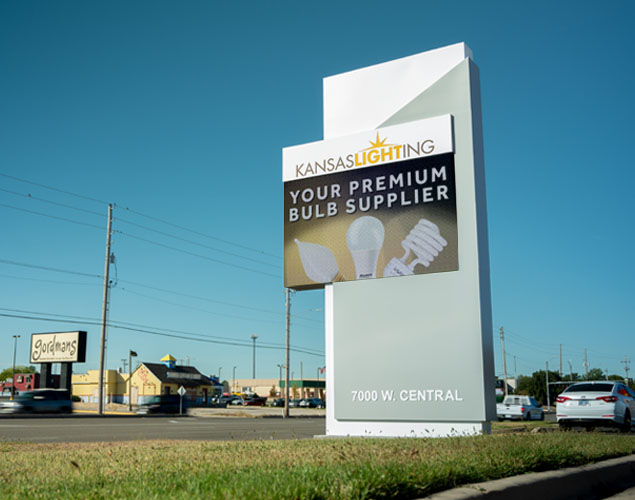
When people talk about branding, they usually mean logos, websites, or maybe uniforms. But the thing that most people see first? That sign outside your building. Or the LED screen by your entryway. And if it’s bland, outdated, or inconsistent with the rest of your brand? That disconnect doesn’t go unnoticed. Your digital signage isn’t just a way to get noticed—it’s how people get to know you. The First Impression People Actually Notice Let’s be honest. People are busy. They’re walking past your storefront, driving by your church, or dropping their kid off at school—and they’re deciding in seconds whether you feel trustworthy, modern, or worth a second look. A bright, clear, and on-brand digital sign does what no poster or banner ever could: it gives your message motion, relevance, and presence. Stat: Digital signs capture 400% more views than static signage—and increase message retention by up to 83%. Consistency Builds Credibility Your font. Your colors. The tone of your messaging. These things aren’t small—they’re what makes your brand feel like you. When your digital sign echoes your visual identity—matching your website, logo, and voice—you create a sense of cohesion that builds credibility and trust. That goes for a local bakery just as much as a bank or school district. And with LED signs, staying consistent doesn’t mean staying stuck. You can change your message without changing your look. Relevance Is Real-Time Static signs age fast. Weather changes. Offers end. Events pass. With digital signage, you’re not locked into yesterday’s message. You can promote an event in the morning, thank attendees by afternoon, and push a special offer before dinner. And it’s not just about marketing—it’s about feeling present. When people see updated content, it tells them you’re paying attention. Fact: Businesses that use real-time content see a 33% increase in audience engagement. Great Signage Creates Emotional Connection People don’t remember “open 9–5.” They remember feeling included. A great LED sign doesn’t just inform—it creates connection. Highlight a student of the week. Celebrate a team win. Post a thank-you to veterans. Promote a local blood drive. These moments show your community that you see them. And when your sign does that consistently, people start associating your brand with more than just a product or service—they see heart. Brand Presence, Not Just Promotion This isn’t about being flashy. It’s about being intentional. LED signs let you express your values and your mission in ways a logo alone never could. Whether you’re sharing safety tips, weather alerts, or celebrating a milestone, your sign becomes a living part of how people experience your brand. Not just what you say—but how you say it, where you say it, and when. Digital Signs as Brand Ambassadors Your LED signs do more than promote—they embody your brand’s identity. By investing in professional digital signage content, you transform physical spaces into vibrant brand ambassadors, create stronger audience connections, and build a more recognizable, impactful presence. With the right strategy, your digital signage becomes an indispensable tool for long-term brand success. White-Glove Simplicity: Why Digital Signage Shouldn’t Feel Like Buying a Server Rack Feeling overwhelmed by digital signage options? You’re not alone. Most small business owners and city departments are handed spec sheets, voltage charts, and software manuals when they just want one thing: a sign that works and doesn’t become a full-time job. That’s where we come in. At Next LED Signs, we believe the buying and owning process should feel like ordering from a great restaurant: You know what you’re getting You trust it’ll be good And you don’t have to step into the kitchen Our white-glove process means: You get one point of contact, no jargon. And when it’s up? You’re supported without endless upsells Digital signage should be exciting, not exhausting. Our clients say things like: “That’s it? I thought this would be way harder.” And honestly, we like hearing that. Let us take the stress out of visibility. You run your business—we’ll light it up. FAQs: Making Digital Signs Work as Brand Extensions Q: Can a digital sign really make that big of a difference in brand perception?A: Yes. Signage is often the first branded experience someone has with your organization. Studies show that consistent brand presentation—especially across digital touchpoints—can increase revenue by up to 23%. Q: How does a digital sign help reinforce branding?A: When your sign reflects your brand’s colors, voice, and design style, it reinforces everything you’ve built elsewhere. It becomes a seamless extension of your website, social media, and physical space. Q: Do real-time updates actually matter to viewers?A: Absolutely. Businesses using real-time updates on digital signs see a 33% boost in engagement, especially when content is time-sensitive or community-focused. Q: What types of content work best for brand consistency?A: Community messaging, brand-aligned quotes, real-time updates, testimonials, team highlights, and holiday messages all help reinforce brand values and tone. Q: How long does a digital LED sign typically last?A: Most commercial LED signs are rated for 100,000 hours—that’s over 11 years of 24/7 operation. Why Choose NEXT LED Signs? We don’t just sell LED displays. We help you turn them into branded experiences that work. From design to installation to long-term support, our team is here to make sure your sign reflects who you are—and why you matter.Contact us today or give us a call to get started.
The Value of Professional Content on LED Signs
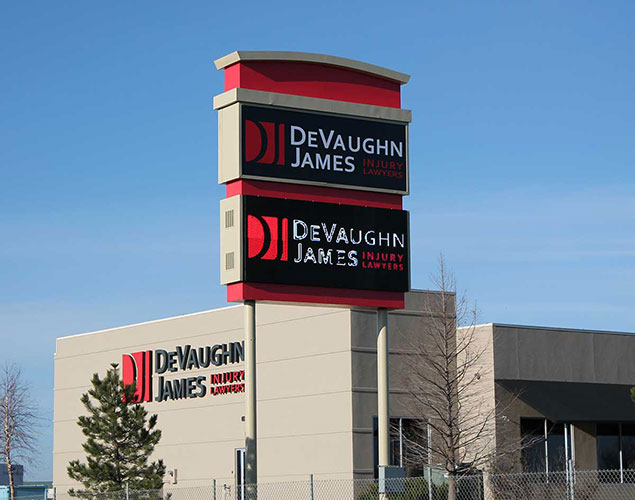
Let’s be honest—most people spend all their time choosing the right LED display and hardly think twice about the content that goes on it. But that’s the part people actually see. Your LED sign is a communication tool, and if the message falls flat, so does the impression you make. Why Professional Content Isn’t Optional Anymore It’s not just about good design—it’s about good results. Professionally created content makes your sign do what it was meant to do: get noticed, get read, and get remembered. Fast-moving traffic, bright daylight, short attention spans—your content has to cut through all of it. Well-made digital signage content is clean, on-brand, and super clear. It doesn’t try to say too much. It uses color and motion smartly. And it’s built for the real world, where people glance, not gaze. Did you know digital signage grabs 400% more views than static signs? Or that animated content boosts recall by more than 50%? That’s the kind of lift you get when you invest in content that’s made to perform. What You Get With Pro-Level LED Content Let’s break it down. Professional content gives you: Eye-Catching VisualsYour message pops. Graphics are crisp. Colors work in sunlight. It all just looks… right. Clear Messaging in SecondsNo more long sentences. You’ve got 5–7 words to make a point. Great content makes every one count. Brand ConsistencyFonts, tone, colors—it all matches your business. That means more recognition and more trust. More Engagement, More ROIThe numbers don’t lie. Businesses that use well-designed digital content see up to a 31.8% increase in sales volume. That’s not fluff. That’s measurable impact. Easy Updates, Always RelevantNeed to announce an event? Share a seasonal offer? Highlight a new product? Professional content is built to be flexible and easy to update when you need it. Want Your Content to Work Harder? Try This. Here are a few go-to rules we share with our clients: Talk to real people. Speak directly to your audience and keep your tone casual but clear. Keep it simple. Don’t cram 10 ideas into one screen. Focus on one key message. Use high-quality graphics. Blurry images or poor contrast ruin the whole experience. Make sure it fits the environment. What works on a church marquee might not make sense on a retail sign. Update it regularly. Old content feels like dead air. Fresh updates show you’re active and responsive. FAQs About Professional Content for LED Signs What difference does professional content make on an LED sign?A well-designed message isn’t just prettier—it performs better. According to InfoTrends, digital signage with professionally designed content can increase average purchase amounts by 29.5% and overall sales volumes by 31.8%. That kind of lift doesn’t come from using generic templates or pixelated graphics. How often should I update my digital sign content?For best results, update your LED sign content at least once every 1–2 weeks. A Nielsen study found that audience engagement drops by 38% when content stays the same for more than two weeks. Whether you’re announcing promotions, events, or community info, fresh content keeps your audience tuned in. Can professional LED sign content really improve brand perception?Absolutely. Consistent, on-brand content improves public trust and brand recall. Research from Stanford’s Persuasive Tech Lab shows that 75% of people judge a business’s credibility based on its visual design. A polished LED message doesn’t just deliver information—it reinforces professionalism and reliability. What types of businesses benefit most from professional LED sign content?Any organization that needs to communicate quickly and clearly can benefit—from schools and churches to retail shops, banks, and city departments. For example, businesses that switch from static to dynamic digital signs report 47% higher message recall and up to 400% more views. Is investing in professional content worth the cost?Yes—and here’s why. When your content performs better, your sign becomes more than an expense; it becomes a revenue driver. Businesses using digital signage with custom content often report ROI within 6–12 months, especially when used for time-sensitive promotions or high-traffic messaging. Why NEXT LED Signs and Project Content Make the Perfect Team Your LED sign is only as good as what it displays. That’s why pairing the rock-solid reliability of NEXT LED Signs—built with advanced all solid-state engineering—with professionally crafted content from Project Content is a game-changer. Together, they create a communication tool that’s both visually impactful and effortlessly easy to manage. You get the power of a high-performance LED display, made to thrive in any environment, and the simplicity of dynamic, on-brand messaging that’s scheduled in advance or updated in real time. It’s a solution that saves you time, builds engagement, and delivers results—without the learning curve. If your content isn’t keeping up with your technology, or your technology isn’t doing your content justice, let us help you bridge that gap. Contact us or give us a call to talk about making your message as strong as your sign.
It May Be time to Replace Your Digital Sign
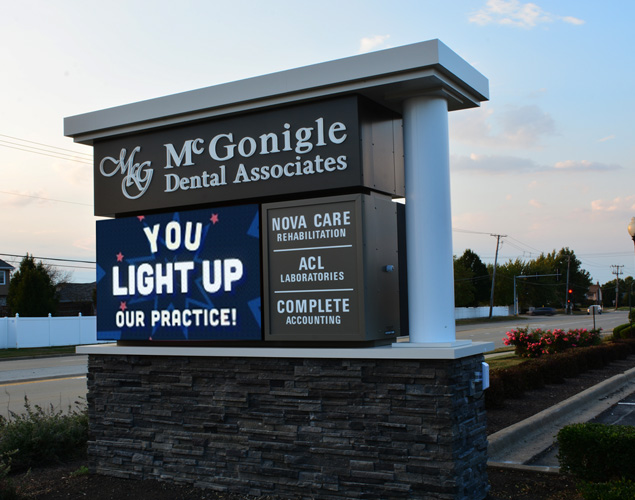
Digital signs work hard for your business—but they aren’t built to last forever. Like any tech, even the best LED signs reach a point where replacement is smarter than repair. So how do you know when it’s time? Let’s walk through the signs that your display might be past its prime—and why upgrading could be the best business move you make this year. You’re Spending Too Much on Repairs Are you constantly scheduling service calls or shelling out for replacement parts? As digital signs age, maintenance costs creep up fast. Newer systems, especially all-solid-state LED signs, require less upkeep and come with stronger warranties. That means fewer headaches—and more time spent actually using your sign, not fixing it. Quick Fact: The total cost of ownership for aging signs can exceed that of a new system within just a few years due to escalating repair and power bills. Your Display Looks Outdated If your sign still runs on low-res visuals, struggles with modern file formats, or lacks wireless content updates, it’s falling behind. Today’s LED signs support 4K graphics, offer real-time cloud-based control, and are built to work seamlessly with platforms like Project Content. Why it matters: Modern signage grabs 400% more views than static displays and improves message recall by 83%, according to research from Intel and Arbitron. Your Branding Has Evolved—but Your Sign Hasn’t Businesses grow, logos change, messaging sharpens. If your digital sign still shows last decade’s version of your brand, it’s sending mixed signals. Keeping signage aligned with your branding builds trust and credibility with customers. Your Screen Isn’t as Sharp as It Used to Be Flickering pixels. Dim screens. Washed-out colors. These are signs of aging hardware—and they’re costing you attention. A dull or glitchy sign turns potential customers away. But a vibrant, crisp display can stop traffic. Stat to know: According to a FedEx Office survey, 68% of consumers say signage reflects the quality of a business’s products or services. Your Power Bills Keep Going Up Old digital signage eats energy. Newer displays are far more efficient—some using up to 50% less electricity. Many also feature automatic brightness controls to reduce usage during off-peak hours. That’s good for your bottom line and your sustainability goals. Your Business Is Growing Opening a second location? Renovating your space? This is the perfect moment to upgrade your signage. Newer models offer streamlined content control across multiple locations and are easier to mount, manage, and update. FAQs About Replacing Your Digital Sign How long does a digital LED sign typically last?On average, a high-quality LED sign lasts 10–12 years. However, signs exposed to harsh weather or poor maintenance may need replacement sooner. Look for signs of fading, glitches, or dim brightness as indicators. Will a new LED sign lower my energy bills?Yes. New LED signs are up to 50% more energy-efficient than older models. Many use automatic dimming sensors to reduce power usage during low-light hours, saving money month over month. Can I keep my old software if I upgrade my sign?Not always. Newer signs often require updated control software. That said, modern systems—especially when paired with platforms like Project Content—offer easier scheduling, cloud access, and faster updates with no design experience needed. What’s the return on investment for replacing an old sign?According to the Small Business Administration, businesses that install new digital signage see an average revenue increase of 15%–150%, depending on visibility and usage. A new sign is often paid off in under two years. How do I know if my sign is still effective?If people are no longer commenting on it, you’re not seeing foot traffic increases, or your content hasn’t changed in months—it’s probably time for a refresh. Visual appeal plays a big role in brand recognition and customer behavior. How Next LED Signs Can Help By regularly assessing the performance and relevance of your digital signage, you ensure that your communication remains effective and your branding stays consistent. With that being said, recognizing these warning signs allows you to make strategic decisions about when to upgrade. As a result, your messaging will remain impactful and aligned with your business objectives. Furthermore, an upgrade can position your business as an industry leader, demonstrating a commitment to innovation and modern technology. Contact Next LED Signs today to explore how LED digital signs can enhance audience engagement and strengthen your brand presence.
Understanding the Differences Between LED Signs and Outdoor TVs
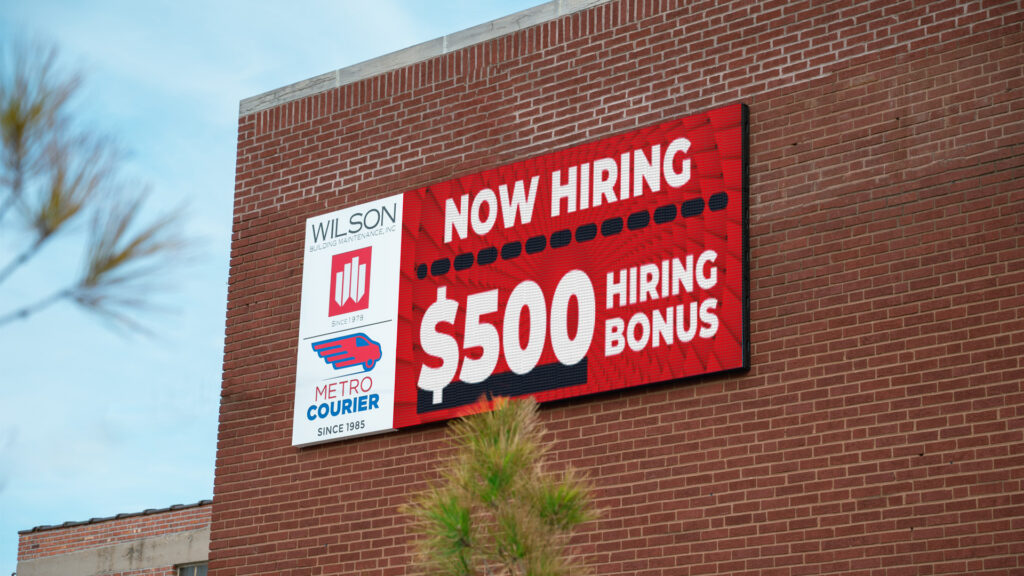
When it comes to digital displays, it’s easy to assume all screens are created equal—especially when they’re outdoors. But if you’re deciding between an LED sign and an outdoor TV, the differences matter more than you think. Let’s break it down in plain terms so you can choose the right display for location. LED Signs: Designed for the Elements LED signs aren’t just screens—they’re communication tools. These displays are made for heavy-duty performance in tough environments, with high brightness that stays visible even in direct sunlight. More importantly, they’re designed to run 24/7 without wearing out. Here’s what sets LED signs apart: Made for Messaging – Whether you’re promoting a sale, sharing announcements, or displaying real-time updates, LED signs let you show dynamic content like text, animations, and video—all at once. All-Weather Toughness – Rain or shine, LED signs keep working. Their enclosures are sealed and built to last through heatwaves, blizzards, and everything in between. Energy Smart – Despite their brightness, LED signs are surprisingly energy-efficient. They’re built to run continuously without racking up a huge electric bill. In short, LED signs are workhorses. They’re built for reliable visibility and flexible messaging day after day. Outdoor TVs: Entertainment with Limitations Outdoor TVs serve a different purpose. These are best when you’re aiming to entertain guests—not promote products or run 24/7 updates. They’re commonly used in hotel patios, poolside bars, or stadium suites where the focus is on HD video content. A few key traits of outdoor TVs: Great Picture Quality – Expect sharp visuals and rich colors, ideal for streaming games, movies, or digital menus. Smart Features Included – Most outdoor TVs come with built-in streaming apps and wireless connectivity for easy media playback. Less Rugged – Yes, they’re weather-resistant. But they’re not built for years of constant outdoor exposure like LED signs are. And they can struggle with visibility in direct sunlight. Think of outdoor TVs as the lounge chairs of outdoor displays—they’re great for relaxing, not for heavy lifting. Comparing LED Signs and Outdoor TVs Feature LED Signs Outdoor TVs Brightness & Visibility High brightness, visible in direct sunlight Requires anti-glare measures for clarity Durability & Weather Resistance Designed for 24/7 outdoor use, built to last Resistant but less durable over time Content Customization Supports text, images, animations, and video Primarily optimized for video playback Energy Efficiency Consumes less power for continuous operation Higher energy consumption for prolonged use Installation & Maintenance Integrated commercial setup, designed for longevity Typically simpler but requires periodic upkeep So, Which One Should You Choose? If your goal is to communicate with the public—think promotions, directions, alerts, or branding—an LED sign is your best bet. It’s built for performance, designed for constant updates, and tough enough to survive year-round outdoor use. On the other hand, if you’re simply looking to enhance an outdoor lounge or entertainment space with video content, an outdoor TV might do the trick. The best display is the one that fits your business goals—not just your budget. Knowing the difference up front saves you from headaches down the road. FAQs About LED Signs vs. Outdoor TVs Are LED signs really more visible in daylight than outdoor TVs?Yes. LED signs typically operate at brightness levels of 5,000 to 10,000+ nits, making them easy to read even in direct sunlight. Most outdoor TVs max out around 1,000 to 2,500 nits, which can lead to glare and reduced visibility during peak daylight hours. Which lasts longer—an LED sign or an outdoor TV?LED signs are commercial-grade products designed to run 24/7 for 10+ years, with solid-state technology that resists heat and moisture. Outdoor TVs, while weather-resistant, are still consumer-grade and usually rated for limited outdoor use over 3–5 years, depending on conditions. Is there a big difference in energy consumption between the two?Yes. Outdoor TVs often draw more power because they aren’t optimized for energy efficiency during continuous use. LED signs are engineered for long-term, low-power operation, and many include features like automatic brightness adjustment to reduce energy consumption even further. Can I use an outdoor TV to display my business promotions?Technically yes—but it’s not ideal. Outdoor TVs aren’t built to handle the dynamic, frequently changing content that LED signs do. You’ll also face limitations with visibility and content scheduling unless you use additional software or hardware. How does content management differ between LED signs and outdoor TVs?With LED signs, you can schedule text, animations, and videos using a dedicated content management system (CMS). It’s built for quick updates, automation, and brand consistency. Outdoor TVs generally rely on consumer-grade tools like USBs or streaming apps, which aren’t optimized for business use. Why NEXT LED Signs Makes a Difference At NEXT, we help businesses and organizations get the most out of their outdoor communication tools. Our solid-state LED displays are built for performance and longevity—and they look great doing it. Plus, we don’t just sell signs. We support you with fast delivery, expert guidance, and real solutions tailored to your goals. Need help deciding what’s right for your space? Contact us or give us a call today. We’re here to make it simple.