
Scoreboard Moments That Matter: How Schools Use LED Scoreboards Beyond Game Night
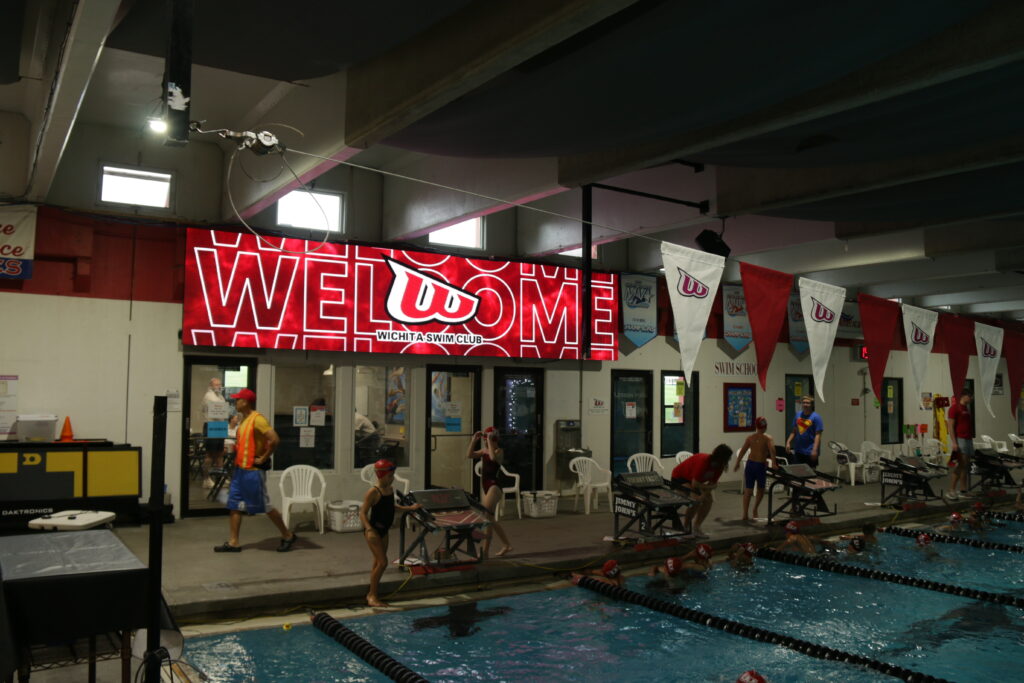
This article explores how modern LED scoreboards are being used by schools for more than just athletic scoring. It looks at how districts are incorporating scoreboards into graduations, student recognition, community events, and campus communication. By examining real-world use cases, the article explains why flexible LED scoreboards have become multi-purpose tools that support school engagement, visibility, and long-term value beyond game day. The Scoreboard as a Shared Moment There are very few places on campus where everyone’s attention naturally lands. The scoreboard is one of them. On game nights, assemblies, and special events, it becomes the focal point without anyone being asked to look there. That shared attention is what gives a modern scoreboard its real value. It’s not just displaying information—it’s shaping moments. A welcome message before kickoff. A short video during warmups. A simple graphic that sets the tone for the event. These are small touches, but they’re seen by everyone in the building. Celebrating Students Beyond Athletics One of the most meaningful shifts schools are making is using scoreboards to recognize more than athletic performance. Schools are highlighting academic achievements, honor roll students, scholarship recipients, music and theater programs, robotics teams, and community service projects. For students who may never be center court or under the stadium lights, seeing their accomplishments on the big screen matters. It tells them—and their families—that what they do counts. These moments don’t require elaborate production. Often, it’s a photo, a name, and a short message. But the impact is real because of where it’s displayed. Graduation and Milestone Events Graduation is one of the clearest examples of how a scoreboard becomes part of the memory, not just the background. Schools are using LED scoreboards to display graduate names, photos, school history, and congratulatory messages throughout ceremonies. Instead of a static backdrop, the display evolves with the event—keeping the experience personal and engaging for families sitting far from the stage. And it’s not just graduation. Milestone events like senior nights, signing days, and district-wide celebrations all benefit from having a flexible display that can adapt to the moment. Building Community Pride Scoreboards also play a role in strengthening the connection between schools and their communities. Many schools use their displays to recognize veterans, honor first responders, thank volunteers, and celebrate local partnerships. These messages aren’t ads—they’re acknowledgments. They reinforce the idea that the school is part of the community, not separate from it. When families see familiar names, local organizations, or shared values reflected on the scoreboard, it creates a sense of pride that goes beyond the event itself. Why LED Makes This Possible None of this works with a fixed-digit or limited-function display. What makes these moments easy is flexibility. Modern LED scoreboards allow schools to update content quickly, reuse visuals year after year, and adjust messaging as needs change. One system can support athletics, academics, ceremonies, and community outreach without requiring outside vendors or constant reconfiguration. It’s not about doing more work—it’s about having a tool that keeps up with everything a school already does. Planning for Moments You Haven’t Thought Of Yet One of the biggest advantages schools mention after upgrading is preparedness. New programs emerge. Unexpected celebrations happen. Weather emergencies or schedule changes require fast communication. A flexible scoreboard means schools don’t have to predict every future use. They just need a system that can adapt when the moment arrives. Frequently Asked Questions about Digital Scoreboards What can a digital scoreboard be used for besides sports? Modern LED scoreboards serve as a community hub for events beyond athletics. Schools utilize them to host outdoor movie nights, broadcast graduation ceremonies, display student art, and enhance pep rallies or concerts. These displays transform a standard field or gym into a multi-purpose venue that engages the entire community year-round. How do schools make money from digital scoreboards? Schools generate significant revenue by selling dynamic advertising space to local businesses (e.g., banks, restaurants) and offering exclusive sponsorship packages, such as a “Player of the Game” sponsor. Additionally, schools run creative fundraising campaigns like “Buy-a-Pixel” or legacy brick programs that are promoted directly on the screen. Many schools report recovering their initial investment within 1–2 years through these sponsorship strategies. Do digital scoreboards benefit students academically? Yes. Digital scoreboards provide hands-on educational opportunities for students interested in media, broadcasting, and graphic design. By managing content, creating hype videos, and running the board during games, students gain real-world technical skills that supplement their classroom curriculum. Are LED scoreboards a good investment for high schools? Yes, because they offer long-term financial and community value. Beyond the immediate “wow factor” and increased fan engagement, digital boards eliminate the maintenance costs of old bulb-based systems and provide a recurring revenue stream through advertising. They also future-proof the facility, allowing it to host regional tournaments and corporate events that bring in rental income. How do digital scoreboards improve the fan experience? Digital displays drive engagement by showing instant replays, live player statistics, and interactive “hype” graphics that get the crowd cheering. This level of production matches the “pro-style” atmosphere fans are used to seeing on TV, which increases attendance and builds a stronger sense of school spirit. Tennis If you’re evaluating whether your current scoreboard is still meeting the demands of your athletic program, it may be time to take a closer look at how newer systems improve reliability, reduce ongoing costs, and support multiple sports and events. For guidance on planning a scoreboard upgrade that fits your school’s needs and budget, call 888-359-9558 to speak with a specialist who understands K-12 athletic environments. Request a quote
What Athletic Directors Should Know Before Buying a New Scoreboard
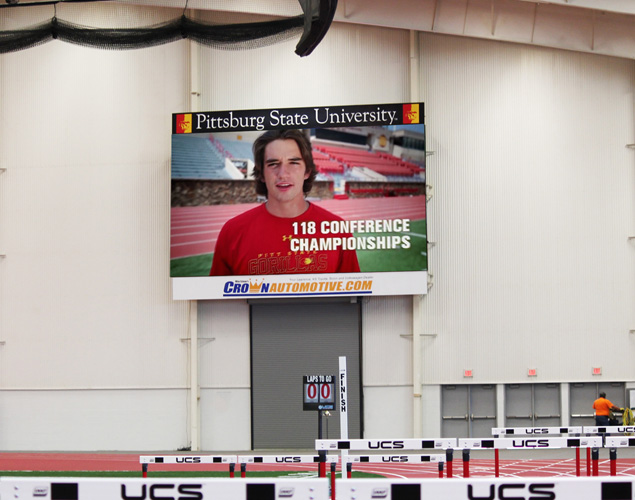
Buying a new scoreboard isn’t just about replacing what’s broken—it’s about choosing something that will hold up under pressure, fit your budget long-term, and actually work on game night. Athletic directors are juggling facilities, schedules, sponsors, and staff, so the last thing anyone wants is a scoreboard that creates more problems than it solves. This guide walks through what really matters before you commit. Come here you’re a good boy and you should play together leave me alone It’s Not Just the Price Tag—It’s the Long-Term Commitment When people start looking at scoreboards, the first question is usually cost. And that makes sense—school budgets are tight, and every purchase gets scrutinized. A basic fixed-digit scoreboard might start around $3,000, but once you step into LED video scoreboards, the range widens fast. Most high school video scoreboards land somewhere between $30,000 and $150,000, depending on size, resolution, and whether the display needs to handle multiple sports. Large stadium installations can go much higher. What’s easy to overlook is that the purchase price is only part of the equation. Maintenance, software, repairs, and upgrades all factor into the real cost over time. A scoreboard that looks affordable upfront but requires frequent service calls can end up costing far more over its lifespan. Reliability Matters Most When the Stands Are Full A scoreboard doesn’t get a second chance during a playoff game or rivalry matchup. If it goes dark, everyone notices. Many older or lower-quality systems rely on components that wear out—fans, relays, and mechanical switches. These parts tend to fail at the worst possible time, often during peak season when the board is used most heavily. Modern LED scoreboards built with solid-state engineering remove many of those failure points. Fewer moving parts means fewer surprises, less downtime, and fewer emergency calls when the gym or stadium is packed. Indoor vs. Outdoor Isn’t Just About Location Indoor and outdoor scoreboards are built for very different conditions, and choosing the wrong type can create problems fast. Outdoor scoreboards need significantly higher brightness to stay readable in direct sunlight and must be sealed against rain, wind, and temperature swings. Pixel pitch also plays a role—outdoor stadiums usually use 10mm to 16mm spacing because viewers are farther away. Indoor displays don’t need extreme brightness, but they do need tighter pixel pitch—often 4mm to 6mm—so graphics and text stay sharp when fans are seated close to the screen. Matching the display to the viewing distance is key to making sure the board looks professional instead of pixelated or washed out. Revenue Potential Changes the Conversation One reason many schools move to LED video scoreboards is sponsorship flexibility. Unlike static signage, digital boards can rotate ads, highlight game-specific sponsors, and support special events. Some high school athletic programs have reported generating over $12,000 in advertising revenue within the first two months of installing a digital scoreboard. Over a few seasons, that revenue can significantly offset both purchase and maintenance costs—especially when sponsorships are managed consistently. The key is choosing a system that makes ad scheduling easy, so managing sponsors doesn’t turn into another full-time job. How Long Should a Scoreboard Really Last? Most modern LED components are rated for up to 100,000 hours of use, which can translate to 10 to 15 years for a typical school athletic program. But lifespan isn’t just about the LEDs themselves. Power design, thermal management, and ongoing parts availability all determine whether a scoreboard reaches its expected service life—or becomes difficult to maintain halfway through. Choosing a provider that supports their hardware long-term helps avoid situations where a functioning board becomes unusable simply because replacement parts are no longer available. Scoreboard Buying Guide: FAQ for Athletic Directors How much does a high school video scoreboard cost? Prices vary widely. Fixed-digit boards may start around $3,000, while LED video scoreboards for high schools typically range from $30,000 to $150,000. Large stadium displays can exceed that range depending on size and resolution. Can a digital scoreboard pay for itself through advertising? Yes. Many schools generate meaningful sponsorship revenue using rotating digital ads and game-day placements. Some programs report earning over $12,000 in ad revenue within just a few months of installation. What’s the difference between an indoor and outdoor LED display? Outdoor displays need higher brightness and weather protection, while indoor displays prioritize tighter pixel pitch for close viewing. Outdoor boards often use 10mm–16mm pitch, while indoor boards commonly use 4mm–6mm. Who operates the scoreboard during games? Most modern LED scoreboards are designed so schools can run them in-house, often with trained student crews or athletic staff. However, the operating software matters more than many buyers realize. Some scoreboard systems use basic control software included with the display, while others rely on advanced graphics, replay, or data-integration platforms that require annual licensing fees. In some cases, those software packages can range from a few thousand dollars per year to tens of thousands, depending on features and complexity. Athletic directors should ask upfront what software is required, what’s optional, and what ongoing license costs look like over the life of the scoreboard—not just in year one. What is the lifespan of a modern LED scoreboard? Most LED scoreboards are rated for up to 100,000 hours of use, translating to 10–15 years for school programs, assuming proper design and long-term parts support. If you’re evaluating whether your current scoreboard is still meeting the demands of your athletic program, it may be time to take a closer look at how newer systems improve reliability, reduce ongoing costs, and support multiple sports and events. For guidance on planning a scoreboard upgrade that fits your school’s needs and budget, call 888-359-9558 to speak with a specialist who understands K-12 athletic environments. Request a quote
School Fundraising Ideas for LED Sign and Communication Projects
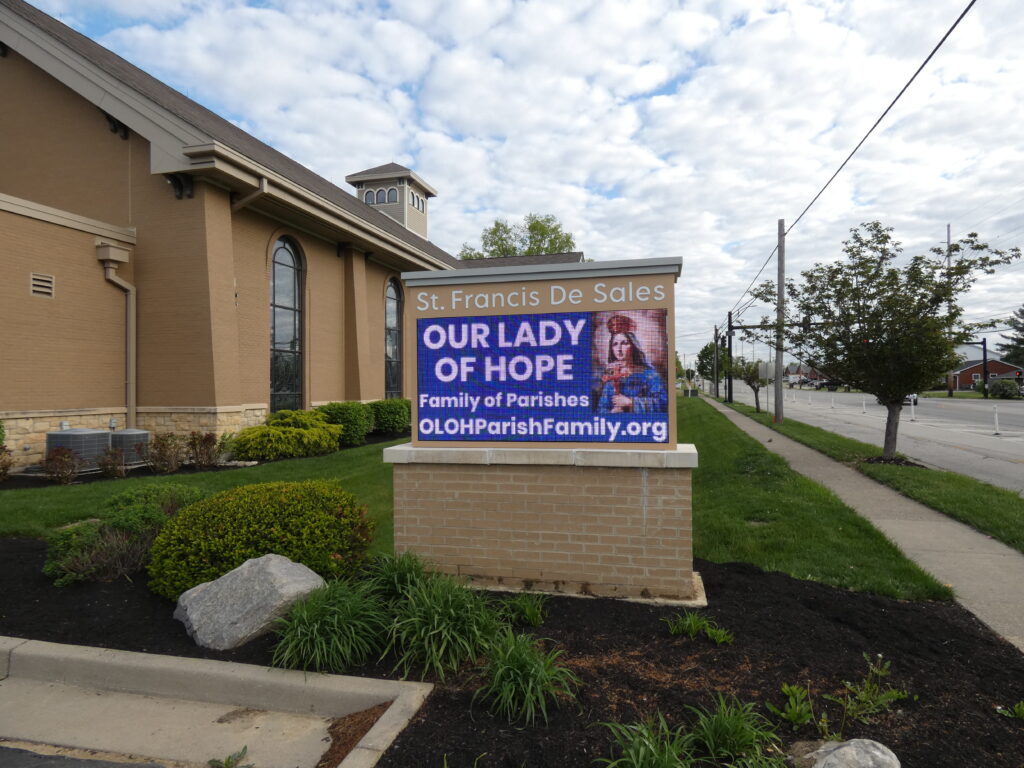
If you feel like school fundraising has gotten harder, you aren’t imagining it—but the opportunities have gotten bigger, too. The strategies winning in 2026 are moving away from labor-intensive product sales (like wrapping paper) and toward high-margin digital campaigns. In fact, schools combining LED communication with mobile giving are seeing 30% higher donor retention than those relying on events alone. This guide will help you focus on the channels that actually move the needle for your budget. The Numbers You Need to Know (2026 Data) To plan a successful year, it helps to know where the market is going. Here is what the latest data tells us about donor behavior: Donors Are Moving Online: The average digital donation to K-12 education has risen to $187, largely driven by mobile-friendly platforms like Apple Pay. You’re Likely Missing Free Money: An estimated $4 – $7 billion in corporate matching funds goes unclaimed every year. Simply reminding parents to check their employer’s matching program can increase your revenue by 51%. Screens Drive Action: Schools using outdoor digital signage to promote fundraisers report a 24% increase in participation compared to those using only flyers and emails. Time is Money: Digital peer-to-peer fundraisers (like fun runs) are far more efficient, requiring 75% fewer volunteer hours to manage than traditional product sales. Corporate Sponsorships (The “Digital Partnership” Model) Let’s be honest: asking local businesses for a one-time cash donation is tough. They get asked by everyone. But offering them advertising value? That’s a business transaction they understand. Instead of a plaque on a wall that no one sees, offer a “Digital Partnership.” How it works: A local business donates $1,500/year. In exchange, their logo goes into rotation on your school’s marquee and scoreboard. Why it wins: You keep 100% of the profit (unlike cookie dough sales where you split 50% with a vendor). Plus, your LED sign is seen by thousands of parents daily—value that realtors and orthodontists are happy to pay for. Peer-to-Peer Fundraising (Without the Middleman) You’ve seen the “Fun Run” companies that come in, host a pep rally, and then take 50% of what your kids raise. In 2026, you don’t need them. Modern software platforms allow you to run these events yourself. The Shift: Students still get their own donation pages to send to Grandma and Grandpa, but the “overhead” is just the software fee (usually 5-10%). The Result: Your school keeps 90% of the profit instead of 50%. It takes a little more coordination from your team, but the revenue difference is massive. The “Buy-a-Pixel” Campaign This is the modern update to the classic “Buy a Brick” walkway. If you are raising money for a tech upgrade—like a new media lab or a digital scoreboard—give donors a way to “own” a piece of it. The Strategy: Donors who give over $100 get their name permanently displayed on a “Legacy Wall” slide on the new screen. Why donors love it: It’s visible recognition. A brick gets walked on; a digital shout-out gets seen by the whole community at every football game or pickup line. Spirit Nights (Optimized for Traffic) Partnering with a local restaurant for a percentage of sales is a classic move, but most schools see low returns ($200-$300) because families forget to go. The Fix: Use your outdoor assets. The Tactic: Don’t just send a flyer home. Flash the restaurant logo and “TONIGHT: 5-8 PM” on your LED sign during the afternoon carpool pickup. The Impact: Catching parents right when they are deciding “What’s for dinner?” increases turnout by 18-22%. Frequently Asked Questions about School Fundraising What are the most profitable fundraisers right now? The highest margins come from digital campaigns that eliminate vendor fees. Data from 2026 shows the top three ROI performers are: Digital Sponsorships: 100% Profit. (Selling logo space on existing LED signs). Direct Give / Annual Fund: 100% Profit. (Straight cash donations via mobile links). In-House Fun Runs: 90% Profit. (Using your own software vs. hiring a company that takes 50%). How do we get people to donate more than once? The secret is moving donors from “transactional” giving to “recurring” giving using these three tactics: Ask for Monthly, Not One-Time: Requesting “$10 a month” converts better than asking for $120 up front. Show “Impact Reports”: Use your digital signage to post photos of exactly what previous money bought (e.g., “Your donations bought these microscopes”). Automate the Ask: Use platforms like Apple Pay that allow donors to check a “Make this monthly” box in one second. Can we really sell ads on our school sign? Yes, but you must navigate district policies carefully. To stay compliant, use the following “Sponsorship” language instead of “Advertising” language: DO SAY: “Community Partner,” “Proud Sponsor,” or “Supported By.” DO NOT SAY: “Sale ends Friday,” “Buy Now,” or list specific product prices. The Rule: As long as you are recognizing a donation rather than pushing a commercial offer, it generally fits within educational guidelines. NEXT LED Signs Helps Schools Plan Smarter Planning Your Next Project? We know that funding a new communication system can feel daunting, but you don’t have to figure it out alone. NEXT LED Signs helps schools and districts build revenue-generating sponsorship models every day. Let’s chat about your goals: 888-359-9558 | Contact us
Cloud Messaging Improves School Safety, Engagement, and Communication
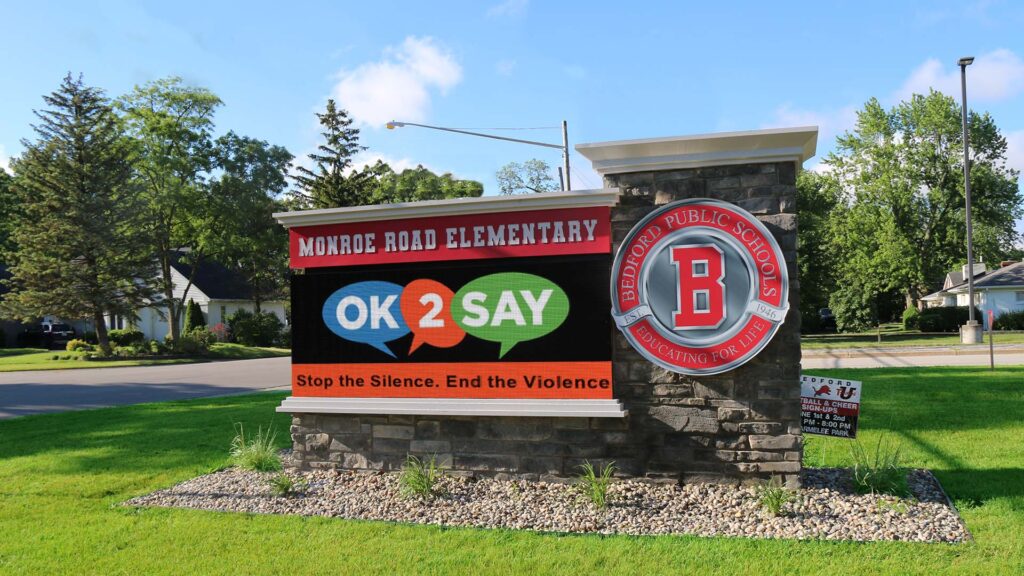
School communication doesn’t usually break because people aren’t trying; it breaks because too many messages live in too many places. In 2026, forward-thinking districts are moving to cloud-based LED signage to solve this fragmentation. By centralizing control, districts can increase communication efficiency by 62% and cut emergency response times from minutes to seconds. This guide explains how cloud technology turns scattered school signs into a unified safety and engagement network. One Dashboard, Total Control In many districts, communication still depends on individual principals or secretaries remembering to update their specific marquee. On paper, that sounds flexible. In reality, it leads to outdated messages and inconsistent branding. Cloud messaging changes the workflow: Centralized Command: The district communications director can log in once and push a “Snow Day” alert to all 15 schools instantly. Local Flexibility: Permissions can be set so a High School Principal can post about the football game, but cannot override a district-wide safety alert. Brand Consistency: Ensures every school uses the correct fonts, colors, and logos, building trust with the community. Faster Safety Messaging When Timing Matters When a crisis happens—whether it’s a tornado warning or a security lockdown—speed matters more than polish. Cloud-based LED signs act as a mass notification layer: Remote Access: Administrators don’t need to be on campus (or even in the state) to update the signs. If a decision is made at 5:00 AM, the signs can be updated from a smartphone at 5:01 AM. Unified Voice: Eliminates the “telephone game” where different schools post slightly different versions of an emergency instruction. Everyone sees the exact same directive at the exact same time. Engagement Without the “Busy Work” Most schools don’t have extra staff time to manage daily communication. Cloud messaging automates the tedious parts of the job. Automated Scheduling Features: Day-Parting: Schedule “Drop-off Instructions” to run only from 7:00-8:00 AM and “After School Pick-up” to run from 2:00-3:30 PM. Expiration Dates: Set event promotions to auto-delete the minute the event ends, ensuring you never display “Come to the Play!” three days after the show is over. Playlist Sharing: Create one “District News” playlist and subscribe every school to it, so local staff don’t have to re-create district-wide graphics. Frequently Asked Questions about Cloud Messaging Can cloud-based LED signs be used for emergency alerts? Yes, and they are faster than almost any other method. Cloud systems feature “Emergency Override” capabilities that allow authorized users to: Interrupt all scheduled content instantly. Display high-contrast alerts (e.g., “LOCKDOWN” or “SEVERE WEATHER”). Push the update to every sign in the district simultaneously from a mobile device. What is the difference between local software and cloud software? The difference is access and security. Local Software: Requires you to be physically at the school or logged into a specific computer to change the sign. If that computer breaks or the person is out sick, the sign cannot be updated. Cloud Software: Accessible from any web browser (phone, tablet, laptop). It includes automatic security updates and does not require a dedicated IT server on campus. Can we give principals access without losing control? Yes. Modern cloud platforms use Role-Based Permissions. District Admin: Has full control, can override anyone, and manages global settings. School User: Can only edit their specific sign and may be restricted to using only approved templates to ensure brand consistency. Content Approver: A setting where a secretary can create a message, but it doesn’t go live until a Principal or Comm Director clicks “Approve.” Is Your District Ready to Scale? As districts grow, managing communication manually becomes impossible. NEXT LED Signs specializes in building scalable, cloud-connected networks that grow with you. Start the conversation: 888-359-9558 | Or contact us to get started.
Solid-State LED Signs Win: Reliability, Fewer Failures, and Lower Lifetime Costs

If you’ve ever wondered why some LED signs seem to run for years without issue while others constantly need service, the difference usually comes down to what’s inside the cabinet. This article breaks down why solid-state LED signs outperform fan-cooled designs—and how fewer moving parts translate into better reliability, lower maintenance, and lower lifetime costs. You bought an LED sign expecting it to do one simple thing: glow. Day and night. Make your message visible. But too often, signs fail early—not because the LEDs stopped working, but because the components around them didn’t hold up. That’s where solid-state LED signs change the equation. No moving parts. No mechanical weak points. Just electronics designed to do their job quietly and consistently, year after year. Fewer Parts = Fewer Problems (and the data backs it up) Inside a traditional LED sign, you’ll usually find cooling fans, relays, and other mechanical components. Each one introduces a failure point. Fans, in particular, are a known issue in outdoor electronics. In reliability studies, mechanical fan failure is cited as a leading cause of downtime, with worn bearings identified as the primary point of exhaustion in outdoor electronic systems (Reliability Engineering & System Safety Journal, 2025). Once a fan slows or stops, internal temperatures rise quickly—and the rest of the system follows. Solid-state designs remove that risk entirely by eliminating fans, relays, and mechanical switches. With fewer parts that can wear out, the system becomes far more predictable. Heat Is the Real Enemy of LED Signs LEDs themselves are remarkably durable. High-end LED diodes are commonly rated for 50,000 to 100,000 hours of use before brightness drops to about 70%. But heat changes everything. In power electronics, the Arrhenius “10-degree rule” is a widely accepted standard: for every 10°C increase in operating temperature, the lifespan of capacitors and LEDs can be reduced by up to 50% (Journal of Electronic Packaging, 2026). That means poor thermal design doesn’t just shorten lifespan—it accelerates failure. This is why early failure rates in poorly designed LED signs have been reported as high as 20% within the first few years, especially when low-quality drivers and inadequate cooling are involved. Why Fanless, Solid-State Signs Stay Cooler Solid-state LED signs rely on passive thermal management, not forced airflow. Heat is dissipated through engineered aluminum structures and cabinet surfaces that act like a radiator. This approach keeps internal temperatures within safe operating margins. According to technical reports, LEDs can only reach their full 100,000-hour lifespan when junction temperatures are kept within roughly 25% of optimal levels (LED Magazine Technical Reports, 2025). By avoiding fans altogether, solid-state designs also prevent dust, moisture, salt, and pollutants from being pulled into the cabinet—another major contributor to long-term failures. Less Maintenance Isn’t a Guess — It’s Measured Every mechanical failure triggers a service visit. Over time, those add up. Based on commercial sign maintenance data, eliminating moving parts reduces service “truck rolls” by approximately 70% over a 10-year lifecycle (International Sign Association White Paper). Fewer service calls mean less downtime, lower labor costs, and fewer unexpected outages. That’s one of the biggest reasons solid-state signs cost less to own over time—even if the upfront investment is higher. Energy Efficiency Is Part of the Equation Solid-state LED signs often pair fanless design with common-cathode architecture, which regulates power at the pixel level instead of across the entire display. This isn’t just a technical detail—it shows up on utility bills. Modern fanless LED displays using common cathode technology have demonstrated up to a 30% reduction in power consumption compared to traditional fan-cooled, common-anode signs (Energy Star Digital Signage Requirements, 2025). Lower power use also means less heat, which feeds right back into longer component life. Real Longevity Comes from Design Choices The irony of LED signage is that the LEDs themselves are rarely the first thing to fail. Power supplies, drivers, and overheated components usually give out first. Solid-state engineering addresses that directly. By removing mechanical failures and controlling heat properly, the entire sign is finally designed to match the lifespan of the LEDs inside it. That’s how signs realistically reach 10+ years of reliable operation instead of becoming a maintenance issue halfway through their expected life. Lower Lifetime Costs, Fewer Surprises A solid-state LED sign may cost more upfront than a basic fan-cooled model. But over five, ten, or fifteen years, the math becomes clear. You reduce service calls. You limit downtime. You protect internal electronics. You extend usable life. When you avoid the most common failure paths, reliability stops being a gamble. What This Means for You Choosing a solid-state LED sign isn’t about chasing trends. It’s about removing known weaknesses and designing for long-term stability. When your sign stays on, stays bright, and stays predictable, it stops feeling like a maintenance liability and starts behaving like a long-term asset—one that keeps working regardless of weather, season, or workload. Frequently Asked Questions About LED Sign Lifespan and Failures What is solid state engineering in LED signs? Solid state engineering refers to a design philosophy where there are zero moving parts within the sign’s hardware. In traditional signs, mechanical fans are used to pull air through the cabinet, but solid-state signs utilize advanced heat-dissipation technology and high-efficiency thermal pathways to keep components cool naturally. This eliminates the “single point of failure” common in legacy displays, where a single stuck bearing can lead to total system overheating. Why are fans considered the biggest failure point for outdoor signs? Fans rely on mechanical bearings that eventually become sluggish due to dust, moisture, and extreme temperature cycles. Once a fan slows down or stops, heat builds up rapidly inside the sign cabinet, causing a “domino effect” where the power supplies and LED modules begin to fail. Solid-state engineering solves this problem by removing the fans entirely, ensuring there is nothing to wear out or seize over time. How does a fanless LED sign stay cool in direct sunlight? Fanless signs stay cool through passive thermal management, using high-grade aluminum heat sinks
Solid-State LED Signs Cut Maintenance Costs and Reduce Costly Truck Rolls
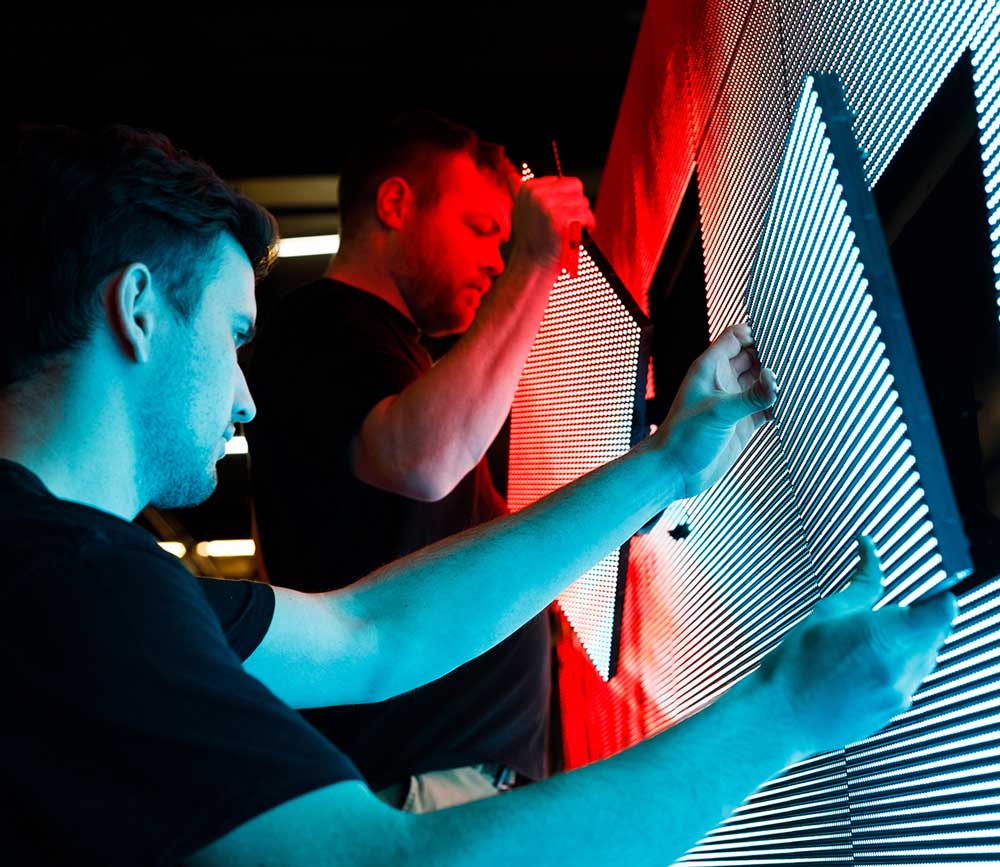
Your sign purchase is just the startMost LED signs don’t fail because the LEDs stop working—they fail because the parts around them wear out. This article explains how solid-state LED sign design reduces service calls, cuts costly truck rolls, and lowers long-term maintenance expenses by eliminating the mechanical components that break down most often. Every LED sign needs to stay online. When it goes dark, visibility disappears, messages stop, and someone has to deal with the problem. Too often, that problem turns into a service call, a truck roll, and another unplanned expense. What surprises many owners is that the LEDs themselves usually aren’t the issue. The real trouble comes from the support systems—fans, cabling, and cooling components—that simply weren’t built for years of outdoor exposure. That’s where solid-state LED signs change the equation. Why Truck Rolls Are the Real Cost Driver A truck roll isn’t just a quick fix. It means scheduling a technician, dispatching a vehicle, opening the cabinet, diagnosing the issue, replacing parts, testing, and closing everything back up. Even a “small” repair adds labor, time, and downtime. Over the life of a sign, those service visits quietly become one of the biggest operating expenses. Solid-state LED signs are designed specifically to reduce how often those truck rolls happen. According to the International Sign Association (ISA), eliminating mechanical components like fans reduces maintenance-related service calls by an average of 40%, significantly lowering long-term service costs. Fewer Moving Parts Means Fewer Reasons to Send a Crew Traditional LED signs rely on mechanical cooling. Fans pull air across power supplies and internal electronics. Fuses and relays protect circuits. All of those components wear out over time—especially in heat, dust, moisture, and fluctuating weather. When a fan slows or stops, heat builds up. When heat builds up, failures follow. Solid-state LED signs remove those failure points entirely. No fans. No relays. No moving parts. With fewer components that can physically wear out, the most common triggers for service calls simply disappear. That’s why solid-state designs consistently require fewer truck rolls over their lifespan Heat Is the Root Cause Behind Most Maintenance Problems Heat is still the biggest enemy of electronic systems. In fan-cooled signs, cooling depends on airflow. Once that airflow is compromised, internal temperatures rise quickly and components are pushed beyond safe operating limits. Solid-state designs take a different approach. Instead of forcing air through the cabinet, they rely on passive thermal management and efficient power architecture that generates less heat to begin with. The U.S. Department of Energy reports that solid-state LED systems using passive cooling and efficient power supplies can reduce energy consumption by up to 30% compared to traditional fan-cooled cabinets. Lower power draw means lower heat—and lower heat means fewer failures. Preventing Problems Is Cheaper Than Fixing Them Most service calls aren’t complicated. A fan fails. A cooling issue causes a shutdown. A power component overheats. Each one requires a technician on site. Solid-state LED signs avoid these scenarios by design. Sealed modules protect internal electronics from dust and moisture. Passive cooling keeps temperatures stable. Components age evenly instead of failing suddenly. According to the Illuminating Engineering Society (IES), sealed solid-state LED modules can operate for 100,000 hours or more when proper thermal management keeps internal temperatures within safe ranges. That kind of longevity only matters if the rest of the sign is built to support it. Lower Lifetime Costs, Higher Reliability Sure, a solid-state sign might cost more upfront than the cheapest fan-cooled sign. But over 5, 10, or 15 years… the savings are clear. You avoid repeated service fees. You avoid downtime that might cost you customers. You avoid early replacement. You avoid environmental stress on the electronics. When you build a sign that avoids the common failure routes — you build stability. Maintenance Becomes Predictable Instead of Reactive With older sign designs, maintenance feels reactive. You don’t know when the next breakdown will happen—you just know it will. Solid-state engineering changes that pattern. Fewer failure points mean fewer surprises. Performance stays consistent day after day, season after season. Instead of budgeting for frequent service calls, owners can plan for minimal, predictable maintenance. That predictability reduces stress, lowers operating costs, and keeps signs visible when they matter most. Lower Lifetime Costs Add Up Over Time Truck rolls are expensive. Labor, transportation, scheduling, and downtime add up quickly—especially over 5, 10, or 15 years. Solid-state LED signs reduce those expenses by design. Fewer failures mean fewer service visits. Fewer service visits mean lower operating costs. Over time, that difference becomes substantial. Rather than treating maintenance as a recurring burden, solid-state design turns an LED sign into a more stable, lower-cost asset. Frequently Asked Questions on Reducing LED Sign Maintenance Costs Why do LED signs have high maintenance costs? Most maintenance costs come from mechanical failures in fans, complex cabling, and fragile cooling systems that break down under heat, dust, and severe weather. These failures often require service calls and emergency repairs. What is the benefit of a fanless solid-state LED sign? Eliminating fans removes one of the most common points of failure. Solid-state signs rely on sealed modules and passive thermal design to stay cool without moving parts that wear out over time. How does solid-state engineering lower total cost of ownership (TCO)? Total cost of ownership is reduced by cutting service visits by roughly 30–40% and lowering energy consumption by up to 30%, which together reduce maintenance costs and improve long-term ROI. Can solid-state LED signs handle extreme heat? Yes. High-efficiency thermal management allows solid-state displays to dissipate heat effectively, preventing the overheating and summer “blank-out” issues often seen in traditional fan-cooled signs. If you’re evaluating whether your current LED sign is still delivering the visibility and value you expect, it may be worth reviewing your options and understanding what newer systems offer. Give us a call at 888-359-9558 for expert advice on your sign update. Request a quote
7 Mistakes People Make When Buying an LED Sign
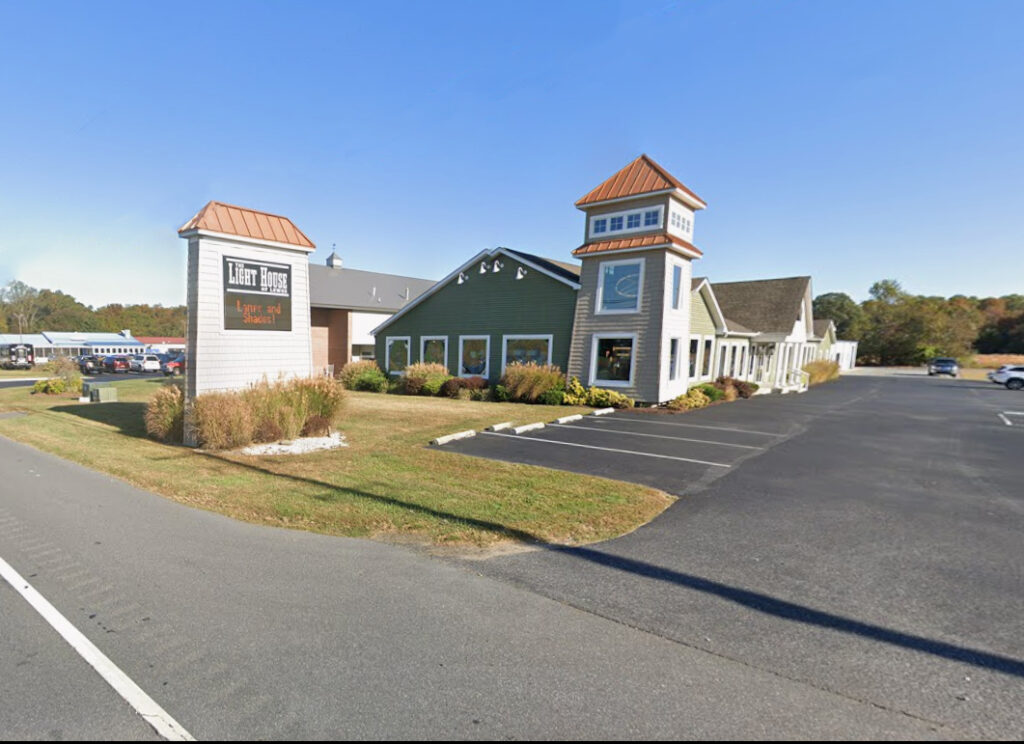
Buying an LED sign seems simple—until the installation gets red-tagged by the city or the hardware fails after the first winter. In 2026, the gap between “cheap” and “commercial-grade” has widened, and 40% of first-time buyers report regretting their purchase due to poor visibility or software frustration. This guide breaks down the seven most expensive errors businesses make, shifting the focus from “screen size” to pixel pitch and total cost of ownership. Critical Statistics: The Cost of Getting It Wrong Before you sign a quote, look at the data driving successful signage projects: Permit Delays: Projects without pre-approval are delayed an average of 21–28 days due to zoning conflicts. The “3-Second Rule”: Drivers only have 2–3 seconds to read a message at 45 mph; signs with poor contrast or low brightness get ignored. The Real Killer: Field data shows that 30–40% of long-term failures are caused by moisture intrusion in cheap cabinets, not the LEDs themselves. Support ROI: Businesses with access to remote diagnostic support reduce their system downtime by 30–50%. Focusing on Size Instead of Visibility Many buyers choose a size first (e.g., “I want a 4×8”) and think about resolution second. This is backward. A huge sign that looks blurry from the road is a waste of capital. ** The Science of Legibility:** Pixel Pitch vs. Size: Legibility depends on Pixel Density, not just inches. A smaller sign with a tight pitch (e.g., 6mm) is often more readable than a massive sign with a coarse pitch (e.g., 16mm). The 20% Boost: Signs with optimized pixel pitch improve readable distance by 20–40%, giving drivers more time to absorb your message. Ignoring Local Zoning Until the Last Minute The most painful mistake is buying a sign you aren’t allowed to turn on. Zoning rules in 2026 are stricter than ever regarding brightness and animation. Common Zoning Roadblocks: Square Footage Limits: Many cities cap digital signage at a percentage of the total sign face. Ambient Light Sensors: Most codes now require automatic dimming at night; if your hardware doesn’t support this, you won’t pass inspection. The Consequence: Resolving these issues after purchase often requires a total redesign, adding weeks of delays and thousands in restocking fees. Choosing the Wrong Brightness for Traffic Speed Brightness isn’t just about competing with the sun; it’s about how fast your audience is moving. Brightness Factors: Approach Speed: At 45 mph, a driver needs high-contrast text to read quickly. Sun Angle: South-facing signs need significantly higher peak luminance (measured in nits) to remain visible at noon compared to North-facing signs. The Mistake: Buying an “indoor-rated” or lower-nit display for an outdoor application saves money upfront but renders the sign invisible during peak traffic hours. Underestimating Cabinet Engineering You are buying a computer that lives outside in the rain. The electronics matter, but the Cabinet (the metal box protecting them) matters more for longevity. Why Cheap Cabinets Fail: Water Intrusion: Poor gaskets or door latches let moisture in, corrosion starts, and the sign dies within 3 years. Thermal Stress: Inadequate ventilation causes heat buildup, which cooks the power supplies and dims the LEDs prematurely. The Fix: Always specify a Solid-State, weather-rated cabinet designed for your specific climate zone. Assuming All Software Is the Same If the software is hard to use, your staff won’t use it. It’s that simple. The Engagement Gap: Digital communication studies show that ease of use increases message frequency by 50%. The Trap: Many budget signs come with “clunky” local software that requires you to be physically near the sign to update it. The Standard: Demand Cloud-Based Software that allows you to update the sign from any phone or laptop, anywhere. Failing to Plan for Future Content Businesses change. Your sign needs to keep up. The “Weekly Update” Rule: Over 60% of businesses update content weekly; those that do report higher customer engagement. The Bottleneck: Buyers often select a pixel pitch that works for text (e.g., “SALE TODAY”) but looks terrible when they try to upload a photo of a new product or a video clip. Advice: Buy the resolution required for the content you want to display three years from now, not just today. Overlooking Post-Sale Support LED signs run for thousands of hours a year. Eventually, something will need a tweak, a firmware update, or a replacement module. The Risk: Many “direct-import” sellers offer zero post-sale support. When a part fails, you are on your own. The Value: Strong manufacturers offer Remote Diagnostics, meaning they can log into your sign remotely, identify the issue, and ship the exact part you need without a service technician making two trips. Frequently Asked Questions about Buying LED Signs How do I choose the correct resolution for my viewing distance? Resolution (Pixel Pitch) is a math equation, not a guess. The Rule of Thumb: You need roughly 1 inch of character height for every 25–30 feet of viewing distance. The Pitch Factor: Tighter pitch (e.g., 6mm or 10mm) produces smooth text at close range (sidewalk/slow traffic). The Trade-off: Wider pitch (e.g., 16mm or 20mm) is cheaper but looks “blocky” and pixelated if the viewer is closer than 50 feet. What are the biggest mistakes in digital sign placement? Placement affects readability more than size. Avoid these common errors: Mounting Too High: The optimal height is within ±10 degrees of the driver’s natural line of sight. If they have to look up, they won’t read it. Ignoring Glare: Placing a sign directly under a streetlamp or facing a reflective glass building can wash out the contrast, making the text unreadable. What hidden costs should I include in the budget? The hardware price is not the total project cost. A realistic budget includes: Installation & Electrical: Running new power lines and the physical crane work. Permitting: City fees and variance applications. Spare Parts: Buying a “Spare Parts Kit” (modules/power supplies) upfront guarantees you have matching color batches for future repairs. Total variance: These items typically add 15–25% to the final project cost. Need Help Navigating the
The Real Cost of Cheap LED Signs (What Dealers Wish You Knew)

Cheap LED signs look tempting on a spreadsheet, but they often become a financial liability within 24 months. While the upfront price might be thousands lower, the Cost Over Time (COT) tells a different story. Industry data shows that budget hardware suffers from lower brightness headroom, faster degradation, and a critical lack of parts availability. This guide breaks down why a “bargain” sign often ends up costing 30% more over its lifespan than a commercial-grade display. Critical Statistics: The Math Behind the “Deal” Before you sign the lowest quote, look at the numbers that determine long-term value: Lifespan Gap: Quality LEDs are rated for 70,000–100,000 hours, while commodity LEDs often dim noticeably after just 20,000 hours (roughly 2–3 years of use). Brightness Headroom: Commercial outdoor signs start at 9,000+ NITS, allowing you to run them at 50% power. Budget signs max out at 5,000 NITS, forcing you to run them at 100% capacity just to compete with the sun. Energy Waste: Inefficient power supplies in cheap units can waste an extra 150–300 watts per module, adding hundreds of dollars to your annual electric bill. The 10-Year Reality: When factoring in replacement parts and downtime, a $12,000 “cheap” sign can cost over **$26,000** over a decade, while a quality unit stays stable. The “Assembler” Trap: Why You Can’t Get Parts in Year 3 One of the biggest secrets in the industry is the difference between a Manufacturer and an Assembler. Manufacturers engineer their own boards and own the patents. They guarantee parts availability for 10 years because they control the supply chain. Assemblers (often the source of cheap signs) buy components on the overseas “commodity market.” They don’t make the parts; they just screw them together. The “Commodity” Risk: When an Assembler buys a batch of power supplies or modules, that might be the only batch that exists. Once they are sold out, they are gone. The Consequence: If your sign fails in Year 3, the Assembler cannot send you a matching part because they didn’t make it and can’t buy it anymore. The Result: You are left with a sign that cannot be fixed, forcing you to replace the entire unit years earlier than expected. The Warranty Gap: 3 Years vs. 5 Years Standard commercial grade warranties in the US are 5 Years for advanced replacement parts. Cheap imports typically offer only 3 Years (or less). Why this matters: The “Assembler” business model relies on the sign failing after the short warranty expires. The US Standard: Legitimate US manufacturers back their 5-year warranty with a 10-Year Parts Availability Guarantee, ensuring that even after the warranty ends, you can still buy the specific part needed to keep your sign running. The “Buy Two” Fallacy (Why a Spare in the Warehouse Doesn’t Work) We often hear business owners say: “I’ll just buy two cheap signs for the price of one good one. I’ll keep the second one in the warehouse, and when the first one dies, I’ll swap it out.” This sounds like smart math, but it ignores the massive Hidden Costs of Replacement: Labor is Expensive: You still have to pay a crane crew and electricians to take the old sign down and put the “spare” sign up. That can easily cost $3,000–$5,000. Disposal Fees: You have to pay to legally dispose of the electronic waste from the first sign. Dead Warranties: The warranty on your “warehouse spare” started the day you bought it. By the time you install it 4 years later, its warranty is already expired. Outdated Tech: Technology moves fast. Putting up a 4-year-old sign means you are installing obsolete resolution and brightness standards today. Brightness, NITS, and Why “Headroom” Matters Outdoor LED signs fight the sun every day. To win that fight, you need Headroom—extra brightness you don’t use yet. The Commercial-Grade Strategy: Rating: Sign is rated for 9,000 NITS. Usage: You run it at 5,000 NITS (55% power). Result: As LEDs naturally age, you simply turn the power up slightly. The sign looks brand new for 7+ years. The “Cheap Sign” Reality: Rating: Sign is rated for 5,000 NITS. Usage: You must run it at 100% power immediately. Result: You have nowhere to go. As the sign dims (which happens faster at 100% heat), your image washes out, and you cannot fix it. Cheap Energy Systems vs. Efficient Design Energy is the “quiet cost” that bleeds your budget every month. While LEDs are efficient, the Power Supplies and Fans that run them vary wildly in quality. Where the money goes: Inefficiency: Cheap power supplies lose energy as heat rather than converting it to light. A budget sign can draw 20-30% more power than a premium sign to produce the same brightness. Thermal Damage: That waste heat cooks the internal components. Without high-quality thermal management (fans and heat sinks), the LEDs degrade faster, leading to that “patchy” look where some modules are dim and others are bright. The Bill: Over a 5-7 year period, this inefficiency adds $1,500–$2,000 to your operating costs—erasing the savings you thought you got upfront. A Simple Cost Over Time (COT) Comparison Here is a hypothetical 10-year outlook comparing a Budget Sign vs. a Quality Sign. The “Cheap” LED Sign ($12,000 Upfront) Service & Labor: +$4,000 (Multiple failures due to commodity parts) Energy Waste: +$2,000 (Inefficient power supplies) Early Replacement: +$10,000 (Replaced in Year 6 due to parts scarcity) Total 10-Year Cost: ~$28,000 The Quality LED Sign ($18,000 Upfront) Service & Labor: +$1,000 (Routine maintenance) Energy Efficiency: Saves money Lifespan: Lasts 10+ years with parts availability Total 10-Year Cost: ~$19,000 Frequently Asked Questions about LED Sign Quality What is the real difference between a cheap and expensive LED sign? The difference lies in Component Grading. High-End: Uses “Top Bin” LEDs sorted for perfect color match and commercial power supplies rated for 100,000 hours. Budget: Uses “Commodity” LEDs that vary in brightness and power supplies that run hot. The Result: Commercial signs look uniform for a decade; budget signs look “patchy” within 24
How Digital Signage Supports Hybrid Learning While Reducing Print Waste
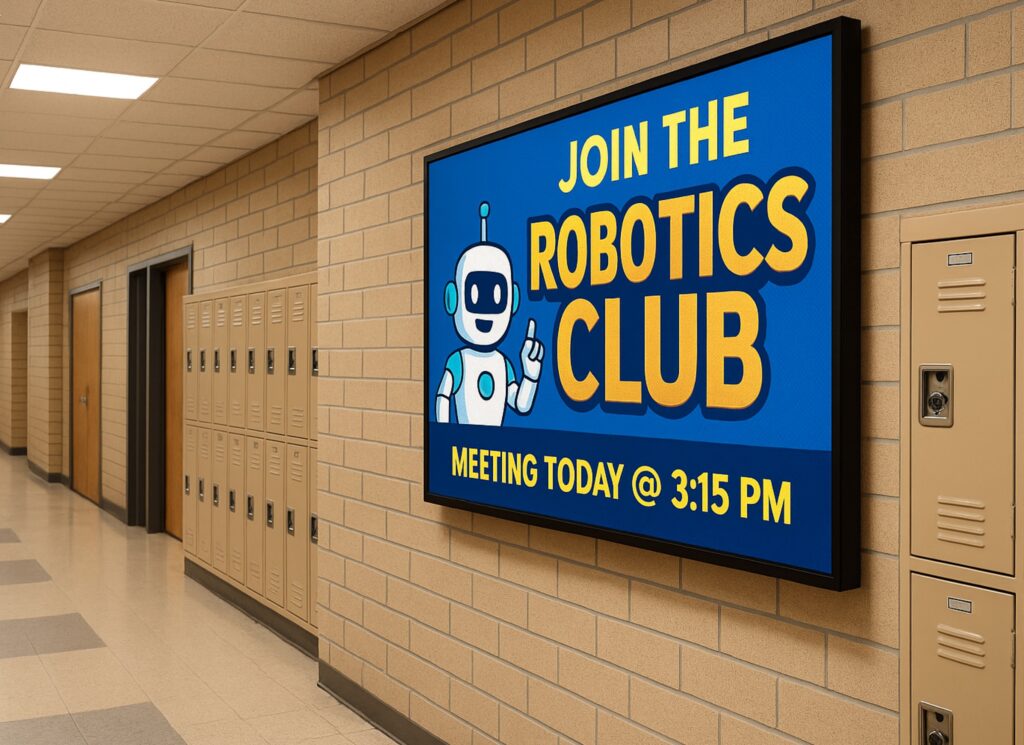
If you’ve ever looked at your current sign and thought, “This thing can’t keep up anymore,” you’re not wrong—and you’re definitely not alone. Across industries, businesses and organizations are moving away from static signage because it simply doesn’t match how fast communication happens now. A digital display isn’t just about looking newer. It’s about being able to respond in real time, stay relevant, and actually get noticed instead of blending into the background. One simple change can Reaching Hybrid Learners More Effectively Hybrid learning requires two communication paths. Messages must reach the physical school and the remote classroom at the same time. Email and portals help, but they depend on users checking them. Digital signage removes that bottleneck. LED displays placed in hallways, entries, cafeterias, and front offices show updates instantly. These screens can pull information directly from scheduling systems, safety alerts, attendance tools, or district communication software. At the same time, the content can appear on remote dashboards, virtual classrooms, and school websites. Because of this, room changes, weather delays, and hybrid-schedule shifts reach students at the exact moment they need them. Real Examples From School Districts Many districts already use digital signage systems to support hybrid environments, and the results are measurable. George School (PA) built a campus-wide digital signage network that localized content by building but allowed schoolwide messages instantly. During hybrid schedule transitions, bell times and class rotations remained accurate across campus. Missed classes dropped by 18 percent. Staff also saved nearly four hours per week once reprinting stopped. Weston School District used a “fifteen-minutes-a-day” digital signage workflow. As a result, information reached families three times faster, and QR-based reminders increased parent engagement. Additionally, the district cut its paper usage by 70 percent. Avoiding reprints for schedule changes saved thousands in toner, maintenance, and staff hours. New York City Public Schools integrated digital signage into its AV and remote-learning infrastructure. Messages now appear on campus screens, remote dashboards, and school websites at the same time. This uniform visibility strengthened emergency readiness across 1,800 campuses and removed duplication between physical and virtual communication channels. Reducing Paper Usage at Scale Paper consumption in K–12 is far higher than most leaders realize. Federal estimates show that the average student uses about 10,000 sheets of paper per year. In a district with 2,000 students, that equals 20 million sheets annually. At roughly six cents per sheet for materials and labor, schools spend about $1.2 million every year on communication that often becomes outdated within hours. Digital signage can reduce paper consumption by 60 to 90 percent. Daily announcements, event reminders, and operational updates move onto screens instead of printers. As a result, districts cut spending on toner, copier service plans, reprints, and distribution labor. Even partial digital adoption saves hundreds of thousands of dollars per year. Operational and Sustainability Gains The operational impact is significant. When schedules change, staff no longer rush to update bulletin boards or reprint materials. When a storm affects bus routes or campus operations, digital signage delivers updates instantly without adding to staff workload. Sustainability gains matter as well. Cutting paper use reduces waste, protects natural resources, and lowers transportation emissions tied to paper manufacturing and delivery. Many districts now include digital signage reductions in sustainability reports to support state and community goals. A Stronger Technology Foundation For IT teams, LED displays and digital signage solutions offer more than convenient communication. They act as a scalable, secure infrastructure layer. Modern systems connect easily to district networks and support controlled, browser-based content management. Because they scale without complexity, they strengthen hybrid learning, emergency communication, and long-term modernization plans. Why NEXT LED Signs Is the Right Partner for Schools Schools need reliable digital signage that performs every day. NEXT LED Signs delivers durable LED signs built for school environments, clear visibility in any weather, and fast five-day shipping for many models. Districts also rely on our hands-off cellular connectivity and cloud-based controls, which make updates simple for busy administrators. Whether you need an outdoor LED sign at the school entrance or indoor displays that support hybrid learning, NEXT LED Signs provides dependable technology backed by responsive support. FAQs: Digital Signage for Hybrid Learning & Reduced Print Waste How does digital signage improve communication during hybrid learning?Digital signage delivers updates instantly to students and staff on campus, which is critical when schedules shift. Research in K–12 communication shows that real-time visual messaging increases message recall by up to 83% compared to text-only emails. This helps prevent missed classes and confusion during hybrid transitions. Can digital signage actually reduce paper waste in schools?Yes. The EPA estimates students use 10,000 sheets of paper per year, and districts adopting digital signage report cutting paper consumption by 60–90%. Even modest reductions translate to major savings in toner, copier repairs, and the labor required to distribute printed materials. Does digital signage help schools respond faster to schedule changes or emergen cies? How is it out thereIt does. Districts using digital signage report that urgent updates reach the school community 2–3× faster than paper or email alone. This rapid visibility is especially important during weather delays, transportation changes, or shifts between in-person and hybrid instruction. Is digital signage difficult for school staff to manage?Modern LED content platforms allow staff to update screens in minutes. Many districts use short, daily workflows—some as simple as 15 minutes a day—to keep messaging current. Most systems also integrate with existing scheduling, attendance, or safety platforms for automated updates. What sustainability benefits does digital signage offer?Reducing paper usage cuts both waste and the environmental impact of paper processing. Every million sheets of paper eliminated prevents roughly 12,000 pounds of CO₂ emissions, according to U.S. DOE sustainability data. Schools with district-wide signage deployments have added these reductions directly into their sustainability reporting. Does digital signage support both on-campus and remote learners?Yes. Content displayed on campus screens can also be mirrored to district websites, virtual dashboards, or learning platforms. This gives remote learners the same access to daily reminders, schedule updates,
How Colleges Use Digital Signage to Promote Events and Share Real-Time Updates
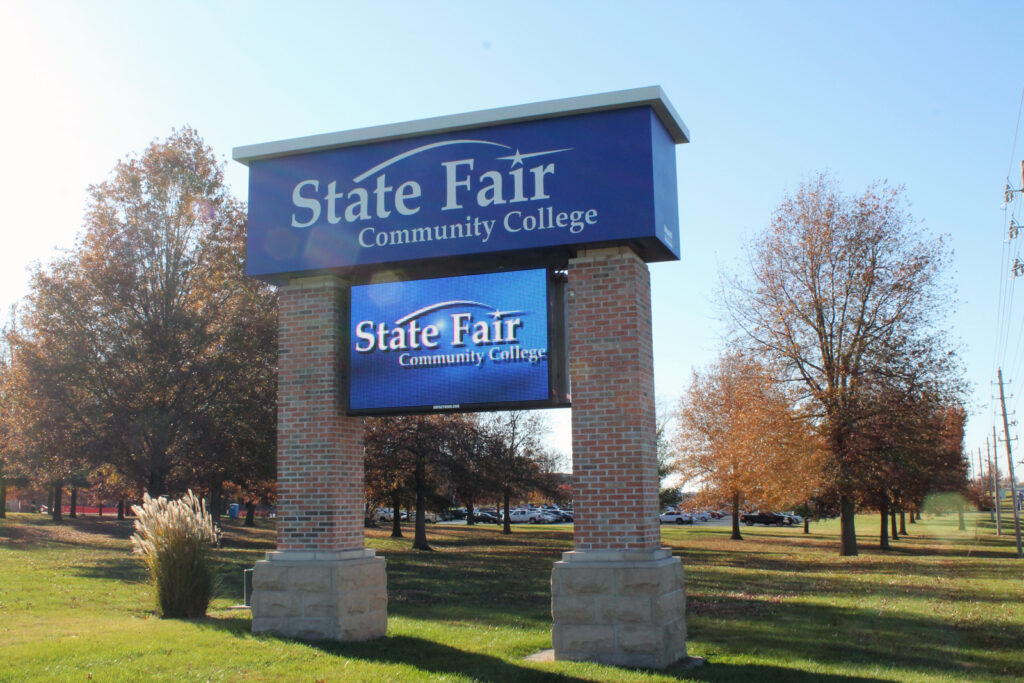
College campuses move fast. Classes shift, clubs meet, speakers arrive, sports schedules change, and half the time students only find out when it’s already too late. Digital signage fixes that problem. It gives campuses a way to promote events where students already are — walking through the union, grabbing food, heading to class, or waiting in line at the bookstore. And when it’s done right? Events get better attendance, last-minute updates actually get noticed, and the entire campus feels more connected. The “Invisible Monitor” Problem (Why Consumer TVs Fail) You’ve seen it before. A college buys a bunch of 60-inch TVs from a big box store and mounts them in the Student Union. Six months later, nobody looks at them. Why? Because physics wins. A standard TV maxes out at 300 nits of brightness. In a sunlit atrium with floor-to-ceiling windows, that screen fights the sun—and loses. It looks dim, washed out, and irrelevant. The Commercial Difference: Headroom. To be visible in a bright lobby, a display needs Headroom. Commercial Direct-View LED (like the NEXT LED APEX Series) is often rated for 4,000 nits. Do you need 4,000 nits indoors? Usually not. But that’s the point. The TV: Runs at 100% power just to be visible. Burns out in 18 months. The LED Wall: You run it at 20% brightness to light up the room. Because the diodes are barely working, they last for a decade. The Glare Factor: If the sun hits the glass atrium at noon, you have the power to crank the brightness up and cut right through the glare. A TV can’t do that. Turning Your Calendar into “Live” Promotion Your marketing team is already burned out. They don’t have time to design a flyer, print it, email it, and manually login to update 50 different screens. The fix is API Integration. Effective digital signage shouldn’t require its own special calendar. It should talk to the tools you already use, like 25Live, EMS, or Google Calendar. You update the event in the system: “Room change: Guest Lecture now in Hall B.” The sign reads the feed: The software detects the change instantly. The directory updates: The digital room card flashes the new location without anyone touching the sign. This handles the chaos of campus life automatically: Speakers running late? Weather moving an outdoor concert inside? Shuttle bus delays? The signs update the moment you know, so the students know. Winning the “2-Second” Glance Students are walking fast. Research suggests you have about 2 to 4 seconds to get their attention. A static PDF of a flyer doesn’t work. Motion works. Don’t just show the speaker’s face. Show a 10-second clip of them on stage. Don’t just list the deadline. Show a ticking countdown clock (“Registration Ends in 04:12:30”). Create FOMO. Show high-res photos from last week’s event. When students see their friends having fun on a 10-foot wall, they show up to the next one. Real-world data backs this up. Universities that switch to dynamic motion graphics often see double-digit increases in turnout because the content is impossible to ignore. Supporting Student Life & Inclusivity It’s easy to promote the big football game. It’s harder to promote the Chess Club, the LGBTQ+ Alliance, or the Tuesday night tutoring session. Printed posters clutter the walls and get ignored. Digital signage creates equity. By rotating content on a loop, Student Life teams can: Highlight smaller organizations that usually get overlooked. Share authentic student content (photos, videos, reviews). Target specific buildings (e.g., showing Engineering Club meets on the Engineering Hall display). When students see their organization on the big screen, they feel represented. It transforms the display from a “bulletin board” into a community hub. The Enrollment Impact: “Things Are Happening Here” When a prospective family walks through your Student Union on a tour, they are judging the “vibe” of the campus instantly. Blank or broken screens? It feels neglected. Static posters from last month? It feels slow. Bright, moving displays showing tonight’s concert? It feels alive. Active digital signage communicates: “Students are involved here. Campus life is vibrant. Things are happening.” That subconscious signal can be the difference between a student feeling at home or feeling indifferent. Silence in the Library (Solid-State Engineering) One reason colleges hesitate to put digital signs in study areas is the noise. Old-school LED walls have cooling fans. Fans hum. In a library or quiet study hall, that hum is a distraction. This is where Solid-State Engineering matters. NEXT LED displays don’t use fans. We use aluminum heat sinks to dissipate heat naturally. That means the sign runs cool and silent. You can put a high-definition event display right next to a study carrel, and it won’t make a sound. Frequently Asked Questions about Using LED to Boost College Event Attendance Do LED signs actually increase student engagement and attendance? Yes. Digital displays catch the eye far more effectively than static posters, leading to higher engagement. 400% More Views: Research indicates that digital signage captures 400% more views than static displays. Recall Rate: 83% of people recall the content they saw on a digital display within the last 3 days, ensuring students remember the “when and where” of upcoming events. How effective is digital signage for retaining information about campus events? It is highly effective because the human brain processes visual information much faster than text. Visual Processing: Visuals are processed 60,000 times faster in the brain than text. Higher Retention: Retention rates for information displayed on digital screens are significantly higher than traditional print media, making it crucial for time-sensitive event details. Can LED displays help with last-minute event promotion? Absolutely. One of the biggest advantages of solid-state engineered LED signs is the ability to update content instantly for “tonight only” events. Impulse Decisions: Data shows that 19% of consumers made an unplanned purchase (or decision to attend) after seeing a digital ad. Instant Updates: Unlike print, digital messaging can be changed in seconds to push flash sales for tickets or