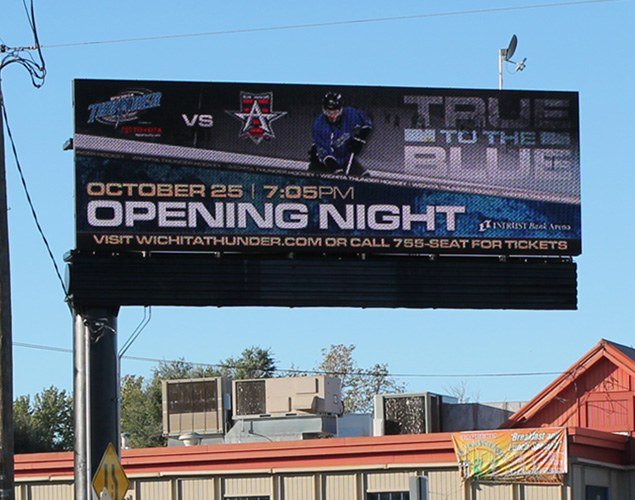
7 Costly Mistakes to Avoid When Buying an LED Sign

Buying an LED sign can appear straightforward until zoning problems delay the installation, the display is difficult to read, or an equipment failure leaves the owner without responsive support.

A commercial LED sign is not simply a screen. It is an outdoor electronic system expected to operate through heat, cold, rain, humidity, dust, sunlight, power fluctuations, and years of continuous use. Its long-term value depends on much more than its physical dimensions or initial price.

Before comparing proposals, learn how to avoid these seven costly mistakes.

Watch: 7 Mistakes People Make When Buying an LED Sign

Mistake 1: Choosing the Sign Size Before Evaluating Visibility

Many buyers begin with a familiar dimension: “We need a 4-by-8-foot sign.” Size matters, but dimensions alone do not determine whether a display will be readable from the road.

Visibility depends on several connected factors:

  • Viewing distance
  • Traffic speed
  • Character height
  • Pixel pitch and pixel matrix
  • Contrast and brightness
  • Display placement
  • The type of content being shown

Pixel pitch is the distance between the centers of neighboring pixels. A tighter pixel pitch places more pixels within the same physical area, producing a higher-resolution image. That can be particularly important when the display will show logos, photographs, detailed graphics, or smaller text.

Federal Highway Administration research has demonstrated that character size, contrast, environmental conditions, and pixel pitch affect the legibility of changeable-message displays. In one FHWA study, a full-color display with a tighter pixel pitch produced a longer legibility distance than the earlier display used for comparison. Review the FHWA legibility research.
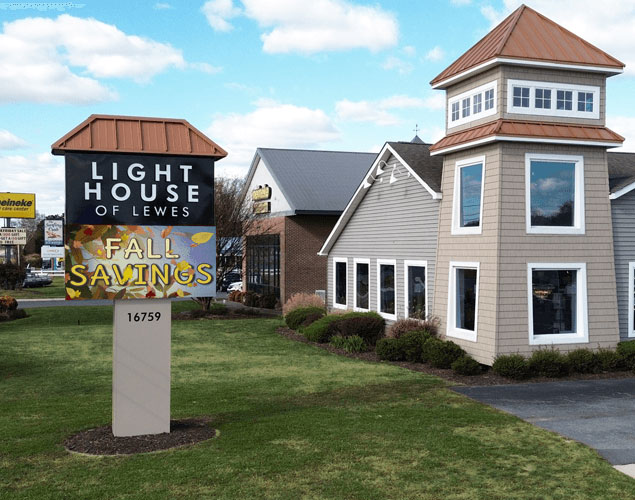
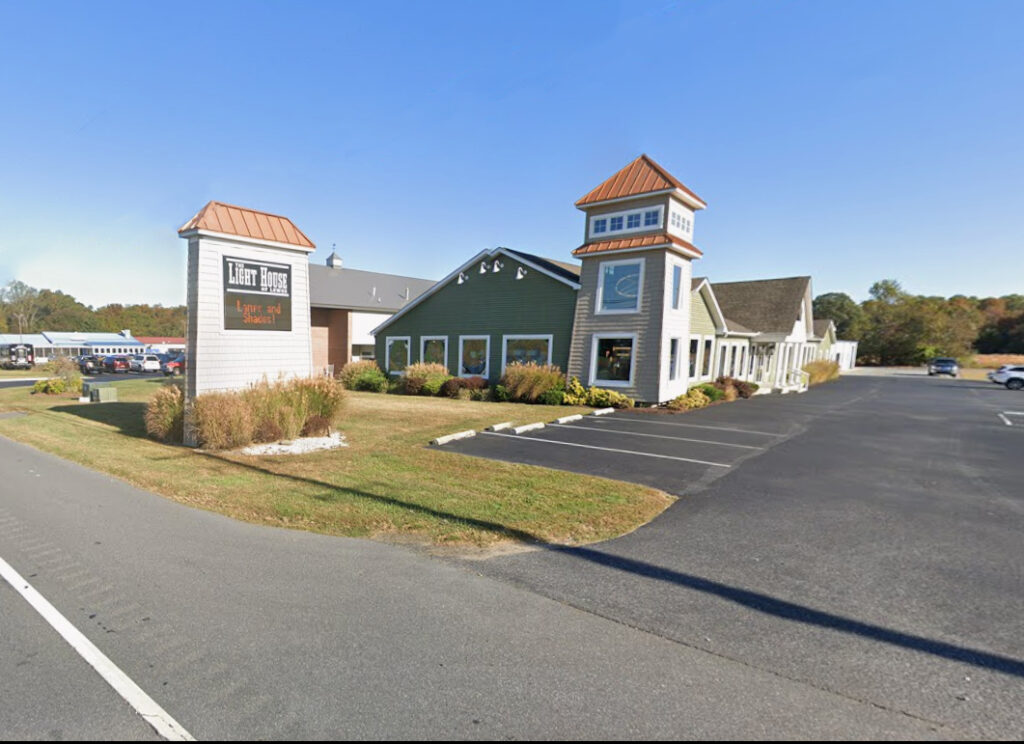
Example of an LED sign that is too small Example of an updated sign with improved visibility

Ask before buying

  • How far away will viewers be when they first see the sign?
  • How fast will traffic be moving?
  • What character height will the display produce?
  • What pixel matrix will the proposed sign provide?
  • Will the resolution support the content we expect to use?
  • Can we see examples of that pixel pitch at a comparable distance?

The right sign is not necessarily the largest one. It is the display engineered to make the intended content readable at the actual location.
Example of an LED sign that's too small
Example of an updated sign with improved visibility

Mistake 2: Waiting Too Long to Investigate Zoning and Permitting

One of the most expensive mistakes is purchasing a sign before confirming that local regulations will allow it.

Sign codes can regulate:

  • Overall sign area
  • The percentage of the sign that may be electronic
  • Height and setback
  • Placement on the property
  • Nighttime brightness
  • Automatic dimming
  • Message duration
  • Animation and transitions
  • Operating hours
  • Proximity to residential areas or roadways

Projects that reach permitting with unresolved zoning or design conflicts can easily be delayed 21–28 days—and sometimes considerably longer. A variance, redesign, revised engineering drawings, or change in display size can extend the delay and add substantial cost.

Do not assume that a sign installed in a neighboring city will be permitted at your location. Codes can differ significantly between municipalities.

Ask before buying

  • Has the applicable sign code been reviewed?
  • Is an electronic message center permitted at this address?
  • Will the proposed dimensions, height, and placement comply?
  • Are brightness controls or minimum message times required?
  • Who is responsible for permits, drawings, and zoning communication?
  • What happens if the proposed sign is rejected?

Zoning should shape the proposal from the beginning—not become a problem after the equipment has been ordered.

Mistake 3: Selecting Brightness Without Evaluating the Location

An outdoor display must remain visible in changing light conditions. A sign that looks bright inside a showroom may appear washed out when installed in direct sunlight.

Brightness is measured in nits, but the maximum rating is only part of the decision. The proper brightness depends on the direction the display faces, direct and reflected sunlight, nearby buildings and landscaping, glare, seasonal sun angles, viewing distance, traffic speed, and daytime and nighttime conditions.

A south- or west-facing sign exposed to strong sunlight may require more brightness headroom than a shaded display. At night, excessive brightness can reduce readability, create complaints, and violate local regulations.

Automatic dimming allows a display to respond to changing ambient light. FHWA guidance requires brightness adjustment for highway changeable-message signs, while the International Sign Association publishes nighttime brightness recommendations for on-premise electronic message centers. Local requirements must still be verified for every project. Read the FHWA guidance. Review ISA electronic-message-center resources.

Ask before buying

  • What is the display’s rated brightness?
  • Does it include automatic dimming?
  • How will it perform when facing direct sunlight?
  • Can brightness schedules and limits be configured?
  • Is there enough brightness headroom to compensate for gradual LED depreciation?

The goal is not simply to purchase the brightest display. It is to maintain clear, appropriate visibility throughout the day and over the sign’s useful life.

Mistake 4: Underestimating Moisture Protection and Thermal Engineering

An outdoor LED sign is essentially a computer operating outside. It contains LEDs, power supplies, control electronics, circuit boards, wiring, connectors, and communication equipment—all of which must be protected from the environment.

Moisture is one of the leading threats to outdoor LED reliability. Research shows that moisture and humidity can contribute to corrosion, electrical migration, short circuits, open circuits, delamination, reduced light output, damage to connectors and electronics, and premature component failure.

Peer-reviewed studies have found that moisture can enter LED packaging through small openings and material interfaces, producing more severe degradation than earlier assumptions suggested. Review outdoor LED moisture research. Review LED humidity and reliability research.

Heat is equally important. LEDs and power electronics generate heat during operation, and direct sunlight can add further thermal load. If the system does not move heat away from critical components effectively, elevated operating temperatures can accelerate lumen depreciation, color change, and electronic failure.

The U.S. Department of Energy identifies thermal management as a major factor in LED and power-supply reliability. Effective thermal management may be passive or active, but it must be engineered for the complete display and its operating environment. Read the DOE reliability guidance.

Ask before buying

  • How is the cabinet sealed against rain, humidity, dust, and insects?
  • What ingress-protection testing applies to the display?
  • How are circuit boards, connectors, and power supplies protected?
  • How does the cabinet manage heat?
  • Does the design depend on fans, filters, or other moving components?
  • What maintenance does the thermal-management system require?
  • Is the cabinet designed for the expected temperature range?

Cabinet engineering is not a cosmetic detail. It protects the components that determine whether the sign remains dependable.

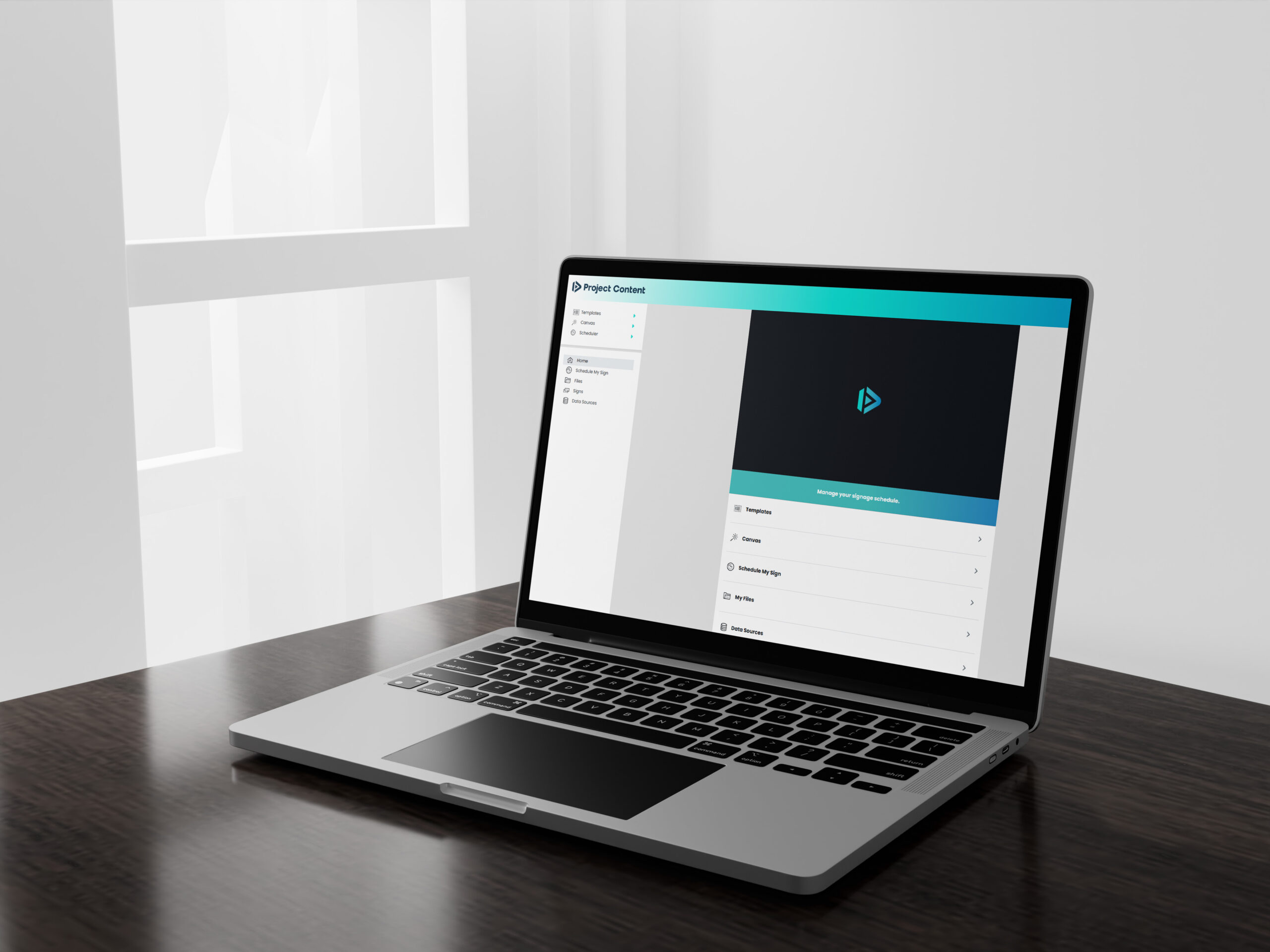
Laptop Mockup - Scheduler.

Mistake 5: Assuming All Sign Software Is the Same

A display is valuable only when an organization can update it easily and consistently.

Complicated software often results in outdated messages. Current digital-signage telemetry shows that content freshness remains a widespread problem: the median screen in one large 2026 benchmark displayed content last updated 16.8 days earlier, and more than one-quarter of scheduled creative was over a year old. Review the 2026 digital-signage benchmark report.

Before purchasing a display, the people who will operate it should see the software demonstrated. Ideally, they should be allowed to test it.

Cloud-based LED sign content scheduling software

Important capabilities may include secure cloud-based access, remote updates, user permissions, message scheduling, templates, multiple playlists, emergency-message control, management of multiple signs, system-health monitoring, training, and technical support.

Ask before buying

  • Can authorized users update the sign from any location?
  • Does the software work on the devices our staff uses?
  • Can different users be assigned different permissions?
  • Can content be scheduled in advance?
  • Can an emergency message override the normal schedule?
  • Are software updates, training, and support included?
  • What happens if the software platform is discontinued?

Do not evaluate software from a feature list alone. Confirm that the people responsible for the sign can use it confidently.

Mistake 6: Buying Only for Today’s Content

A buyer may initially expect to display simple text such as service times, event dates, or promotions. Several years later, the same organization may want to display photographs, logos, sponsor messages, QR codes, branded graphics, or video.

A display selected only for today’s simplest message may not provide enough resolution for tomorrow’s communication goals. Content planning should therefore occur before the final pixel pitch and matrix are selected.

Ask before buying

  • What content will we display immediately?
  • What might we want to display three to five years from now?
  • Will the sign support photographs, logos, and detailed graphics?
  • What will our content look like on the proposed matrix?
  • Can the provider show sample messages at the exact proposed resolution?
  • Are we purchasing resolution that matches our real needs?

The best choice is not automatically the tightest available pixel pitch. It is the resolution appropriate for the viewing distance, content requirements, physical size, and budget.

Mistake 7: Overlooking Service, Parts, and Post-Sale Support

Even a well-engineered sign may eventually require troubleshooting, a replacement component, a software update, or technical assistance. The important question is what happens when support is needed.

Without remote diagnostics, a service technician may need to make one trip to open the sign and identify the problem, then return after obtaining the correct replacement parts. When the display can be diagnosed remotely, the technician can often arrive with the required component and complete the repair in one visit.

For problems that can be diagnosed in advance, remote diagnostics can eliminate one of two potential truck rolls—a reduction of as much as 50% in required field visits. That can reduce service expense and shorten downtime.

Parts availability is also essential. An attractive warranty has limited value if compatible modules, power supplies, controller components, or technical support are unavailable later.

Ask before buying

  • How long is the warranty?
  • What labor or travel expenses are excluded?
  • Who provides technical support?
  • Can the sign be diagnosed remotely?
  • Where are replacement parts stocked?
  • How long will compatible parts remain available?
  • What is the process for submitting a service claim?
  • Are spare modules or power supplies recommended?

Support should be evaluated before the purchase—not after the sign stops operating.

Budget for the Complete Project

The display price is only one part of the investment. Depending on the location and project scope, buyers may also need to budget for freight, structural engineering, sign fabrication, foundations or mounting structures, electrical service, data or cellular communication, permits and zoning applications, crane or installation equipment, removal of an existing sign, landscaping or concrete repair, spare parts, and content creation.

These expenses may add approximately 15–25% to the display cost and can be substantially higher for complex installations.

Request a proposal that clearly distinguishes the display price from fabrication, installation, electrical work, permitting, freight, software, and continuing service expenses.

The Bottom Line

The lowest initial quote does not necessarily represent the lowest long-term cost.

A dependable LED sign must be appropriate for its location, readable by its audience, permitted by the municipality, protected from moisture, engineered to manage heat, easy to operate, serviceable, and supported with available parts.

Before choosing a provider, compare more than dimensions and price. Compare the complete system: visibility, pixel pitch and matrix, brightness, cabinet construction, environmental protection, thermal management, software, warranty, remote diagnostics, parts availability, and post-sale support.

Asking these questions before signing a proposal can prevent years of frustration and help ensure that the display becomes a reliable communication asset.
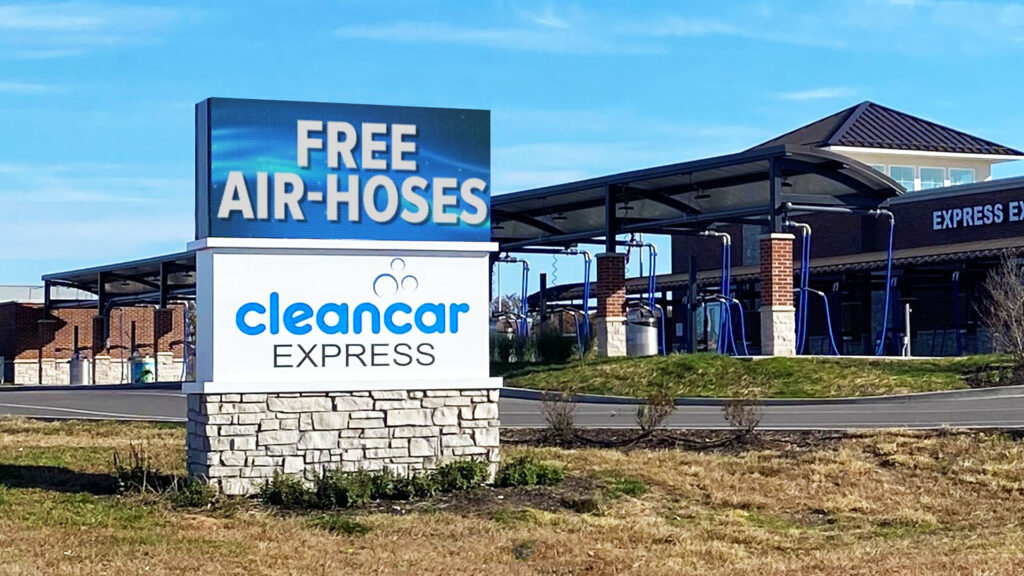

Onyx LED Digital Displays at Clean Car Express - Waterloo IL.

Frequently Asked Questions

How do I choose the right pixel pitch?

Start with the closest and typical viewing distances, the type of content you intend to display, the physical dimensions of the sign, and the necessary pixel matrix. Tighter pixel pitch provides more pixels within the same area, but the finest available pitch is not always necessary.

How large should the characters be?

Character height must be evaluated in relation to viewing distance, traffic speed, contrast, and message complexity. FHWA research has used approximately 40 feet of legibility distance per inch of character height under specific testing conditions, but real-world performance can be affected by motion, weather, glare, placement, and visual acuity.

What hidden costs should be included?

Include engineering, fabrication, installation, electrical service, permitting, freight, communication equipment, software, removal of existing equipment, spare parts, and long-term service.

What should I ask about outdoor reliability?

Ask about cabinet materials, sealing, ingress protection, drainage, corrosion protection, thermal management, operating-temperature range, power protection, and access for future service.

What should I ask about post-sale support?

Confirm who answers technical questions, whether remote diagnostics are available, where replacement parts are stocked, how long compatible parts will remain available, and which labor or travel costs are excluded from the warranty.

Need Help Comparing LED Sign Options?

NEXT LED Signs designs solid-state LED displays engineered for visibility, durability, remote management, and long-term serviceability. Call 888-359-9558 or contact us to discuss your project.

Browse by interest

Search

Recent Posts

Recommended For You