
7 Mistakes People Make When Buying an LED Sign
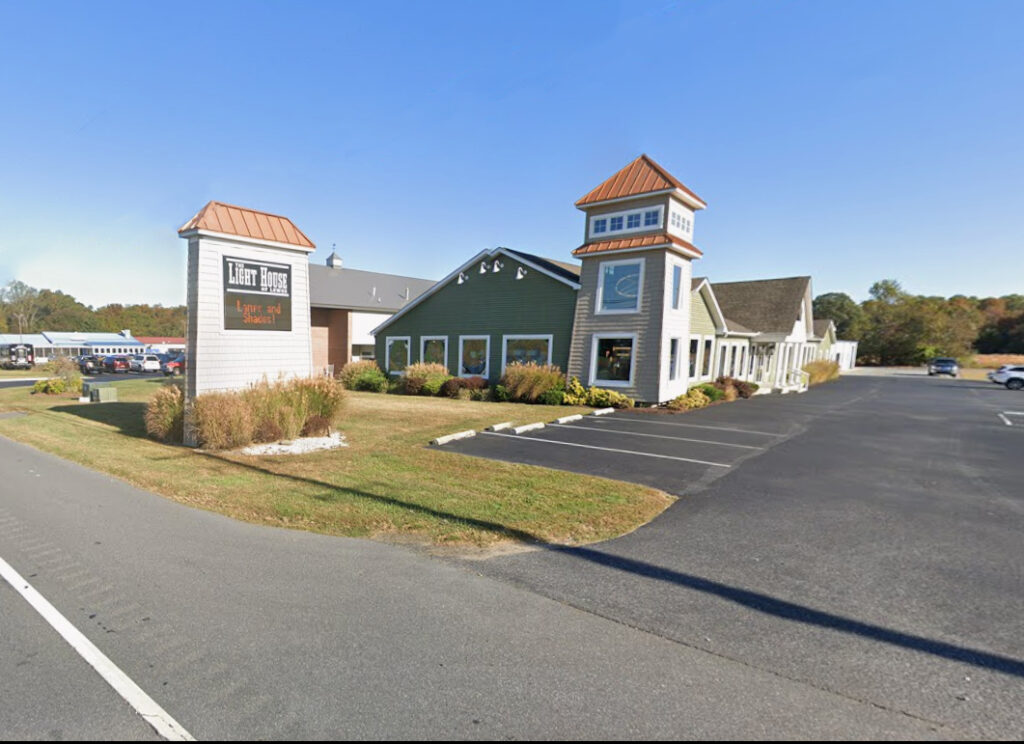
Buying an LED sign seems simple—until the installation gets red-tagged by the city or the hardware fails after the first winter. In 2026, the gap between “cheap” and “commercial-grade” has widened, and 40% of first-time buyers report regretting their purchase due to poor visibility or software frustration. This guide breaks down the seven most expensive errors businesses make, shifting the focus from “screen size” to pixel pitch and total cost of ownership. Critical Statistics: The Cost of Getting It Wrong Before you sign a quote, look at the data driving successful signage projects: Permit Delays: Projects without pre-approval are delayed an average of 21–28 days due to zoning conflicts. The “3-Second Rule”: Drivers only have 2–3 seconds to read a message at 45 mph; signs with poor contrast or low brightness get ignored. The Real Killer: Field data shows that 30–40% of long-term failures are caused by moisture intrusion in cheap cabinets, not the LEDs themselves. Support ROI: Businesses with access to remote diagnostic support reduce their system downtime by 30–50%. Focusing on Size Instead of Visibility Many buyers choose a size first (e.g., “I want a 4×8”) and think about resolution second. This is backward. A huge sign that looks blurry from the road is a waste of capital. ** The Science of Legibility:** Pixel Pitch vs. Size: Legibility depends on Pixel Density, not just inches. A smaller sign with a tight pitch (e.g., 6mm) is often more readable than a massive sign with a coarse pitch (e.g., 16mm). The 20% Boost: Signs with optimized pixel pitch improve readable distance by 20–40%, giving drivers more time to absorb your message. Ignoring Local Zoning Until the Last Minute The most painful mistake is buying a sign you aren’t allowed to turn on. Zoning rules in 2026 are stricter than ever regarding brightness and animation. Common Zoning Roadblocks: Square Footage Limits: Many cities cap digital signage at a percentage of the total sign face. Ambient Light Sensors: Most codes now require automatic dimming at night; if your hardware doesn’t support this, you won’t pass inspection. The Consequence: Resolving these issues after purchase often requires a total redesign, adding weeks of delays and thousands in restocking fees. Choosing the Wrong Brightness for Traffic Speed Brightness isn’t just about competing with the sun; it’s about how fast your audience is moving. Brightness Factors: Approach Speed: At 45 mph, a driver needs high-contrast text to read quickly. Sun Angle: South-facing signs need significantly higher peak luminance (measured in nits) to remain visible at noon compared to North-facing signs. The Mistake: Buying an “indoor-rated” or lower-nit display for an outdoor application saves money upfront but renders the sign invisible during peak traffic hours. Underestimating Cabinet Engineering You are buying a computer that lives outside in the rain. The electronics matter, but the Cabinet (the metal box protecting them) matters more for longevity. Why Cheap Cabinets Fail: Water Intrusion: Poor gaskets or door latches let moisture in, corrosion starts, and the sign dies within 3 years. Thermal Stress: Inadequate ventilation causes heat buildup, which cooks the power supplies and dims the LEDs prematurely. The Fix: Always specify a Solid-State, weather-rated cabinet designed for your specific climate zone. Assuming All Software Is the Same If the software is hard to use, your staff won’t use it. It’s that simple. The Engagement Gap: Digital communication studies show that ease of use increases message frequency by 50%. The Trap: Many budget signs come with “clunky” local software that requires you to be physically near the sign to update it. The Standard: Demand Cloud-Based Software that allows you to update the sign from any phone or laptop, anywhere. Failing to Plan for Future Content Businesses change. Your sign needs to keep up. The “Weekly Update” Rule: Over 60% of businesses update content weekly; those that do report higher customer engagement. The Bottleneck: Buyers often select a pixel pitch that works for text (e.g., “SALE TODAY”) but looks terrible when they try to upload a photo of a new product or a video clip. Advice: Buy the resolution required for the content you want to display three years from now, not just today. Overlooking Post-Sale Support LED signs run for thousands of hours a year. Eventually, something will need a tweak, a firmware update, or a replacement module. The Risk: Many “direct-import” sellers offer zero post-sale support. When a part fails, you are on your own. The Value: Strong manufacturers offer Remote Diagnostics, meaning they can log into your sign remotely, identify the issue, and ship the exact part you need without a service technician making two trips. Frequently Asked Questions about Buying LED Signs How do I choose the correct resolution for my viewing distance? Resolution (Pixel Pitch) is a math equation, not a guess. The Rule of Thumb: You need roughly 1 inch of character height for every 25–30 feet of viewing distance. The Pitch Factor: Tighter pitch (e.g., 6mm or 10mm) produces smooth text at close range (sidewalk/slow traffic). The Trade-off: Wider pitch (e.g., 16mm or 20mm) is cheaper but looks “blocky” and pixelated if the viewer is closer than 50 feet. What are the biggest mistakes in digital sign placement? Placement affects readability more than size. Avoid these common errors: Mounting Too High: The optimal height is within ±10 degrees of the driver’s natural line of sight. If they have to look up, they won’t read it. Ignoring Glare: Placing a sign directly under a streetlamp or facing a reflective glass building can wash out the contrast, making the text unreadable. What hidden costs should I include in the budget? The hardware price is not the total project cost. A realistic budget includes: Installation & Electrical: Running new power lines and the physical crane work. Permitting: City fees and variance applications. Spare Parts: Buying a “Spare Parts Kit” (modules/power supplies) upfront guarantees you have matching color batches for future repairs. Total variance: These items typically add 15–25% to the final project cost. Need Help Navigating the
The Real Cost of Cheap LED Signs (What Dealers Wish You Knew)

Cheap LED signs look tempting on a spreadsheet, but they often become a financial liability within 24 months. While the upfront price might be thousands lower, the Cost Over Time (COT) tells a different story. Industry data shows that budget hardware suffers from lower brightness headroom, faster degradation, and a critical lack of parts availability. This guide breaks down why a “bargain” sign often ends up costing 30% more over its lifespan than a commercial-grade display. Critical Statistics: The Math Behind the “Deal” Before you sign the lowest quote, look at the numbers that determine long-term value: Lifespan Gap: Quality LEDs are rated for 70,000–100,000 hours, while commodity LEDs often dim noticeably after just 20,000 hours (roughly 2–3 years of use). Brightness Headroom: Commercial outdoor signs start at 9,000+ NITS, allowing you to run them at 50% power. Budget signs max out at 5,000 NITS, forcing you to run them at 100% capacity just to compete with the sun. Energy Waste: Inefficient power supplies in cheap units can waste an extra 150–300 watts per module, adding hundreds of dollars to your annual electric bill. The 10-Year Reality: When factoring in replacement parts and downtime, a $12,000 “cheap” sign can cost over **$26,000** over a decade, while a quality unit stays stable. The “Assembler” Trap: Why You Can’t Get Parts in Year 3 One of the biggest secrets in the industry is the difference between a Manufacturer and an Assembler. Manufacturers engineer their own boards and own the patents. They guarantee parts availability for 10 years because they control the supply chain. Assemblers (often the source of cheap signs) buy components on the overseas “commodity market.” They don’t make the parts; they just screw them together. The “Commodity” Risk: When an Assembler buys a batch of power supplies or modules, that might be the only batch that exists. Once they are sold out, they are gone. The Consequence: If your sign fails in Year 3, the Assembler cannot send you a matching part because they didn’t make it and can’t buy it anymore. The Result: You are left with a sign that cannot be fixed, forcing you to replace the entire unit years earlier than expected. The Warranty Gap: 3 Years vs. 5 Years Standard commercial grade warranties in the US are 5 Years for advanced replacement parts. Cheap imports typically offer only 3 Years (or less). Why this matters: The “Assembler” business model relies on the sign failing after the short warranty expires. The US Standard: Legitimate US manufacturers back their 5-year warranty with a 10-Year Parts Availability Guarantee, ensuring that even after the warranty ends, you can still buy the specific part needed to keep your sign running. The “Buy Two” Fallacy (Why a Spare in the Warehouse Doesn’t Work) We often hear business owners say: “I’ll just buy two cheap signs for the price of one good one. I’ll keep the second one in the warehouse, and when the first one dies, I’ll swap it out.” This sounds like smart math, but it ignores the massive Hidden Costs of Replacement: Labor is Expensive: You still have to pay a crane crew and electricians to take the old sign down and put the “spare” sign up. That can easily cost $3,000–$5,000. Disposal Fees: You have to pay to legally dispose of the electronic waste from the first sign. Dead Warranties: The warranty on your “warehouse spare” started the day you bought it. By the time you install it 4 years later, its warranty is already expired. Outdated Tech: Technology moves fast. Putting up a 4-year-old sign means you are installing obsolete resolution and brightness standards today. Brightness, NITS, and Why “Headroom” Matters Outdoor LED signs fight the sun every day. To win that fight, you need Headroom—extra brightness you don’t use yet. The Commercial-Grade Strategy: Rating: Sign is rated for 9,000 NITS. Usage: You run it at 5,000 NITS (55% power). Result: As LEDs naturally age, you simply turn the power up slightly. The sign looks brand new for 7+ years. The “Cheap Sign” Reality: Rating: Sign is rated for 5,000 NITS. Usage: You must run it at 100% power immediately. Result: You have nowhere to go. As the sign dims (which happens faster at 100% heat), your image washes out, and you cannot fix it. Cheap Energy Systems vs. Efficient Design Energy is the “quiet cost” that bleeds your budget every month. While LEDs are efficient, the Power Supplies and Fans that run them vary wildly in quality. Where the money goes: Inefficiency: Cheap power supplies lose energy as heat rather than converting it to light. A budget sign can draw 20-30% more power than a premium sign to produce the same brightness. Thermal Damage: That waste heat cooks the internal components. Without high-quality thermal management (fans and heat sinks), the LEDs degrade faster, leading to that “patchy” look where some modules are dim and others are bright. The Bill: Over a 5-7 year period, this inefficiency adds $1,500–$2,000 to your operating costs—erasing the savings you thought you got upfront. A Simple Cost Over Time (COT) Comparison Here is a hypothetical 10-year outlook comparing a Budget Sign vs. a Quality Sign. The “Cheap” LED Sign ($12,000 Upfront) Service & Labor: +$4,000 (Multiple failures due to commodity parts) Energy Waste: +$2,000 (Inefficient power supplies) Early Replacement: +$10,000 (Replaced in Year 6 due to parts scarcity) Total 10-Year Cost: ~$28,000 The Quality LED Sign ($18,000 Upfront) Service & Labor: +$1,000 (Routine maintenance) Energy Efficiency: Saves money Lifespan: Lasts 10+ years with parts availability Total 10-Year Cost: ~$19,000 Frequently Asked Questions about LED Sign Quality What is the real difference between a cheap and expensive LED sign? The difference lies in Component Grading. High-End: Uses “Top Bin” LEDs sorted for perfect color match and commercial power supplies rated for 100,000 hours. Budget: Uses “Commodity” LEDs that vary in brightness and power supplies that run hot. The Result: Commercial signs look uniform for a decade; budget signs look “patchy” within 24
How Digital Signage Supports Hybrid Learning While Reducing Print Waste
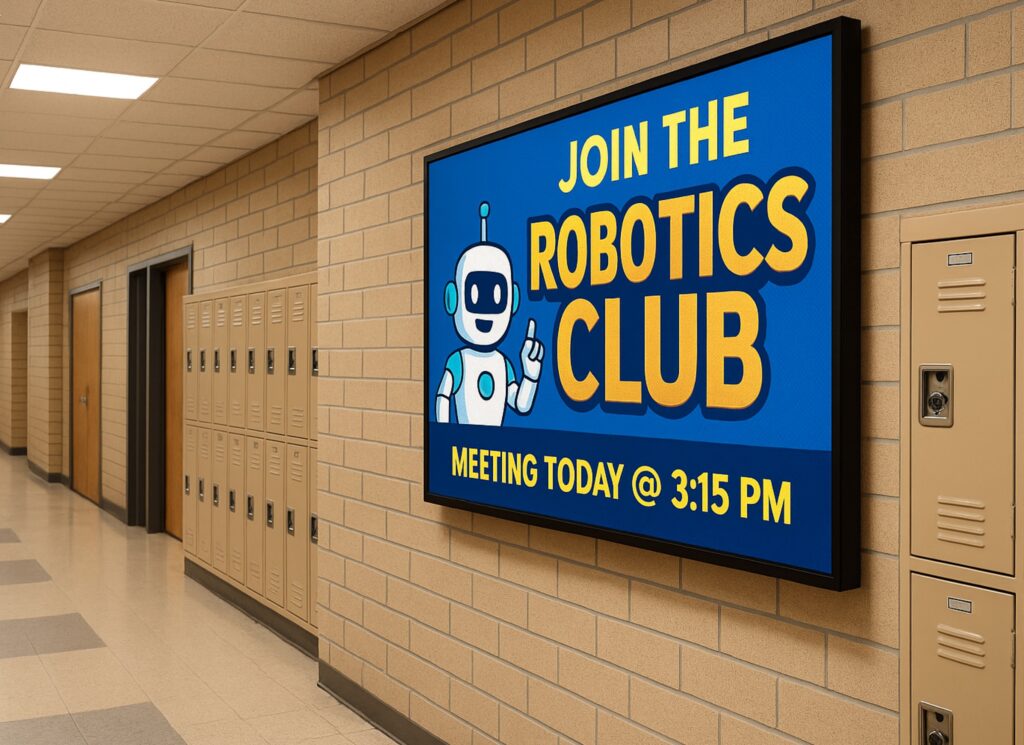
If you’ve ever looked at your current sign and thought, “This thing can’t keep up anymore,” you’re not wrong—and you’re definitely not alone. Across industries, businesses and organizations are moving away from static signage because it simply doesn’t match how fast communication happens now. A digital display isn’t just about looking newer. It’s about being able to respond in real time, stay relevant, and actually get noticed instead of blending into the background. One simple change can Reaching Hybrid Learners More Effectively Hybrid learning requires two communication paths. Messages must reach the physical school and the remote classroom at the same time. Email and portals help, but they depend on users checking them. Digital signage removes that bottleneck. LED displays placed in hallways, entries, cafeterias, and front offices show updates instantly. These screens can pull information directly from scheduling systems, safety alerts, attendance tools, or district communication software. At the same time, the content can appear on remote dashboards, virtual classrooms, and school websites. Because of this, room changes, weather delays, and hybrid-schedule shifts reach students at the exact moment they need them. Real Examples From School Districts Many districts already use digital signage systems to support hybrid environments, and the results are measurable. George School (PA) built a campus-wide digital signage network that localized content by building but allowed schoolwide messages instantly. During hybrid schedule transitions, bell times and class rotations remained accurate across campus. Missed classes dropped by 18 percent. Staff also saved nearly four hours per week once reprinting stopped. Weston School District used a “fifteen-minutes-a-day” digital signage workflow. As a result, information reached families three times faster, and QR-based reminders increased parent engagement. Additionally, the district cut its paper usage by 70 percent. Avoiding reprints for schedule changes saved thousands in toner, maintenance, and staff hours. New York City Public Schools integrated digital signage into its AV and remote-learning infrastructure. Messages now appear on campus screens, remote dashboards, and school websites at the same time. This uniform visibility strengthened emergency readiness across 1,800 campuses and removed duplication between physical and virtual communication channels. Reducing Paper Usage at Scale Paper consumption in K–12 is far higher than most leaders realize. Federal estimates show that the average student uses about 10,000 sheets of paper per year. In a district with 2,000 students, that equals 20 million sheets annually. At roughly six cents per sheet for materials and labor, schools spend about $1.2 million every year on communication that often becomes outdated within hours. Digital signage can reduce paper consumption by 60 to 90 percent. Daily announcements, event reminders, and operational updates move onto screens instead of printers. As a result, districts cut spending on toner, copier service plans, reprints, and distribution labor. Even partial digital adoption saves hundreds of thousands of dollars per year. Operational and Sustainability Gains The operational impact is significant. When schedules change, staff no longer rush to update bulletin boards or reprint materials. When a storm affects bus routes or campus operations, digital signage delivers updates instantly without adding to staff workload. Sustainability gains matter as well. Cutting paper use reduces waste, protects natural resources, and lowers transportation emissions tied to paper manufacturing and delivery. Many districts now include digital signage reductions in sustainability reports to support state and community goals. A Stronger Technology Foundation For IT teams, LED displays and digital signage solutions offer more than convenient communication. They act as a scalable, secure infrastructure layer. Modern systems connect easily to district networks and support controlled, browser-based content management. Because they scale without complexity, they strengthen hybrid learning, emergency communication, and long-term modernization plans. Why NEXT LED Signs Is the Right Partner for Schools Schools need reliable digital signage that performs every day. NEXT LED Signs delivers durable LED signs built for school environments, clear visibility in any weather, and fast five-day shipping for many models. Districts also rely on our hands-off cellular connectivity and cloud-based controls, which make updates simple for busy administrators. Whether you need an outdoor LED sign at the school entrance or indoor displays that support hybrid learning, NEXT LED Signs provides dependable technology backed by responsive support. FAQs: Digital Signage for Hybrid Learning & Reduced Print Waste How does digital signage improve communication during hybrid learning?Digital signage delivers updates instantly to students and staff on campus, which is critical when schedules shift. Research in K–12 communication shows that real-time visual messaging increases message recall by up to 83% compared to text-only emails. This helps prevent missed classes and confusion during hybrid transitions. Can digital signage actually reduce paper waste in schools?Yes. The EPA estimates students use 10,000 sheets of paper per year, and districts adopting digital signage report cutting paper consumption by 60–90%. Even modest reductions translate to major savings in toner, copier repairs, and the labor required to distribute printed materials. Does digital signage help schools respond faster to schedule changes or emergen cies? How is it out thereIt does. Districts using digital signage report that urgent updates reach the school community 2–3× faster than paper or email alone. This rapid visibility is especially important during weather delays, transportation changes, or shifts between in-person and hybrid instruction. Is digital signage difficult for school staff to manage?Modern LED content platforms allow staff to update screens in minutes. Many districts use short, daily workflows—some as simple as 15 minutes a day—to keep messaging current. Most systems also integrate with existing scheduling, attendance, or safety platforms for automated updates. What sustainability benefits does digital signage offer?Reducing paper usage cuts both waste and the environmental impact of paper processing. Every million sheets of paper eliminated prevents roughly 12,000 pounds of CO₂ emissions, according to U.S. DOE sustainability data. Schools with district-wide signage deployments have added these reductions directly into their sustainability reporting. Does digital signage support both on-campus and remote learners?Yes. Content displayed on campus screens can also be mirrored to district websites, virtual dashboards, or learning platforms. This gives remote learners the same access to daily reminders, schedule updates,
How Colleges Use Digital Signage to Promote Events and Share Real-Time Updates
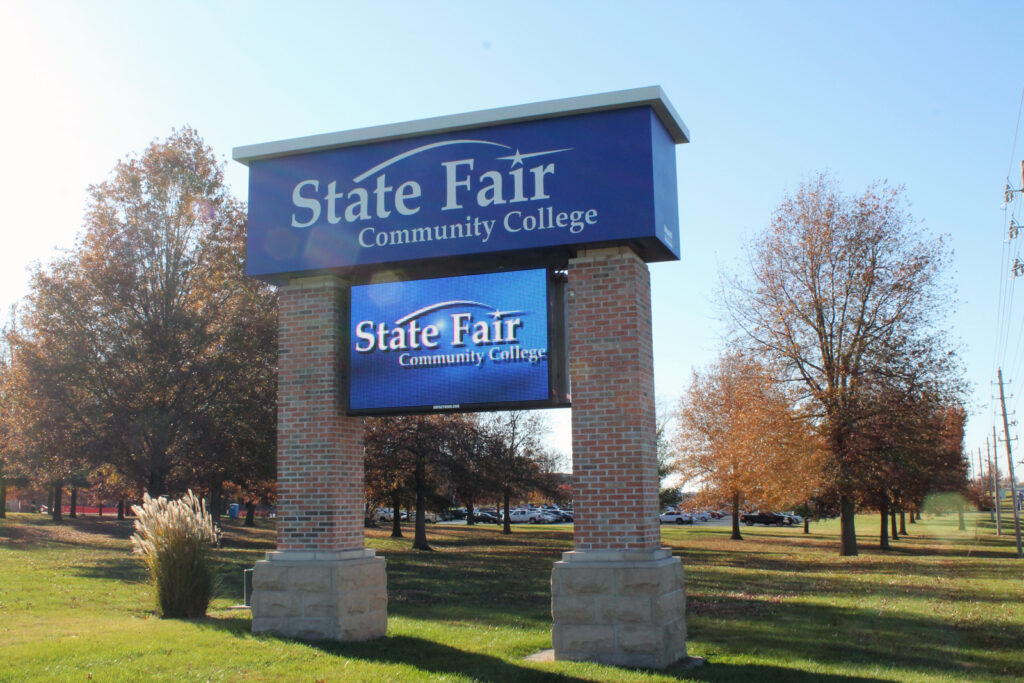
College campuses move fast. Classes shift, clubs meet, speakers arrive, sports schedules change, and half the time students only find out when it’s already too late. Digital signage fixes that problem. It gives campuses a way to promote events where students already are — walking through the union, grabbing food, heading to class, or waiting in line at the bookstore. And when it’s done right? Events get better attendance, last-minute updates actually get noticed, and the entire campus feels more connected. The “Invisible Monitor” Problem (Why Consumer TVs Fail) You’ve seen it before. A college buys a bunch of 60-inch TVs from a big box store and mounts them in the Student Union. Six months later, nobody looks at them. Why? Because physics wins. A standard TV maxes out at 300 nits of brightness. In a sunlit atrium with floor-to-ceiling windows, that screen fights the sun—and loses. It looks dim, washed out, and irrelevant. The Commercial Difference: Headroom. To be visible in a bright lobby, a display needs Headroom. Commercial Direct-View LED (like the NEXT LED APEX Series) is often rated for 4,000 nits. Do you need 4,000 nits indoors? Usually not. But that’s the point. The TV: Runs at 100% power just to be visible. Burns out in 18 months. The LED Wall: You run it at 20% brightness to light up the room. Because the diodes are barely working, they last for a decade. The Glare Factor: If the sun hits the glass atrium at noon, you have the power to crank the brightness up and cut right through the glare. A TV can’t do that. Turning Your Calendar into “Live” Promotion Your marketing team is already burned out. They don’t have time to design a flyer, print it, email it, and manually login to update 50 different screens. The fix is API Integration. Effective digital signage shouldn’t require its own special calendar. It should talk to the tools you already use, like 25Live, EMS, or Google Calendar. You update the event in the system: “Room change: Guest Lecture now in Hall B.” The sign reads the feed: The software detects the change instantly. The directory updates: The digital room card flashes the new location without anyone touching the sign. This handles the chaos of campus life automatically: Speakers running late? Weather moving an outdoor concert inside? Shuttle bus delays? The signs update the moment you know, so the students know. Winning the “2-Second” Glance Students are walking fast. Research suggests you have about 2 to 4 seconds to get their attention. A static PDF of a flyer doesn’t work. Motion works. Don’t just show the speaker’s face. Show a 10-second clip of them on stage. Don’t just list the deadline. Show a ticking countdown clock (“Registration Ends in 04:12:30”). Create FOMO. Show high-res photos from last week’s event. When students see their friends having fun on a 10-foot wall, they show up to the next one. Real-world data backs this up. Universities that switch to dynamic motion graphics often see double-digit increases in turnout because the content is impossible to ignore. Supporting Student Life & Inclusivity It’s easy to promote the big football game. It’s harder to promote the Chess Club, the LGBTQ+ Alliance, or the Tuesday night tutoring session. Printed posters clutter the walls and get ignored. Digital signage creates equity. By rotating content on a loop, Student Life teams can: Highlight smaller organizations that usually get overlooked. Share authentic student content (photos, videos, reviews). Target specific buildings (e.g., showing Engineering Club meets on the Engineering Hall display). When students see their organization on the big screen, they feel represented. It transforms the display from a “bulletin board” into a community hub. The Enrollment Impact: “Things Are Happening Here” When a prospective family walks through your Student Union on a tour, they are judging the “vibe” of the campus instantly. Blank or broken screens? It feels neglected. Static posters from last month? It feels slow. Bright, moving displays showing tonight’s concert? It feels alive. Active digital signage communicates: “Students are involved here. Campus life is vibrant. Things are happening.” That subconscious signal can be the difference between a student feeling at home or feeling indifferent. Silence in the Library (Solid-State Engineering) One reason colleges hesitate to put digital signs in study areas is the noise. Old-school LED walls have cooling fans. Fans hum. In a library or quiet study hall, that hum is a distraction. This is where Solid-State Engineering matters. NEXT LED displays don’t use fans. We use aluminum heat sinks to dissipate heat naturally. That means the sign runs cool and silent. You can put a high-definition event display right next to a study carrel, and it won’t make a sound. Frequently Asked Questions about Using LED to Boost College Event Attendance Do LED signs actually increase student engagement and attendance? Yes. Digital displays catch the eye far more effectively than static posters, leading to higher engagement. 400% More Views: Research indicates that digital signage captures 400% more views than static displays. Recall Rate: 83% of people recall the content they saw on a digital display within the last 3 days, ensuring students remember the “when and where” of upcoming events. How effective is digital signage for retaining information about campus events? It is highly effective because the human brain processes visual information much faster than text. Visual Processing: Visuals are processed 60,000 times faster in the brain than text. Higher Retention: Retention rates for information displayed on digital screens are significantly higher than traditional print media, making it crucial for time-sensitive event details. Can LED displays help with last-minute event promotion? Absolutely. One of the biggest advantages of solid-state engineered LED signs is the ability to update content instantly for “tonight only” events. Impulse Decisions: Data shows that 19% of consumers made an unplanned purchase (or decision to attend) after seeing a digital ad. Instant Updates: Unlike print, digital messaging can be changed in seconds to push flash sales for tickets or
How Versatile Are LED Sports Displays, and What Customization Options Do Schools Really Have?
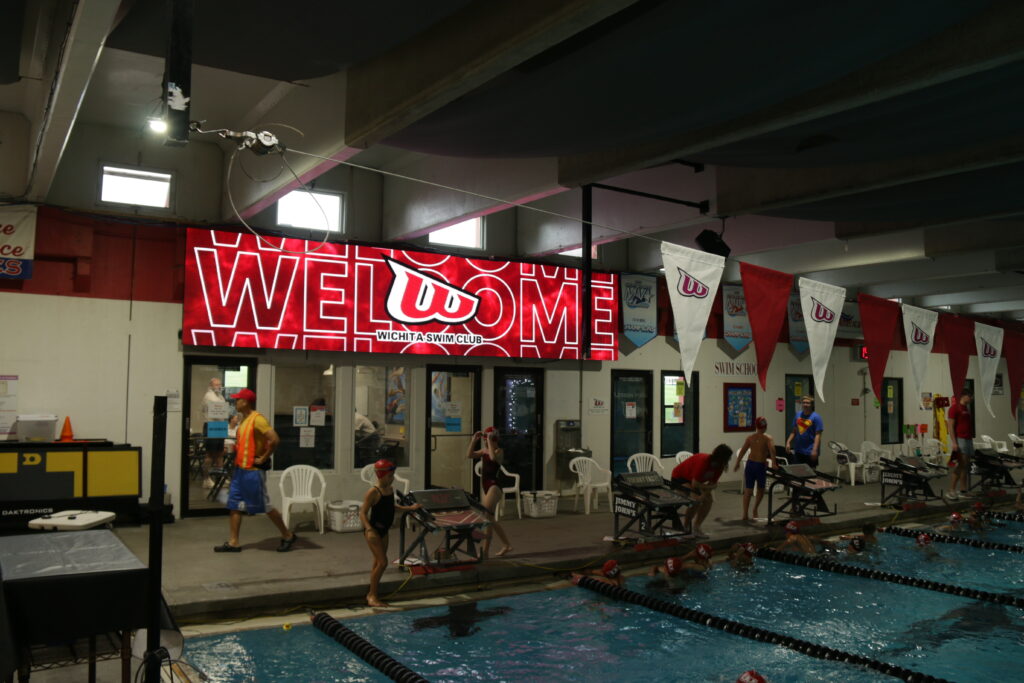
Modern LED scoreboards are no longer single-sport tools; they are open-platform digital canvases capable of generating significant revenue. However, many schools unwittingly lock themselves into restrictive software contracts that limit this potential. By choosing the right ecosystem, schools can switch instantly between football, wrestling, and community events while unlocking 650% ROI for sponsors. This guide explores the four main software models, the specific sport-by-sport features available, and how to avoid vendor-locked traps. Modern LED scoreboards can handle far more than scoring. LED scoreboards have come a long way, and the biggest story isn’t the hardware—it’s the freedom schools now have with software, content, and customization. Whether you’re running Friday-night football, a wrestling tournament, or a swim meet, today’s displays can adapt to almost any sport, any layout, and any game-day experience. But versatility depends heavily on your software choices, not the panel itself. That’s the part most schools never hear during the buying process—and it can affect your scoreboard’s usefulness for the next decade. Subscription Platforms: The “Software as a Service” Model Many high-performance scoring suites operate on a SaaS (Software as a Service) model. In this scenario, the school pays an initial onboarding fee, followed by an annual subscription that covers software licensing, cloud access, and support. The Advantage: These systems are often the most polished. They typically include cloud-based tools that allow Athletic Directors to schedule content from their phone, seamless integration with livestreaming services, and regular updates that add new features automatically. The Risk: The long-term cost of ownership is higher. If the school’s budget is cut and the subscription lapses, the functionality of the board may be severely limited or disabled entirely. Additionally, you are renting the capability, not owning it. Sport-by-Sport Customization Options Once you have an open or flexible system, what can you actually display? Here is what schools can realistically expect from a well-designed scoring ecosystem: Football Game Flow: Scoring, downs, possession, and timeouts. Fan Engagement: Hype videos, “Make Noise” meters, and instant replay (with the right camera input). Revenue: Dedicated zones for sponsor rotations that run independent of the score. Basketball Data: Shot clocks (integrated), foul tracking, and period time. Visuals: Full-screen player introductions with stats and photos. Impact: Rapid-fire animations for 3-pointers and dunks. Volleyball Tracking: Set wins, current rotation, and libero tracking. Atmosphere: Match intro videos and “Ace” animations that keep the energy high. Baseball & Softball Details: Pitch count, batter stats, outs, and base runners. Advanced: Pitch speed radar integration (if hardware is available) and full lineup cards. Wrestling, Swim & Track Logistics: Lane assignments, heat sheets, and tournament brackets. Timing: Real-time clock integration for split-second results. Multi-Use & Community Events The biggest advantage of a versatile LED display is that it doesn’t have to be a scoreboard at all. The same board can run: Graduations: Live camera feeds of students walking the stage. Movie Nights: High-definition films for community fundraisers. Concerts: Visual backdrops for band performances. Emergency Alerts: Clear, bright instructions during campus emergencies. Versatility is the entire point. You aren’t just buying a scoreboard; you are buying a communication tool. The Economics of Versatility: Revenue & Education Versatility isn’t just about fun; it is a financial strategy. When a display can switch from a scoreboard to an advertising platform, the math changes. Industry reports indicate that 95% of schools recover the full cost of their digital scoreboard through sponsorship revenue within the first 12 months. Because digital ads can be rotated and scheduled, schools can offer more inventory to local businesses. For the sponsors, the return is equally impressive. Local businesses investing in scoreboard ads frequently see returns of 650% or more during a single high school sports season. Beyond revenue, the versatility of these boards supports educational outcomes. With 96% of students reporting that video content enhances their learning experience, using the scoreboard as a hands-on lab for AV and marketing classes turns a capital expense into a curriculum asset. Manufacturer-Locked Software: The Buyer-Beware Category This is the most common trap for schools. Some legacy scoreboard manufacturers design their LED displays to listen only to their proprietary data signals. The Reality: When you buy a manufacturer-locked system, you are marrying that vendor for the life of the display. No Switching: If their software interface is clunky or difficult for students to learn, you cannot switch to a third-party provider like Scorebird or ProPresenter. Forced Obsolescence: If the manufacturer decides to stop supporting that specific controller or software version, you may be forced to buy expensive proprietary hardware upgrades just to keep the board running. Limited Versatility: You are often limited to the specific sport templates they provide. If you want to use the board for a non-sport event (like a graduation or movie night), the proprietary software may make it difficult or impossible to display standard video formats. One-Time-Purchase Platforms: The Traditional Model Other systems operate under a “buy it once” model. You purchase the software license upfront as part of the capital installation cost. The Advantage: This creates a predictable “Total Cost of Ownership” (TCO). Once the system is installed, there are no surprise bills in Year 3 or Year 5. The Trade-off: Upgrades are usually manual and may require a fee. Over time, the software can become dated unless the school actively invests in the next version. Open-Platform Scoreboards: Maximum Freedom This is the modern standard for versatility. Open-platform systems treat the LED display as a giant computer monitor. They can accept standard video inputs (HDMI, SDI, NDI) from any source. Why This Matters: Software Agnostic: You can use a dedicated scoring platform for games, then plug in a laptop running PowerPoint for a school assembly, or a media server for a graduation ceremony. Future-Proof: If a better scoring software comes out in five years, you can switch to it without replacing your expensive LED hardware. Student Friendly: You can run industry-standard production software (like OBS, vMix, or Adobe products), giving students real-world skills they can use in future careers. The Economics of
What Are the Content Ideas That Keep School Digital Signs Fresh and Engaging?
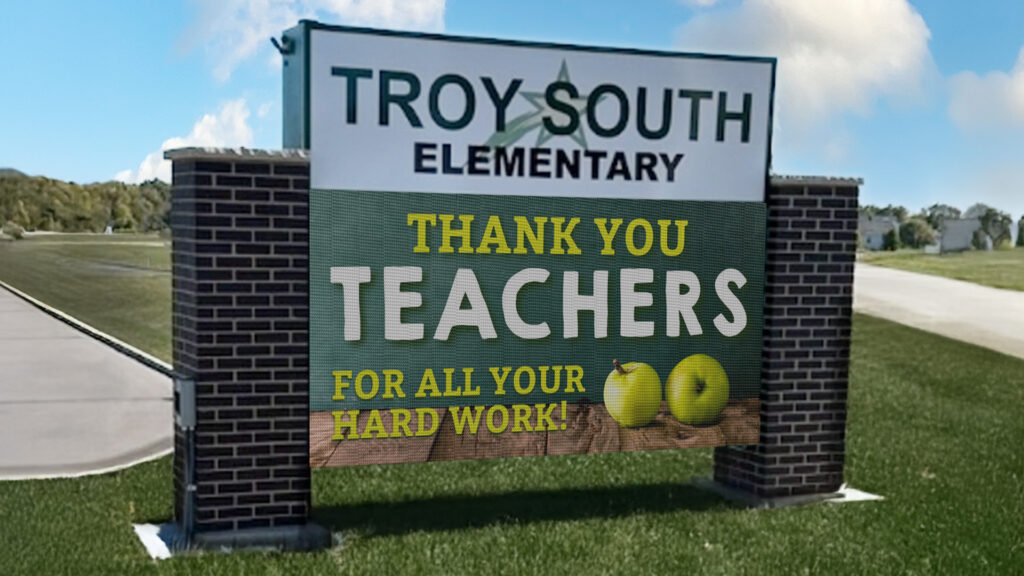
Students ignore static messages. To capture the attention of a digital-native generation, schools must leverage dynamic, rotating content that speaks their language. Research shows that digital signage captures 400% more views than static displays and improves information retention by 83%. This guide outlines specific content strategies—from student-generated graphics to safety integration—that prevent “sign immunity” and turn your digital displays into a central communication hub for your campus. Why Fresh Content Matters in K-12 Environments Students absorb information visually, but they filter out anything that feels stale. Research from digital signage studies shows: Content variety increases attention by 32% when screens cycle through multiple formats rather than repeating the same visuals. User-generated content boosts engagement by 45%, especially among Gen Z students who respond to peer-created visuals. Viewers retain 65% of visual information when refreshed frequently compared to 10% for static text alone. In environments with regular message rotation, students were 28% more likely to recall upcoming events or deadlines. Fresh content isn’t cosmetic—it directly affects communication success. Student-Created Content (The Most Powerful Engagement Tool) When students create the messages, other students stop and look. One New Jersey high school ran a monthly “Message of the Month” contest. Students designed graphics, submitted animated ideas, and the winner earned bragging rights, lunch vouchers, and a spotlight on the school’s LED display. It achieved two things: It eliminated sign fatigue because content reflected student voice. It became part of the curriculum, integrating design, media production, and communication skills. The Data Backs This Up: Studies indicate that 96% of students believe video and digital content significantly enhance their learning experience, making this a dual-purpose tool for engagement and education. Schools can use: Graphic design classes AV clubs Digital literacy programs Yearbook or broadcast teams Art classes experimenting with animation or typography Students feel ownership. The signs feel relevant. Weekly Themes to Maintain Novelty Without Overloading Staff Schools that adopt a rotation schedule see higher message recall. Examples: Motivation Monday: Student quotes, teacher spotlights, or sports highlights. Wellness Wednesday: Nutrition tips, mental-health reminders, counselor messages. Feature Friday: Clubs, achievements, volunteer opportunities. This structure provides the needed variety while keeping updates manageable. Research on rhythm in messaging shows that predictable but varied content cycles improve attention by 21% over static loops. Real-Time, Student-Relevant Information Students look at screens when the content affects their day. High-impact items include: Bell schedule changes Lunch menus (Digital menu boards can reduce perceived wait times by 35%) Bus route alerts Sporting event reminders Weather or emergency updates Club meetings happening “today” A study on school communication found that time-sensitive messages increase student engagement by 46% because they’re immediately useful. In fact, 97% of students prefer receiving information via digital channels over non-digital sources. Visual Richness: Use Movement, Color, and Format Mixes LED displays excel with motion. Research on screen-based learning shows that short animated elements increase retention by 38%, even if the animation is subtle. Use: Short loops (3–5 seconds) Light motion backgrounds Friendly transitions High-contrast school colors However, avoid overly complex motion, which can reduce readability for younger students. Recognize Students Often and Publicly Students stop scrolling their phones and look at LED signs when someone they know appears on it. High-impact content: “Students of the Month” Athletics wins Robotics awards Perfect-attendance shoutouts Art or writing features One Illinois district reported a 60% increase in student engagement after adding weekly student spotlights to their digital displays. Recognition builds pride—and attention. Use Your LED Signs as Part of School Culture When digital signage reflects the personality of the school, students see it as “their” message board, not an adult bulletin board. Try: Daily jokes from students Fun countdowns (holidays, dances, tests, spring break) Spirit week themes Artwork or photography Senior-class messages School trivia questions Gamified announcements increase engagement by up to 40%, according to EdTech behavioral studies. Promote Safety and Belonging Content that reinforces well-being stays top-of-mind. Beyond daily wellness, digital signage is a critical safety tool. 92% of schools now use digital signage for emergency notifications because it cuts through the noise. Emergency Alerts: Real-world case studies, such as Necedah Schools, showed that integrating digital signage with emergency systems reduced lockdown response times by over 50%. Anti-bullying messages Kindness campaigns Cultural heritage celebration weeks This supports SEL goals while naturally rotating content. Keep Content Short and Rotating Quickly Studies show: Students stop watching after 6–7 seconds per message. A loop longer than 90 seconds decreases viewer attention by half. Shorter loops (45–60 seconds) ensure students see multiple messages at any stop point. Quick rotation also fights sign immunity. Include Faculty and Staff in the Content Pipeline Teachers and club leaders often have great ideas but no easy way to share them. Schools with high engagement create simple submission channels: Google Forms for content ideas Shared drive folders for images Monthly “content days” where departments send updates When teachers participate, content becomes more varied and lively. Use Classroom Curriculum to Feed the Signs Naturally Schools that integrate signage into existing subjects never run out of content. Examples: History classes create mini historical facts Science students build animated diagrams Math clubs share “Problem of the Week” Language departments share daily vocabulary Theatre departments post performance clips or rehearsal photos This solves the workload problem and reinforces classroom learning. Avoiding Sign Immunity: Best Practices To prevent message fatigue: Update weekly (minimum). Replace all static messages monthly. Avoid repeating the same image or color slate too often. Use different formats: photos, color accents, video loops, student voices. Tie content to the school calendar so it stays timely. Use student-generated content as your anchor. Schools that follow these steps see higher student awareness, stronger attendance at school events, and better communication flow. One or two Frequently Asked Questions About Keeping School Digital Signs Engaging How often should school digital signage content be updated? To maintain high engagement, best practices suggest updating general announcements at least weekly. However, for time-sensitive information like lunch menus or schedules, daily updates are essential. Research indicates that rotating content
Where Is the Best Placement for Digital Signs in a Retail Store?
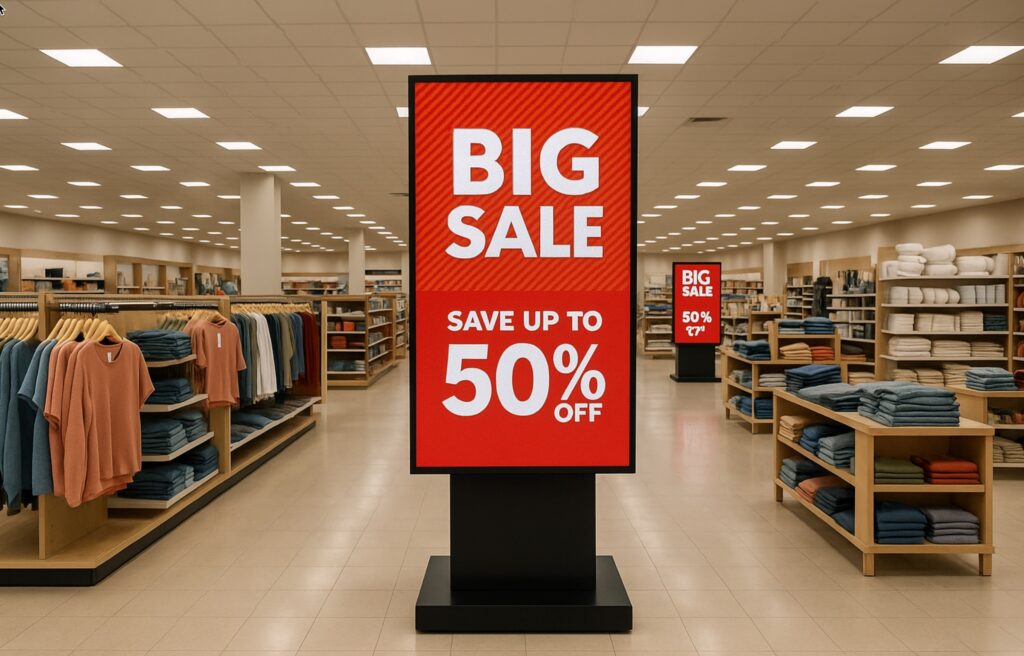
ARetailers often ask, “Where should I put my screen?” The answer directly impacts your bottom line. While 76% of shoppers enter a store because of entrance signage, the strategy changes once they are inside. From reducing perceived wait times at checkout by 35% to using “distance theory” to drive foot traffic deep into your aisles, this guide breaks down the psychology and data behind perfect in-store sign placement. Retail Sign Placement: Is Your “Silent Salesperson” Actually Doing Its Job? Retailers use LED displays to guide shoppers, highlight promotions, and create a more engaging in-store experience. Yet, for all their popularity, many businesses still wonder: Where exactly should these screens go? Placement isn’t just about finding an empty wall. It affects visibility, traffic flow, and most importantly, how customers react to the message. The right location can increase sales and basket size, while the wrong location—even with great content—can make the display easy to ignore. Digital signs work best when they support how people naturally move through a store. They should spark interest, answer questions, or help shoppers decide faster. Entrance signs, aisle displays, and counter screens all play different roles in the buying journey. Understanding those roles helps retailers use LED displays to connect customers with the products they actually want. Entrance Signs: The “Hook” That Draws People In The entrance is one of the highest-value spots for any LED display. Research consistently shows that 76% of shoppers have entered a store specifically because digital signage caught their attention near the entrance. That number alone explains why storefront displays matter so much. They operate like a visual invitation, giving customers a concrete reason to step inside rather than walking past. Bright motion catches the eye: This is crucial when people are approaching from a sidewalk or parking lot where distractions are high. First impressions happen in seconds: Entrance signs shape how customers view the entire brand before they even touch a product. Use these screens to highlight new arrivals, seasonal items, or daily deals. A strong entrance sign transitions the customer from “passerby” to “shopper.” Window-Facing Signs: The Dual-Threat Display Many retailers place LED displays inside the front windows, facing outward. This is a strategic power move because it reaches two audiences at once. Outside Traffic: It grabs the attention of people on the street or in the parking lot. Inside Traffic: Shoppers already inside the store see the display again as they browse near the front. This repetition is key to marketing psychology. Reinforcing the message strengthens brand recall and helps featured items stay top of mind. Window displays are especially useful for stores in high-traffic areas where footfall is heavy. When shoppers see something dynamic in the window, curiosity spikes. That curiosity is the first step toward a sale. Aisle and Mid-Store Displays: Guiding the “Wanderer” Many customers walk into a store without a strict plan. They browse, wander, and make decisions on the spot. This is where mid-store digital signs shine. Mid-store displays act as “digital ushers,” guiding behavior by showing product ideas, comparisons, and quick explanations. Keep them moving: Screens placed along wide aisles or near transition points pull customers deeper into the store. The “Exposure Effect”: The deeper they walk, the more products they pass. Studies show that increasing a customer’s path through the store directly correlates with larger basket sizes. These screens give retailers space to educate or inspire without being intrusive. Because shoppers read signage while they are moving, these displays should deliver simple, punchy messages that encourage the next step, rather than overwhelming them with fine print. The “Distance Effect”: Why Promoting Farther Works Better Here is a surprising insight from retail research that most stores get wrong: Digital signs are often more effective when the promoted product is NOT directly next to the screen. It sounds counterintuitive, but shoppers respond better when the item is located a few aisles away rather than right under the display. Why? The “Pressure” Problem: When a product sits directly beside the screen, the message feels obvious. It feels like a sales pitch. People notice the screen, but their defense mechanisms go up, and they often walk past without engaging. The “Discovery” Solution: When the LED display promotes an item located farther away, the experience feels like a treasure hunt. A shopper sees the image, gets curious, and decides to walk toward that section. This shift from “being told” to “discovering” changes the entire emotional dynamic of the shopping trip. Furthermore, that movement generates revenue. As customers walk from the sign to the product, they pass other shelves and see other items. The LED display becomes a directional cue that serves the shopper, not just an advertisement sitting on a shelf. This strategy is incredibly powerful for high-margin items placed deep inside the store. Checkout Displays: The Master of the Impulse Buy LED signs near the checkout area function completely differently from entrance or mid-store displays. The Mindset: Customers here are done browsing. They are in “buy mode.” The Opportunity: They are a captive audience standing in line. Screens behind the counter are the perfect place to promote impulse items, service upgrades, loyalty programs, or limited-time offers. Data indicates that digital signage at checkout can increase impulse purchases by 19% to 30%. Perhaps more importantly, a well-placed checkout display reduces perceived wait times by up to 35%. When customers have something entertaining or informative to watch, the line feels faster, and customer satisfaction scores go up. High-Traffic Zones: Meeting Customers Where They Are Every retail store has predictable “hot spots”: entrances, wide central aisles, and transitions between departments. Placing LED displays along these natural paths guarantees visibility because people instinctively slow down or turn in these areas. Because shoppers are moving through these zones, the content needs to be fast. Motion graphics and simple visuals work best here. The screen’s job is to capture attention, reinforce the promotion, and hand the customer off to the next section of the store. Summary: Matching the Location to
Indoor Digital Displays Improve Wayfinding Efficiency
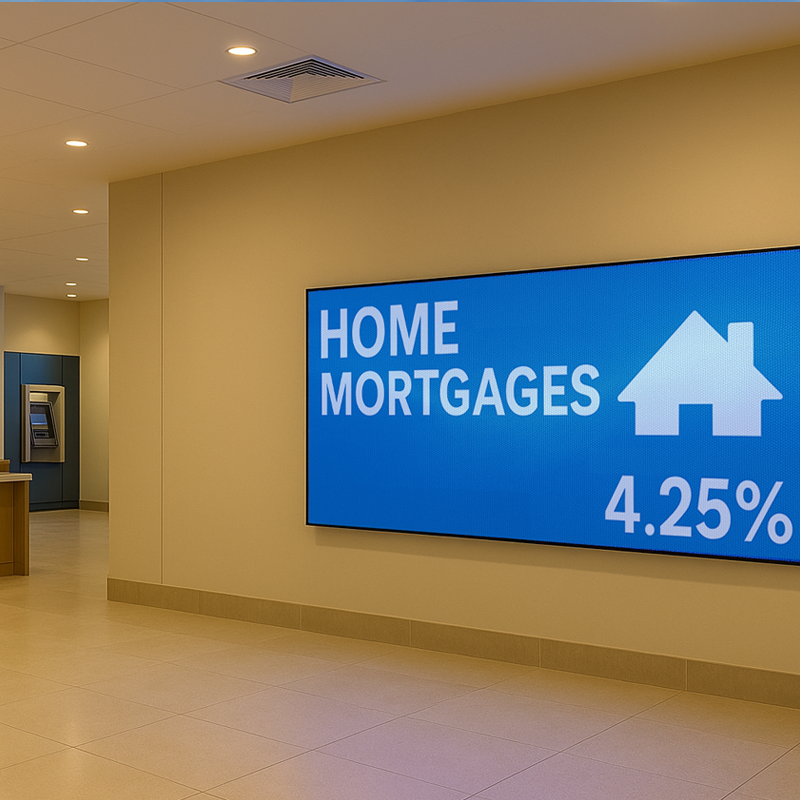
Finding your way through a busy building can be frustrating—especially in hospitals, schools, airports, and office complexes. That’s where indoor LED displays shine. These digital signs help people navigate large spaces quickly, confidently, and without confusion. Why Wayfinding Matters Good wayfinding improves the experience for visitors and staff. It cuts down on delays, missed appointments, and the need for one-on-one directions. In places like healthcare facilities, every second counts—and clear signage helps make sure people get where they’re going on time. Plus, wayfinding signs don’t just guide—they can inform. Event schedules, emergency messages, and service alerts can all be displayed in real time. LED Displays Make It Clear Traditional signs are static. Once printed, they stay the same—unless you replace them. Digital LED displays let you update directions, schedules, or alerts instantly. Whether you need to reroute traffic due to construction or show live updates during an event, your sign can adapt. And because LED displays are bright and clear from a distance, people spot them faster and follow instructions more easily. Industry Adoption and Market Growth Education Sector 70% of colleges have integrated digital displays for wayfinding, classroom information, and event scheduling. Retail & Public Spaces Digital signage engages 10% of U.S. residents over age 12, proving its effectiveness in attracting attention. Navigation Efficiency & Customer Satisfaction Implementing digital wayfinding solutions increases navigation efficiency by 40% and enhances visitor experience by 30% in complex venues like shopping centers and healthcare facilities. Market Expansion The global digital signage market continues to expand, with an estimated CAGR of 7.7%. Revenue is projected to grow from $25.1 billion in 2022 to $34.7 billion by 2026, fueled by increasing demand for digital wayfinding solutions. Flexible for Any Facility We design indoor signs that fit right into lobbies, hallways, entry points, and more. With slim profiles, high-resolution output, and quiet operation, these displays work seamlessly in: Hospitals Convention centers Universities Museums Office buildings Transit hubs Frequently Asked Questions How do LED displays improve wayfinding?Digital signs can increase wayfinding success by over 30% compared to static signs, according to a study by the Society for Environmental Graphic Design. Clearer instructions mean fewer people getting lost or missing appointments. Can the displays be updated in real time?Yes. With cloud-based software, staff can update directions or alerts in seconds. This is especially useful for facilities with shifting schedules, emergency notices, or high foot traffic. Are LED signs easier to read than printed signs?Absolutely. LED displays are brighter and more visible from a distance. In well-lit buildings or dim corridors, digital signs maintain their clarity—reducing confusion and eye strain. Can I show more than just directions?Definitely. Many facilities display room schedules, meeting notices, safety instructions, or service updates alongside wayfinding messages. It’s a flexible, multi-use solution. Do LED wayfinding signs reduce labor or costs?They do. Digital signage reduces the need for printed signs and personal assistance. One large hospital reported a 25% drop in staff time spent redirecting patients after installing LED wayfinding displays. At Next LED Signs, we provide state-of-the-art LED signage solutions designed to meet the needs of businesses worldwide. Whether you want to enhance retail experiences, streamline public communication, or improve operational efficiency, we can help. Let’s bring your vision to life. Contact Next LED Signs today to explore cutting-edge digital signage solutions tailored to your industry.
Indoor LED Displays Are Reshaping Workplace Communication
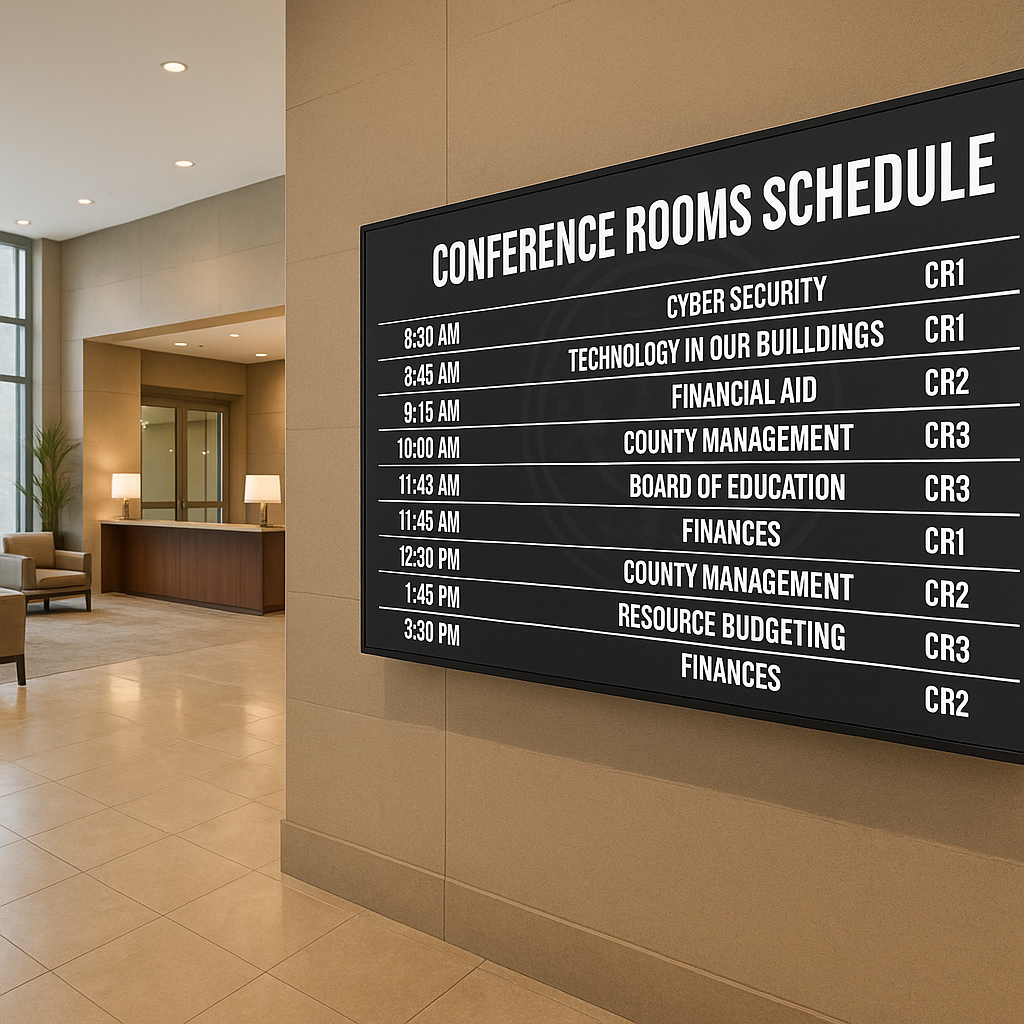
LEDs (Light Emitting Diodes) have skyrocketed in popularity thanks to their energy efficiency, eco-friendliness, affordability, and long lifespan. They’re the backbone of modern digital signage and scoreboards, offering businesses a reliable and impactful way to display information and attract attention.
Among the various types of LEDs, SMD (Surface Mounted Devices) and DIP (Dual Inline Package) LEDs stand out as the most common technologies. While they share the same foundational principles, they bring unique advantages to the table.
How to Choose the Right Indoor LED Display for Your Space
Indoor LED displays are a smart choice for businesses that want to communicate visually with impact. Whether you’re managing a lobby, retail floor, meeting space, or control room, the right LED sign makes it easier to deliver clear, eye-catching messages. But not all LED displays are created equal. To get the most out of your investment, you need to consider factors like viewing distance, pixel pitch, ambient lighting, and content needs. Let’s break it down. Why Indoor LED Displays Make Sense LED technology has quickly outpaced older options like LCD panels or projectors. Here’s why: They’re self-illuminating, so they remain bright and legible in any lighting. They’re modular, which means they scale to nearly any size or shape. They’re durable and energy-efficient, offering years of dependable service. LED signs are designed for attention. That’s why companies are using them in offices, retail stores, airports, hotels, conference centers, and even emergency command rooms. Fact: Indoor LED signs can operate for 100,000+ hours—that’s over 11 years of 24/7 use. Pixel Pitch: What It Is and Why It Matters Pixel pitch is the space between each LED diode, measured in millimeters. The lower the number, the tighter the pitch—and the sharper the image at close range. Here’s a quick reference: 0.9mm–1.5mm: Perfect for viewers within 6–10 feet (e.g., lobbies or meeting rooms) 1.5mm–2.5mm: Great for 10–20 foot distances (e.g., corridors or waiting areas) 2.5mm+: Ideal for distant viewing (e.g., indoor arenas or large halls) Tip: A tighter pitch boosts readability. In fact, when the pitch matches the viewing distance, message clarity improves by up to 70%. Ambient Light and Viewing Angles Lighting plays a big role in display performance. In well-lit spaces or areas with large windows, traditional displays often struggle with glare or washed-out images. That’s where LED shines—literally. LED screens stay bright and vibrant even in direct sunlight. They offer wider viewing angles (up to 180°), so content stays visible off-center. Stat: LED displays provide 10× better visibility in high ambient light compared to projection systems. What Will You Be Displaying? Choosing the right display isn’t just about size or brightness. You also need to think about what you’ll be showing. Detailed videos or high-res graphics? Go for a small pixel pitch with high refresh rates. Scrolling text or status updates? You can go with a higher pitch and simpler configuration. Also, if you plan to rotate different types of content throughout the day (e.g., live data, promotions, welcome messages), you’ll want a display that can handle fast transitions without flicker or lag. Benchmark: LED displays with refresh rates of 3,840 Hz or higher deliver smooth playback, even with fast-moving visuals. Efficiency and Longevity LED signs aren’t just more attractive—they’re also more cost-effective over time. They require less maintenance than LCDs or projectors. They consume 30–50% less energy thanks to modern power-saving features like auto-dimming. And they last longer, with less image degradation over time. Calculating Total Cost of Ownership It’s true—LED displays can cost more upfront. But over the life of the sign, that cost evens out. When you factor in: Reduced power usage Lower maintenance needs Longer operational life …you end up saving money in the long run. Many businesses see full ROI in 2–4 years, especially in high-visibility locations. Frequently Asked Questions About Indoor LED Displays Q: What pixel pitch is best for indoor LED displays at close viewing distances?A: For viewers within 6 to 10 feet, a pitch between 0.9mm and 1.5mm is recommended. According to recent display studies, matching pitch to proximity improves text and graphic clarity by up to 70%. Q: How do LED signs perform in bright indoor environments?A: LED displays are 10× more visible than projection screens in high ambient light. They remain vibrant even in sunlit or glass-heavy spaces, with 180° viewing angles for maximum reach. Q: What’s the difference between pixel pitch and resolution in LED displays?A: Pixel pitch is the spacing between diodes and affects how sharp the image appears at a given distance. Resolution refers to the total number of pixels. Smaller pixel pitch often means higher resolution per square foot. Q: Are indoor LED signs energy efficient?A: Yes. Indoor LED signs use 30–50% less energy than traditional LCDs or projectors. Most commercial-grade units feature built-in auto-brightness controls to minimize energy waste. Q: How long does a commercial indoor LED display last?A: Most indoor LED signs are rated for 100,000 hours of operation. That’s equivalent to over 11 years of continuous use—making them a reliable long-term asset. Why NEXT LED Signs Is the Right Choice for Indoor LED Displays At NEXT LED Signs, our indoor LED displays deliver unmatched clarity, reliability, and performance. Whether you need a high-resolution video wall for your corporate lobby or a dynamic message board for a retail space, our team will help you choose the right pixel pitch, size, and configuration to match your environment. Every display we build is engineered for long-term operation, with low energy use and seamless integration. From planning to installation and ongoing support, we’re here to make sure your indoor LED display works exactly how—and where—you need it to.