When selecting an LED scoreboard or sports video display, screen size is only part of the decision. Pixel pitch also plays a major role in how sharp the content appears, how close spectators can sit and how much the display will cost.
The goal is not always to purchase the tightest pixel pitch available. It is to select the resolution that delivers a clear, engaging experience from the distances where fans will actually view the display.
What Is Pixel Pitch?
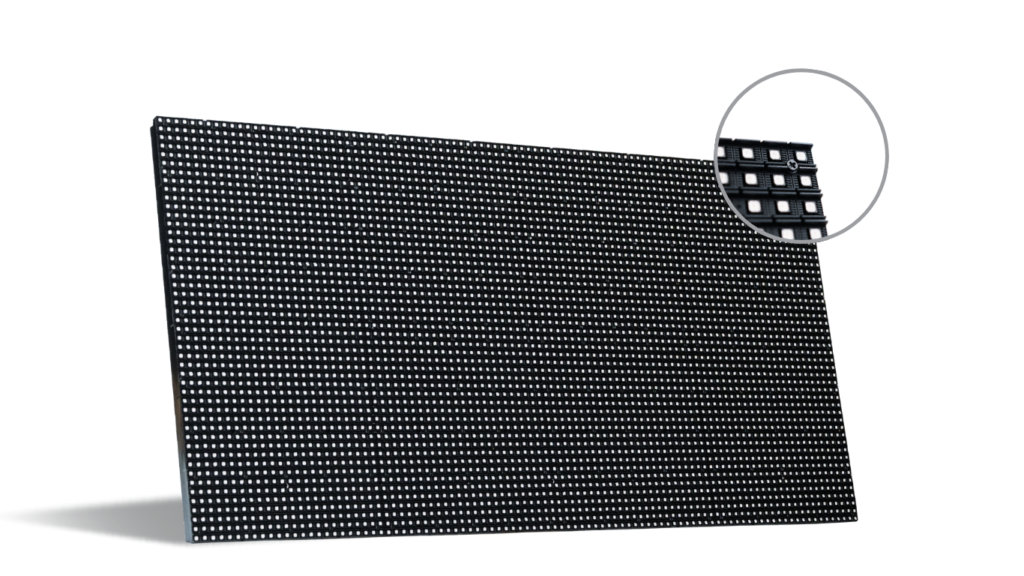
Pixel pitch is the distance, measured in millimeters, between the centers of two neighboring LED pixels. A P4 display has pixels positioned approximately 4 millimeters apart, while a P10 display has approximately 10 millimeters between pixels.
The smaller the number, the more closely packed the pixels are.
A smaller pixel pitch generally provides:
- Greater image detail
- Smoother text and graphics
- Better visibility at close distances
- More pixels within the same display area
A larger pixel pitch can still produce an effective image when the audience is farther away. From the proper viewing distance, individual pixels blend together to create a clear, unified picture.
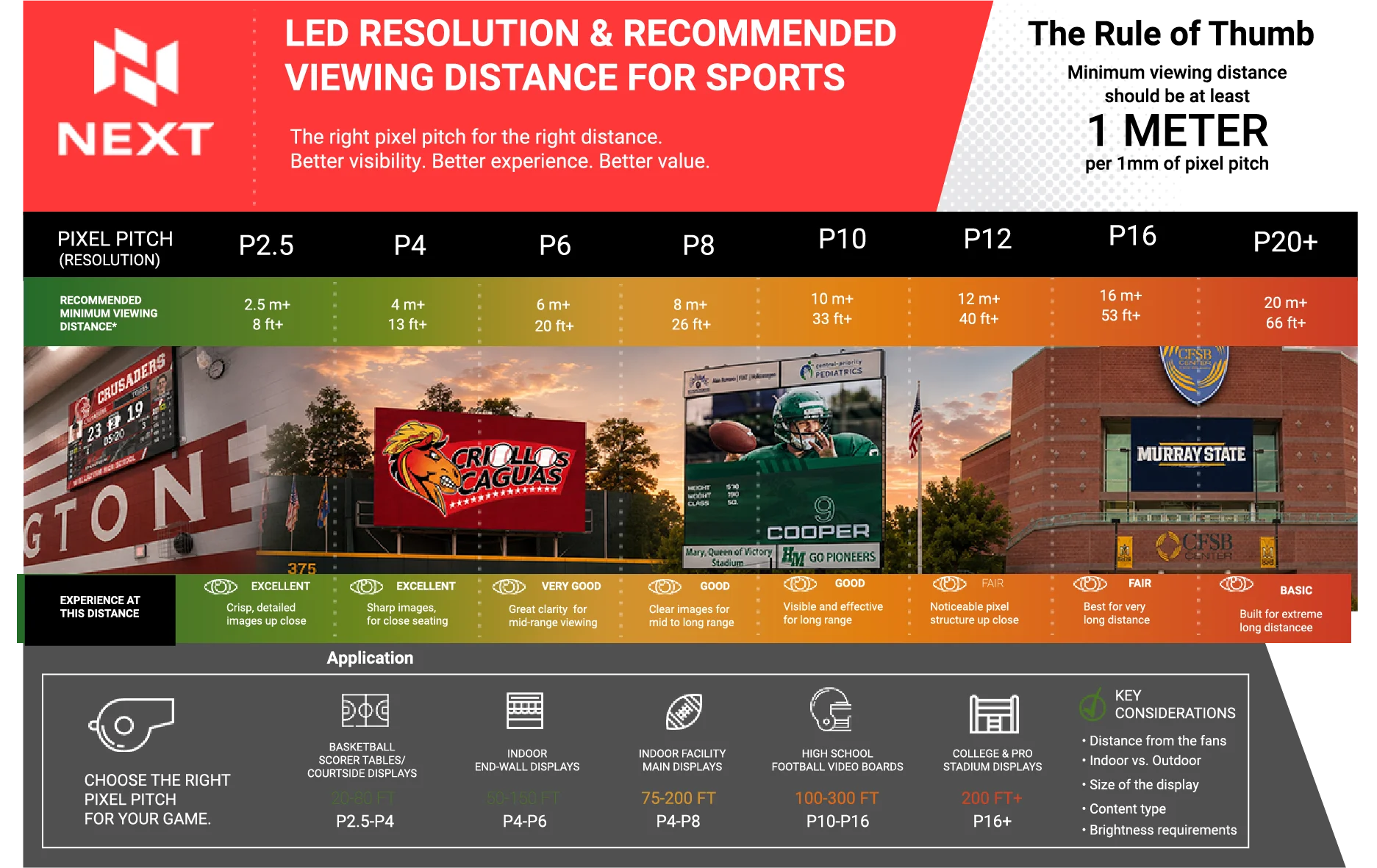
Why Viewing Distance Matters
The closest viewers usually determine the appropriate pixel pitch.
Fans seated courtside may be only a few feet from a display, making a fine pixel pitch important. Spectators in a football stadium may be hundreds of feet from the main video board, where a larger pixel pitch can provide excellent visibility without adding resolution that the audience cannot appreciate.
As a general guide:
- P2.5: Recommended minimum viewing distance of approximately 8 feet
- P4: Approximately 13 feet
- P6: Approximately 20 feet
- P8: Approximately 26 feet
- P10: Approximately 33 feet
- P12: Approximately 40 feet
- P16: Approximately 53 feet
- P20 and above: Approximately 66 feet or more
These distances are useful starting points. The final recommendation should also account for the display’s physical size, content, location, brightness requirements and whether it will be installed indoors or outdoors.
Recommended Pixel Pitch by Sports Application
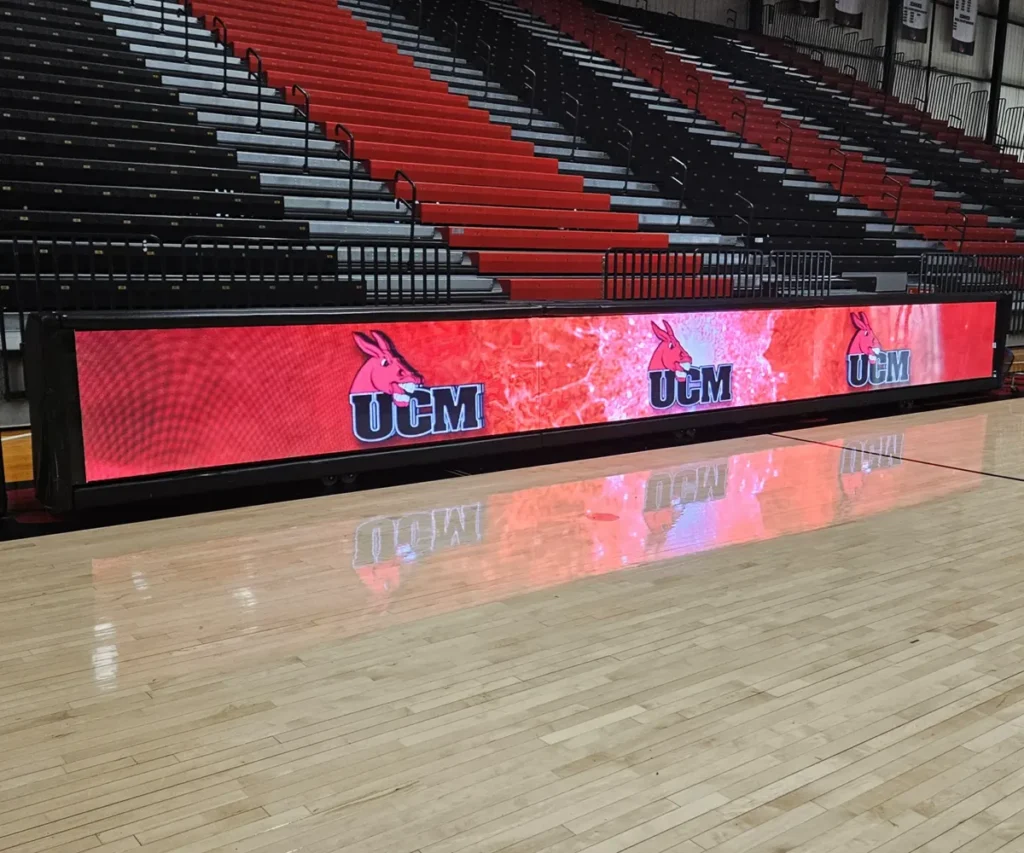
Basketball Scorer’s Tables and Courtside Displays
Typical viewing distance: 20–80 feet
Suggested pixel pitch: P2.5–P4
Courtside displays are viewed from relatively close distances and frequently present sponsor logos, animations, statistics and promotional messages. A tighter pixel pitch keeps text and graphics sharp for spectators seated near the court while also improving the display’s appearance in photographs and video coverage.
Indoor End-Wall Displays
Typical viewing distance: 50–150 feet
Suggested pixel pitch: P4–P6
An indoor end-wall display must be visible from seating throughout the gymnasium or arena. P4 to P6 commonly provides a strong balance between image detail, viewing distance and overall value for these applications.
This range works well for scores, player graphics, school branding, sponsor messages, animations and video content.
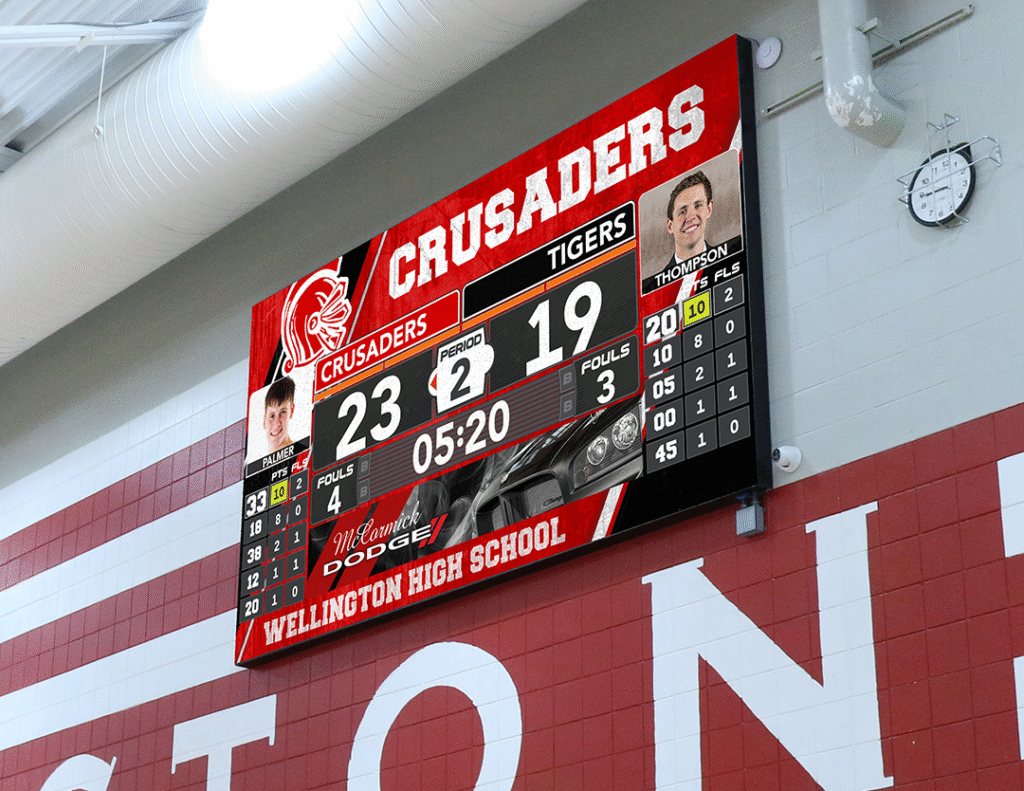
Indoor Main Video Displays
Typical viewing distance: 75–200 feet
Suggested pixel pitch: P4–P8
Larger indoor facilities may require a main display capable of showing live video, instant replays, player introductions, statistics and sponsor content. The proper choice within the P4-to-P8 range depends on the closest seating, display size and level of detail in the content.
Facilities with nearby seating or detailed video content may benefit from a tighter pitch. Displays viewed primarily from farther seating areas may perform very well with a larger pitch.
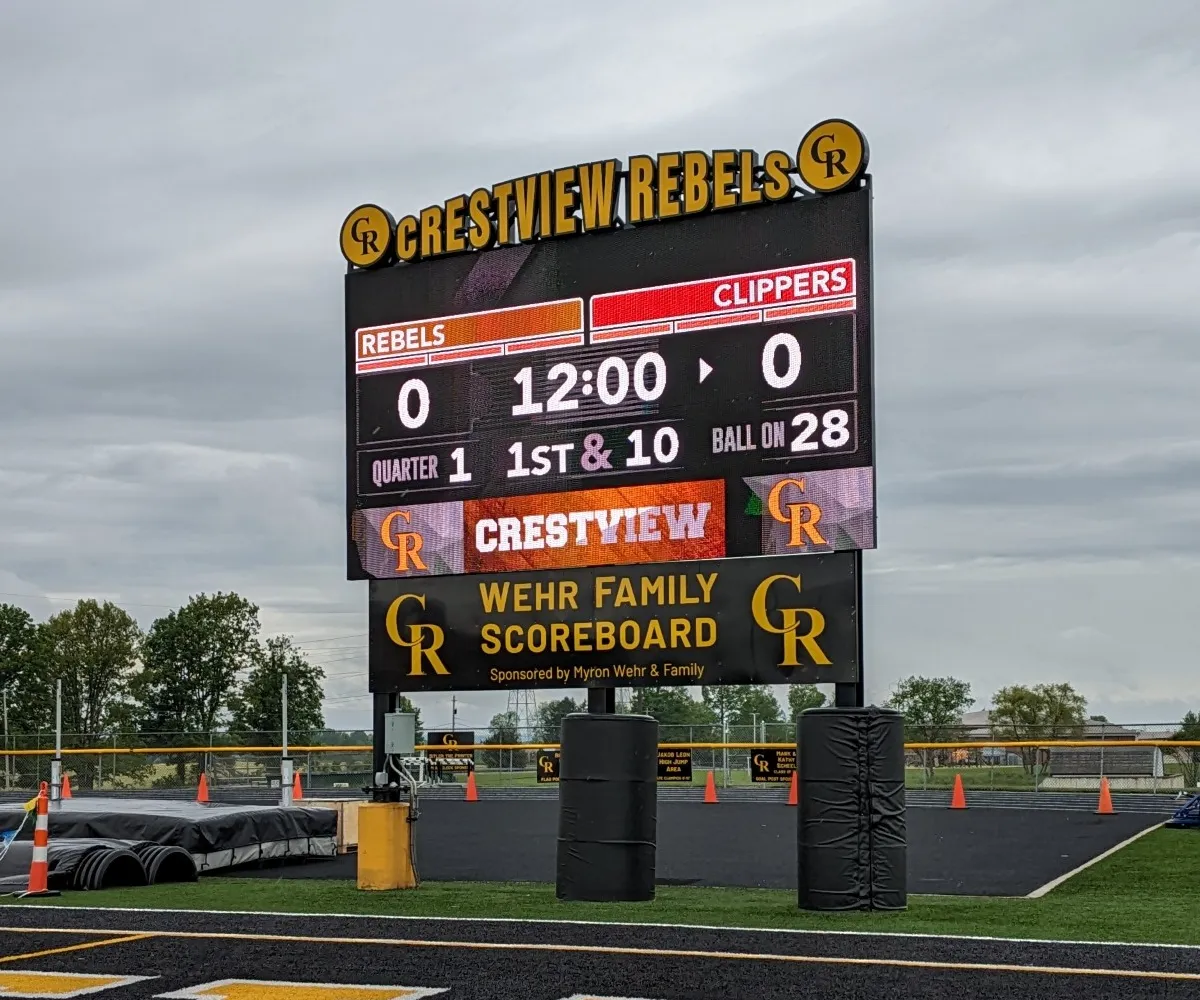
High School Football Video Boards
Typical viewing distance: 100–300 feet
Suggested pixel pitch: P10–P16
Outdoor football displays are generally larger and viewed from much farther away than indoor scoreboards. A P10-to-P16 display can provide effective long-distance visibility for scores, video, graphics, school branding and advertising.
Brightness and weather protection are also especially important for outdoor installations. The display must remain visible in direct sunlight and withstand changing environmental conditions.
College and Professional Stadium Displays
Typical viewing distance: 200 feet or more
Suggested pixel pitch: P16 and above
Very large stadium displays are designed for long-range viewing. Because spectators are often hundreds of feet away, a larger pixel pitch can still create a strong visual experience—especially when paired with the correct display size and well-designed content.
The total display dimensions, seating configuration and content plan should be evaluated together. A large screen with an appropriate pixel pitch can be more effective than a smaller screen with unnecessarily tight resolution.
Pixel Pitch Is Only One Part of the Decision
Viewing distance is the best place to begin, but it should not be the only consideration. A sports display should be designed around the complete venue and the way the screen will be used.
Important considerations include:
- Distance from the closest and farthest spectators
- Indoor or outdoor installation
- Overall dimensions of the display
- Type and complexity of the content
- Text size and scoring information
- Live video and instant replay requirements
- Sunlight and brightness conditions
- Camera and broadcast visibility
- Available budget
Content matters, too. A display used mainly for large scores and simple graphics may not require the same resolution as one showing detailed video, small statistics, sponsor advertisements and player profiles.
The Best Pixel Pitch Is the One That Fits the Venue
A tighter pixel pitch is not automatically the best choice, and a larger pitch does not necessarily mean poor image quality. The right solution provides the resolution spectators can appreciate from their actual viewing distance while making responsible use of the project budget.
NEXT LED evaluates the venue, audience, display size and content goals before recommending a sports display. This helps schools, colleges and athletic organizations invest in a system that delivers the right visibility, experience and long-term value. OK

Planning a New Sports Scoreboard or Video Display?
Talk with NEXT LED about your venue, seating distances and content goals. We can help determine the appropriate display size and pixel pitch for your facility.
NEXT LED Signs can help you think through the practical side of the decision, including scoreboard size, placement, visibility, sponsor messaging, content control, and long-term use.
Call 888-359-9558 to talk through your scoreboard project.